Snapchat Video Downloader
Download Snapchat Spotlight videos and Stories.
Save a Snapchat Video in 3 Steps
Copy the Link
Open the public Spotlight video or Story in Snapchat, tap the share arrow, and choose Copy Link.
Paste It Above
Drop the link into the box at the top of this page. No Snapchat login is needed at any point.
Tap Save
The tool resolves the link against Snapchat's own servers and hands back the original file, usually within a few seconds.
What This Snapchat Video Downloader Covers
Public Spotlight Video Downloads
Paste a link from Snapchat's public discovery feed and get back the original file, the one video format on the platform that's reliably public by design.
Public Story Saving, While It's Live
Works on Stories the poster has set fully to Public, pulling video and photo Snaps before Snapchat's own expiry timer clears them.
Clean File, No Interface Baked In
Delivers the actual video Snapchat serves, not a screen capture, so no status bar, battery icon, or player controls end up stuck in the frame.
Original Audio Kept Intact
Trending sound, a voiceover, or a creator's own soundtrack stays synced in the file exactly as posted, with nothing re-recorded.
No Snapchat Login Required
Works from a public link alone. No account, no password, and no app install needed at any step.
Runs on Any Device
A regular browser tab on iPhone, Android, Mac, or Windows is all it takes, with nothing to download or configure first.
Paste the link to a public Snapchat Spotlight video or a Public Story into the box above and tap Save: that's the entire process this Snapchat video downloader is built around. The tool resolves the link directly against Snapchat's own public servers and hands back the original file, typically in around three seconds, with no login, no app install, and no screen recording involved.
Snapchat's Three Kinds of Content, and Which Ones a Downloader Can Actually Reach
Snapchat doesn't treat everything posted to it the same way, and that difference matters more here than on almost any other platform. Before pasting any link above, it helps to know which of three genuinely different privacy models that link actually falls under.
An ordinary Snap (sent directly to one person or a small group) is private by default and stays that way. There is no setting that turns a 1-to-1 Snap into something publicly reachable, and no downloader, this one included, can pull a copy of it. That boundary isn't a limitation specific to this tool; it's how Snapchat built the feature.
A Story sits in the middle. Depending on how the poster configured it, a Story can be Friends Only (the default for most personal accounts), narrowed to a Custom list, built as a Private or Shared Story for one invited group, or opened up fully as a Public Story.
As of a Snapchat policy change in June 2026, that last option is also gated by age: accounts registered as 13 to 15 can't post publicly at all, 16-to-17 accounts get a capped public reach, and only accounts 18 and older unlock the fully open setting. Only a genuinely Public Story is reachable from outside the app; everything else respects whatever audience the poster actually chose. For the full breakdown of Story audience settings, per-Snap expiry timers, and that age policy, the dedicated Snapchat Story Downloader & Viewer covers Stories specifically in far more depth than this page needs to; what follows here is the general picture.
Spotlight is the exception that makes a general Snapchat video downloader possible at all. It's Snapchat's public, algorithm-driven discovery feed, and everything submitted to it is public by definition: there's no Friends-Only version of a Spotlight post, and no setting pulls a submitted clip back into a closed space once it's live. In practice, that's why most of what a tool like this one retrieves is Spotlight content: it's the one video format on the platform that's reliably, universally public, regardless of who posted it or what their account settings otherwise look like.
What This Snapchat Video Downloader Actually Supports
Given that split, here is the transparent version of what a paste into the box above can and can't return. None of this is a soft limit that might loosen with the right trick: it follows directly from what Snapchat itself makes reachable outside its own app.
- Public Spotlight videos: Any clip with a shareable
snapchat.com/spotlight/or shortenedt.snapchat.comlink, including ones posted by otherwise-private accounts: Spotlight submissions are public regardless. - Public Stories, while they're live: Video and photo Snaps from an account whose Story is set fully to Public, for as long as Snapchat's own expiry timer keeps them up.
- A single public photo: A Snap or Memory share link, a Snap Map photo post, or one frame pulled from a public Story returns the image directly, since the same public-link logic covers photos as well as video.
- Shortened share links: Links generated through Snapchat's own share sheet resolve the same as a direct link.
- 1-to-1 Snaps: Never had a public address to begin with: they exist only inside the specific chat they were sent in.
- Friends Only, Custom, Private, or Shared Stories: Blocked at the server level for anyone outside the audience the poster chose, this tool included.
- Snapchat Memories: A private, encrypted backup of your own Snaps and Stories, with no public link generated for any of it.
- Anything already expired or deleted: Once Snapchat removes a Snap from its servers, the file is gone for every tool, not hidden from this one specifically.
• Handles: public Spotlight videos, public Stories while live, and single public photo links or frames
• File quality: the original file Snapchat's servers hold for that post, not a re-compressed copy
• Device support: iPhone, iPad, Android, Mac, and Windows, from any modern browser
• Access needed: none, no Snapchat account, no app install, roughly three seconds per fetch on average
Why a Saved File Looks Nothing Like a Screen Recording
The obvious fallback for saving someone else's Spotlight video or Story is screen recording, and it technically works on almost anything visible on screen. It also drags the entire viewing interface along with it every time.
A screen recording captures the display, not the underlying file, so the progress bar, the creator's username strip, like and share icons, and often your own phone's status bar all get baked permanently into the footage. None of that is part of the actual video; it's an artifact of how screen capture works.
This tool requests the underlying media file the same way Snapchat's own app does when it plays a clip, rather than recording what's on screen. That's the entire mechanical difference: no re-encoding pass, no interface elements layered on top, and no dependence on your specific phone's screen resolution or aspect ratio.
One honest limit is worth stating plainly: whatever the original creator added while editing (their own caption, a sticker, a filter) is part of the video's actual pixels and travels with the file no matter how it's obtained. A downloader can skip the app's on-screen interface, but it hands over the video exactly as Snapchat delivers it, without adding or removing anything.
Snapchat's Own Save Icon, This Tool, and Screen Recording, Side by Side
Snapchat does give some Spotlight videos and Stories their own in-app save option, so it's worth being straightforward about when this tool actually adds something over what's already sitting inside the app.
| Factor | This Tool | Snapchat's Own Save | Screen Recording |
|---|---|---|---|
| Works without opening the app | Yes | No, in-app only | Needs the app open on screen |
| Clean file, no interface baked in | Yes | Yes, same source file | No, captures status bar and controls |
| Original audio track | Yes | Yes | Depends on device audio routing |
| Available on every public post | Any post with a public link | Not shown on every post | Always technically possible |
| Snapchat account required | No | Yes, must be signed in | Yes, app must be installed |
The honest reading: where Snapchat's own save option is available, it hands you the same underlying file quality this tool does. The actual gap is that it doesn't appear on every post, needs an active account, and does nothing for a link someone already sent you outside Snapchat entirely. Screen recording works on almost anything but brings the interface along every single time.
Which Snapchat Tool Do You Actually Need?
This page is built as the general starting point: paste a public Spotlight link, a Public Story link, or a public photo link, and it resolves whichever one it is. If you already know exactly what you're after, though, one of this site's more specialized Snapchat tools usually gets there with more depth than a general downloader needs to cover:
- Snapchat Spotlight Downloader: scoped purely to the public discovery feed, with a deeper look at Spotlight's submission rules, its creator monetization program, and the exact link formats it generates.
- Snapchat Story Downloader & Viewer: takes a username directly and pulls everything currently live in that account's Public Story, with the full breakdown of audience settings and the June 2026 age policy.
- Snapchat Photo Saver: for when you already have a direct link to one specific public photo (a Snap or Memory share link, a Snap Map post, or a single Story frame) rather than a video.
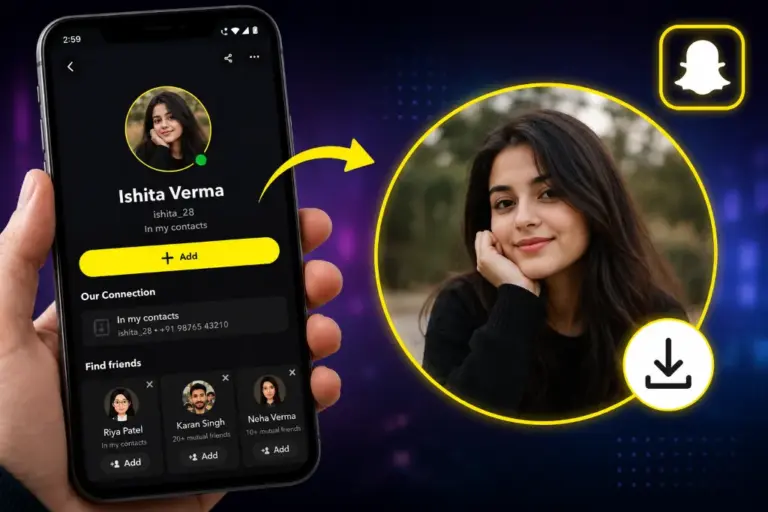
- Snapchat Profile Picture Downloader: for a username's Public Profile photo or Bitmoji avatar, which is neither a Spotlight post nor a Story.
All four sit alongside this page in the tools list below, so switching to the more specific one takes a single click once you know which case you're actually in.
Saving Snapchat Videos on iPhone, Android & Desktop
The core flow is identical everywhere (copy the link, paste it above, tap Save), but where the file actually lands afterward depends on the device.
On iPhone & iPad
- Open Snapchat, find the public Spotlight video or Story, tap the share arrow, and choose Copy Link.
- Switch to Safari, open this page, and paste the link into the box above.
- Tap Save. Safari places the file in your Downloads folder inside the Files app rather than moving it straight into Photos.
Open the blue Downloads icon in Safari's toolbar, tap the saved file to preview it, tap the Share icon, then choose Save Video for a clip or Save Image for a photo: both are Apple's own Share-sheet actions, and either moves the file into your Photos app immediately.
On Android
- Copy the same link using the Share option inside the Snapchat app.
- Open Chrome, or your default browser, paste the link, and tap Save.
- The file drops directly into your phone's Downloads folder and typically shows up in Gallery or Google Photos right after.
On Desktop
- Open the Spotlight video or public Story in a browser tab (web.snapchat.com works, or a link someone already shared with you) and copy its URL.
- Paste the link into the box above and click Save.
- The file downloads to your computer's default Downloads folder, ready to open in any standard video or image viewer.
Why Do People Actually Save Public Snapchat Videos?
The real reasons people reach for a tool like this are fairly ordinary, and every one of them starts from content that was already public before any link got pasted anywhere.
- Archiving before it disappears. Spotlight's feed moves on within days, and a Public Story clears itself within 24 hours or less by design: saving a copy is often the only way to keep something that was never built to stick around.
- Research and reference. Marketers and researchers tracking how a specific trend, sound, or public campaign performed need the actual file, not a paraphrase written from memory after the original has scrolled out of view.
- Editing and creative reference. Video editors and social media managers study pacing, transitions, and trending formats from public clips as reference footage before building something original of their own.
- Offline viewing. A flight, an area with poor signal, or simply wanting to rewatch something after it's already cycled out of a feed are all ordinary reasons to want a local copy.
- Creators keeping their own portfolio. Snapchat's Memories archive doesn't automatically preserve everything submitted to Spotlight, so some creators use a downloader to keep a personal record of their own public work.
None of that requires hiding anything from anyone, which is worth stating plainly precisely because every one of these starts from a video that was already visible to the public before it was saved, and stays exactly as public afterward.
When a Snapchat Link Won't Download
Most failed attempts trace back to one of a handful of causes, roughly in order of how often they come up:
- The wrong kind of link was pasted. A creator's profile page or a search-results link doesn't point at one specific video or Story: only a direct per-post link, copied from that content's own Share menu, resolves here.
- The content already expired or was removed. Once a Story's timer runs out or a creator deletes a Spotlight post, the file is gone from Snapchat's servers entirely, and no downloader can bring it back.
- The Story isn't actually Public. Friends Only, Custom, Private, and Shared Stories all correctly return nothing: that's the privacy setting working as intended, not a bug.
- The account falls under Snapchat's under-18 restrictions. Since the June 2026 policy update, accounts registered as under 16 can't post publicly at all, and 16-to-17 accounts have a capped public reach rather than the fully open setting.
- The download seems stuck or slow. Check your connection, or switch from cellular data to Wi-Fi: file size scales with the clip's length and original quality.
- The saved video has no sound. Some Spotlight clips are posted deliberately silent; the tool preserves whatever audio track the source file actually has rather than adding or removing one.
If Snapchat's in-app Save button has disappeared from a Spotlight video you're viewing, that's a known app-side issue rather than anything wrong with this tool. See this fix guide for workarounds, or just copy the link from the Share menu and paste it above instead.
Latest Updates & Fixes
A dated log of recent, real changes to how this tool handles Snapchat links:
Spotlight Link Resolution Restored
- Resolved an intermittent failure on certain Spotlight links caused by a token-refresh timing issue on Snapchat's own CDN edge.
- Fetch times for public Spotlight links are back to the usual few-second average.
Clearer Reasons When a Link Doesn't Resolve
- Error messages now state the specific reason a link failed (private Story, expired Snap, or wrong link type) instead of one generic message.
- Tightened detection for the June 2026 age-tiered Public Story rules, so under-16 accounts correctly return nothing.
Public Photo-Frame Detection Added
- This general downloader now recognizes when a pasted public link points to a photo rather than a video, and returns the image directly instead of failing.
Legal Notice
This tool is built around content Snapchat already makes publicly accessible: nothing about it is intended to reach private, friends-only, or otherwise restricted material.
- GetinDevice does not host or store any Snapchat media on its own servers; every file streams directly from Snapchat's public servers to your device on request.
- A public post doesn't waive the original creator's rights to it. Ask before reusing or commercially redistributing someone else's Spotlight video, Story, or photo.
- GetinDevice is an independent utility and is not affiliated with, endorsed by, or operated by Snap Inc. Snapchat, Spotlight, Memories, and Bitmoji are trademarks of Snap Inc.
Related Guides & Troubleshooting Articles
Frequently Asked Questions
What does this Snapchat video downloader actually do?▼
It takes a public Snapchat link (a Spotlight video, a Public Story, or a single public photo) and returns the original file Snapchat's servers hold for it. Paste the link above and tap Save; there's no login or app install involved.
Can it download a private Snap someone sent me directly?▼
No. A 1-to-1 Snap is private by default and never gets a public web address, so there's nothing for this or any outside tool to fetch. Viewing one requires being logged into the specific account it was sent to.
Does it work on Friends Only or Custom-audience Stories?▼
No. Those audience settings are enforced on Snapchat's own servers, not just hidden in the app's interface, so a link to that kind of Story won't resolve here. Only Stories the poster set fully to Public are reachable.
Can I download Snapchat Spotlight videos with this?▼
Yes, Spotlight is public by definition, which makes it the main thing a general Snapchat downloader retrieves. For a Spotlight-only tool with deeper coverage of the feed itself, the dedicated Snapchat Spotlight Downloader on this site goes further.
What about Public Stories specifically?▼
Also yes, as long as the account's Story is genuinely set to Public and hasn't expired yet. For browsing an entire account's current Story by username, rather than pasting one link at a time, the Snapchat Story Downloader & Viewer is built specifically for that.
Do I need a Snapchat account or to log in?▼
No. The tool works from the link alone, resolving it against Snapchat's public servers directly. You never sign into Snapchat at any point in the process.
Is this tool free to use?▼
Yes. There's no payment, subscription, download cap, or account required at any step: paste a public link, tap Save, and that's the whole process.
What file format and quality do I get?▼
Videos save as MP4 with the original audio track intact, and photos save at their original resolution. Both come from the same file Snapchat's servers are already holding for that post, not a re-compressed screen capture.
Will the creator be notified that I saved their content?▼
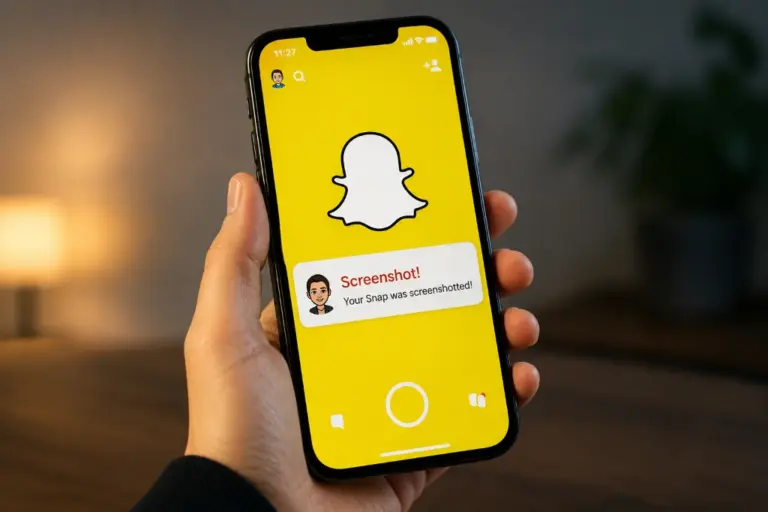
No, and not because anything is being hidden. Snapchat's screenshot and view-notification system is tied to a logged-in viewing session inside the app itself; this tool never opens the app or creates that kind of session, so the mechanism that would normally fire simply isn't part of the picture. It only works at all on content the poster already chose to make public, which is a different thing from bypassing a privacy setting.
Does this work on iPhone and Android, or only desktop?▼
All three. It's browser-based, so it runs the same way in Safari, Chrome, Firefox, or Edge on iPhone, Android, Mac, and Windows, with nothing separate to install for any of them.
How long does a download take?▼
Around three seconds on average from pasting the link to the file being ready, though a longer clip or a slower connection will add to that.
Why does my downloaded video have no sound?▼
Check the original post in Snapchat first: some Spotlight clips are posted deliberately silent. Where a source file does have audio, this tool keeps it intact rather than stripping or re-recording it.
Can I download someone's profile picture or Bitmoji here?▼
Not with this page specifically. A profile picture or Bitmoji avatar is a different kind of image, and the Snapchat Profile Picture Downloader on this site is built for exactly that, reading either a username or a full profile link.
I have a link to one specific Snapchat photo. Is this the right tool?▼
It will work, but the Snapchat Photo Saver is built specifically for that case (a direct link to a single Snap, Memory, or Story frame) and covers the link formats involved in more detail than this general page does.
Is it legal to download public Snapchat videos?▼
Saving a copy of already-public content for personal, non-commercial use is broadly accepted, similar to saving a public post from any other platform. Re-uploading someone else's video as your own or using it commercially without permission is a separate question governed by ordinary copyright law, not something a download tool decides.
Why does it say the link is invalid?▼
Usually because the link points to a profile page, a search result, or a different content type rather than one specific video, Story, or photo. Re-copy the link directly from that content's own Share menu and try again.
What happens if the content gets deleted or expires after I copy the link?▼
The download will fail. Once a Story's timer runs out or a Spotlight post is removed, the file is gone from Snapchat's own servers, and no downloader can recover it after that point.
Is there a limit on video length or how many links I can save?▼
No fixed limit on this end: the tool follows whatever length Snapchat itself allows for a given post. Each link is handled one at a time, so for multiple videos, paste and save them individually.
Do I need to install an app or browser extension?▼
No. Everything runs inside your normal browser tab. Be cautious of any Snapchat downloader distributed as a standalone APK or desktop program instead of a website, since those often ask for permissions a browser tool never needs.
What's the difference between this and Snapchat's own Memories feature?▼
Memories is an in-app, private backup of your own Snaps and Stories: it can't save content posted by other people. This tool works the other way around: it saves public Spotlight videos, Public Stories, and public photos posted by any account, straight to your device, without touching your Snapchat account at all.
More Tools
Try our other high-speed downloaders for different platforms.