
A Pinterest video usually has no sound for one of six reasons. You haven’t opened the Pin, your device is muted, your browser or autoplay settings block it, the audio was lost when the video was exported, Pinterest muted it over music rights, or the video never had audio. Open the Pin first, then check volume and settings. If the sound is still gone, a quick file test tells you whether the problem is the Pin or screen.
We checked Pinterest’s help pages and community answers from Pinterest staff on November 27, 2026.
Quick Overview: Why a Pinterest Video Has No Sound
Pinterest’s own help page says sound may play when you open a video Pin, depending on your browser settings. On mobile, it says sound plays from the opened Pin, depending on your device settings. So a lot of “no sound” reports come from the setup on the viewer’s side. A Pin that stays silent on every device usually points to the file, or to a muting over music rights.
| Cause | What you notice | First thing to try |
|---|---|---|
| You haven’t opened the Pin | Silence while you scroll the feed | Open the Pin |
| Device volume or mute | Silence in every app | Raise the volume, check mute |
| Browser or autoplay settings | Sound works elsewhere but not on Pinterest | Check autoplay settings, try another browser |
| Audio lost in export | The Pin is silent on every device | Play the original file locally |
| Muted over music rights | A Pin that had sound went quiet | Appeal, or replace the audio |
| The video never had audio | A GIF or a silent recording | Check the original file |
What Pinterest Says About Video Sound
Pinterest’s Manage video autoplay settings page gives two rules, checked November 27, 2026. On desktop, video Pins play when at least 50% of the Pin is on screen, and sound may play when you open a video Pin, based on your browser settings. On mobile, Pins play when 50% of the Pin is in view, and sound plays from the opened Pin, based on your device settings.
A second Pinterest page, Edit app sounds, adds a useful line. It says that if you can’t hear video Pins, you may need to manage your autoplay settings. That page was also checked November 26, 2026.
Notice what neither page promises. Neither says you will hear sound while you scroll. So silence in the feed isn’t a fault by itself.
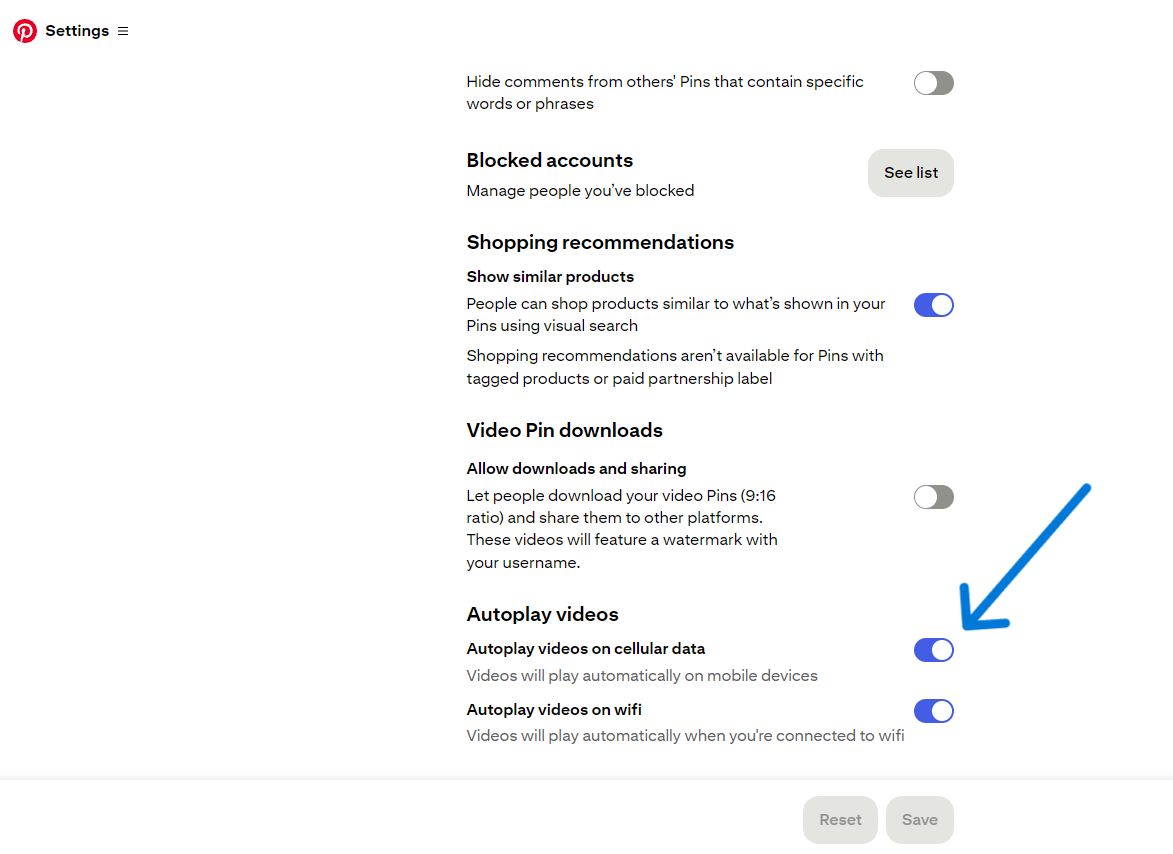
The autoplay settings live under Social permissions. Menu names change between versions, and the help page is an older one. In the browser settings we looked at, the Autoplay videos section showed two switches, one for cellular data and one for wifi.
A Quick Test: Is the Sound in the Pin or on Your Screen?
Here is a test anyone can run in about five minutes. It splits the problem in two. Either the sound is missing from the Pin, or it’s missing on your device.
- Open the Pin – Don’t judge from the feed. Raise your device volume and check that your phone isn’t muted.
- Try a second screen – Play the same Pin on another phone, another browser or a computer.
- Check the file – If the Pin is public, our Pinterest Video Downloader page can fetch it from the Pin link, one link at a time. It can’t open a secret board or a private profile. Play the file on your computer with the volume up. Use it for your own videos or content you have permission to keep.
- Read the result – The table below shows what each outcome means.
| What you hear | What it means | What to do next |
|---|---|---|
| Sound in the file, silence in the Pin on your screen | The audio is in the Pin | Check device volume, mute, browser and autoplay settings |
| Silent file and a silent Pin | The Pin itself has no sound | Check the export, or music rights if you posted it |
| Sound on one device but not another | A device or browser setting | Compare the settings on both |
Check If Pinterest Is Down First (Rare, But Quick)
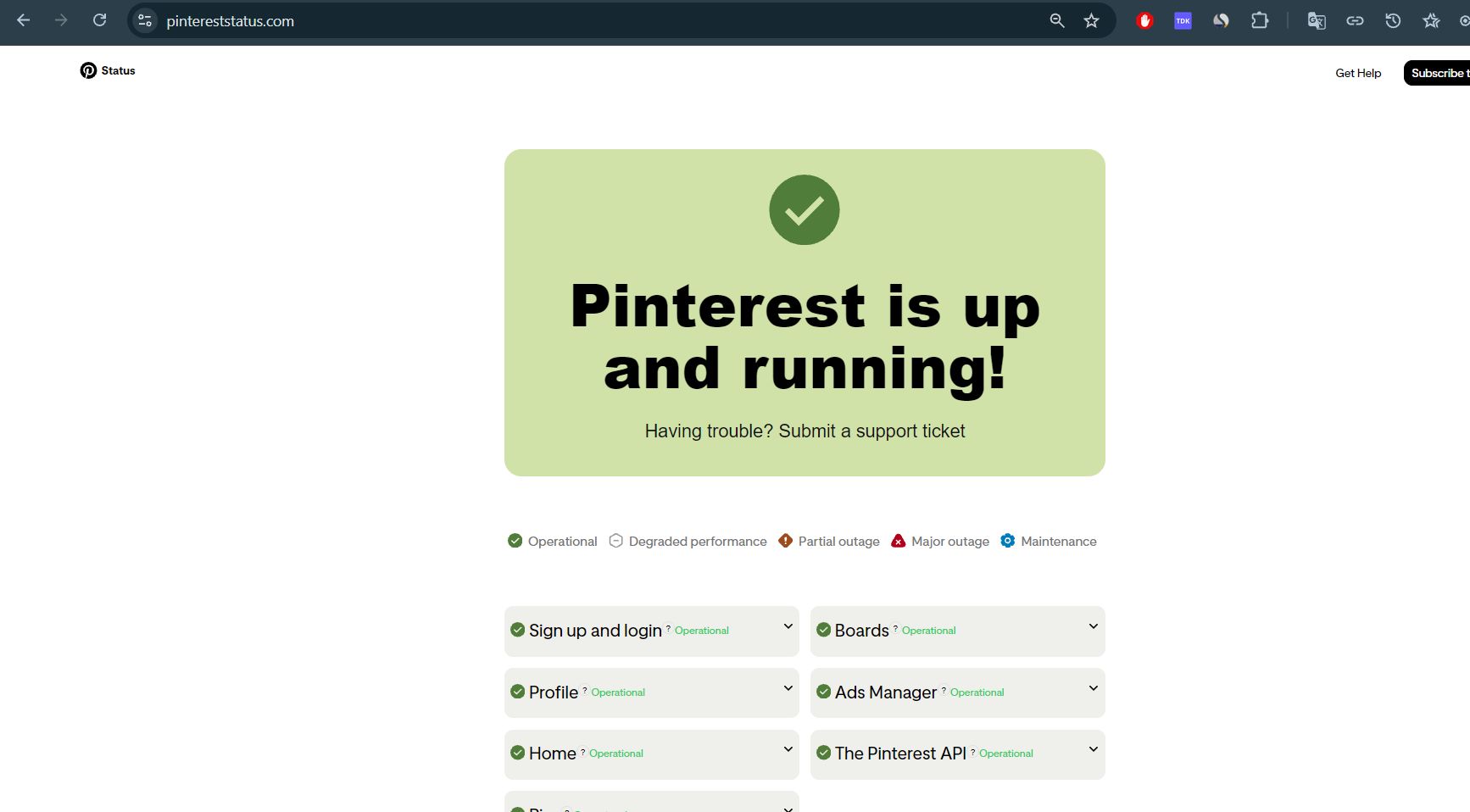
Most of the time, Pinterest is not down. But checking takes about a minute, so do it before you change any settings. Go to Pinterest’s official status page at pintereststatus.com. If everything is fine, you will see “Pinterest is up and running” with a green tick.
Below that, each part of Pinterest (like Home, Boards and Profile) shows its own status, such as Operational, Partial outage or Major outage. If the page shows a problem, wait a while and try again. If it shows everything as operational, the servers are most likely fine, and the issue is on your side or in the video.
One thing to keep in mind: page shows big problems that Pinterest has confirmed. A very small or short problem may not show up there.
What we found when we ran it
While testing for this post, we opened a video Pin that was about 3 minutes long and had no sound. We checked Pinterest’s status page, and it showed everything running normally. So it wasn’t a server problem. We then looked at the video itself and found that the creator had simply uploaded a screen recording. Screen recordings often have no audio, so there was nothing to hear.
We ran into a second case while testing. One Pin looked like it had sound, because the sound icon seemed to be on, but we still heard nothing. When we checked it, we found it was a video wallpaper, and those usually have no audio. Sometimes a Pin that looks like a video is really just a GIF. A GIF can never have sound, even if it looks like a normal video.
So if a Pin is silent, the video may simply have no audio, and nothing is broken.
Quick Fixes When You Can’t Hear a Pin
Work down the list, most likely first, and stop when the sound comes back.
- Open the Pin – Pinterest ties sound to the opened Pin, not to the feed.
- Raise the volume and check mute – Check the volume on your device and make sure it isn’t muted.
- Check your Pinterest autoplay settings – Pinterest says this can be why you can’t hear video Pins.
- Try another browser – Pinterest says sound on desktop depends on your browser settings, so a different browser can behave differently.
- Update the app or the browser, then restart it.
- Play the same Pin on another device. If it has sound there, your first device is the cause.
If the video doesn’t play at all, that’s a separate problem. Our guide on why a Pinterest video isn’t playing covers it.
Why a Pin Can Have No Sound
You Haven’t Opened the Pin Yet
This is the most common reason, and it isn’t a fault. Pinterest’s page ties sound to opening the Pin. So a video that plays silently in the feed may have full audio once you tap it.
Your Device or Browser Is Blocking It
Volume, mute settings and browser rules can all stop sound, even when the Pin is fine. If other apps and sites play sound normally but Pinterest doesn’t, check your Pinterest autoplay settings and try a second browser.
The Audio Was Lost When the Video Was Exported
Sometimes the sound never reached Pinterest. A muted audio track in your editor, a deleted track, or an export setting that drops the audio will all produce a silent file. That file is silent everywhere, not only on Pinterest.
Pinterest’s Pin specs page, checked November 27, 2026, lists MP4 or M4V on the web, with MOV added in the apps, and H.264 or H.265 video. It doesn’t list audio formats. AAC audio inside an MP4 is a common, widely supported choice, but that’s our advice, not a Pinterest rule. Our guide to Pinterest video length limits and file rules has the full spec table.
Pinterest Muted the Pin Over Music Rights
This one surprises people most. Pinterest staff say in the Business Community that all music is subject to licensing requirements, and that if you upload a Pin with music you don’t have permission to use, it will be muted. That’s from the Copyrighted music query thread, checked November 27, 2026.
Mistakes happen too. One creator wrote in the Sound Video Pin not working thread that Pinterest told them their audio matched the digital signature of a file with a registered copyright holder, even though the voice on the clip was their own. They said they were taking it up with Pinterest. That’s the creator’s account, not a Pinterest statement, but it shows why an appeal route exists.
If a muted clip came from someone else’s video, trace it to the source before you reuse it. Our guide on finding the original source of a Pinterest video shows how.
The Video Never Had Sound
Some “videos” are GIFs or animations. Screen recordings made without a microphone are silent too. And many creators leave the audio out on purpose and let text carry the message. None of these are faults.

Not sure which format you’re looking at? Our guide on Idea Pins vs Video Pins explains the difference.
If You Posted the Video: What to Check
Audio problems on your own Pins almost always start before the upload.
- Play the original file on your PC or Laptop – If it’s silent there, the audio was lost before Pinterest saw it.
- Check the audio track in your editor – Make sure it isn’t muted, unlinked or set to zero.
- Use audio you own or have the rights to – Pinterest says all music is subject to licensing, however it’s added.
- If Pinterest muted it by mistake, appeal – Pinterest staff say to email [email protected] with a link to the Pin and the track name.
- If the audio belonged to someone else, replace it – Pinterest staff say you can delete the Pin and upload it again with audio you own, as shown in the My Pin got muted thread, checked November 27, 2026.
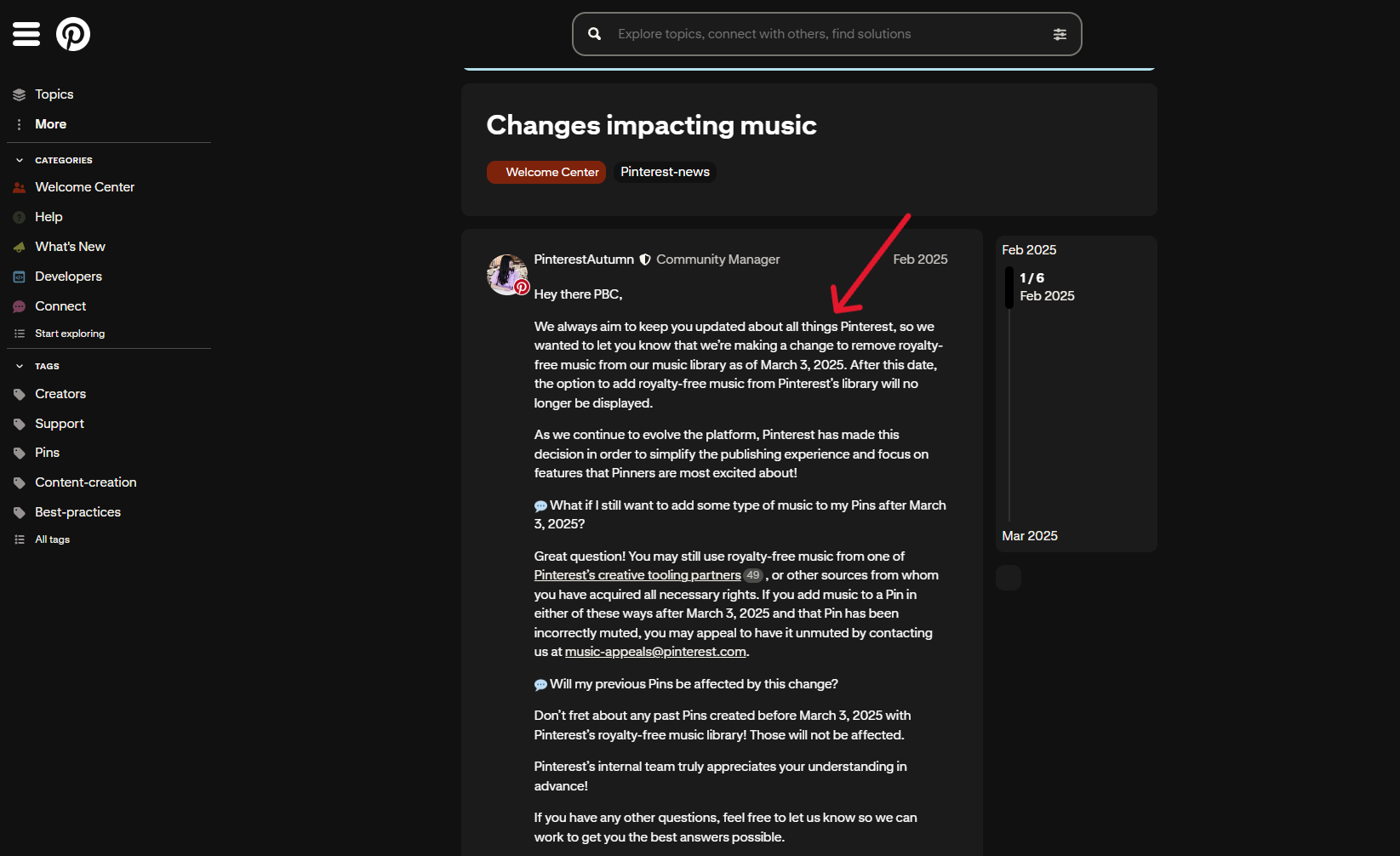
One rule change matters here. Pinterest’s community team said it removed royalty-free music from its music library as of March 3, 2025. Pins made earlier with that library weren’t affected. Pinterest says you can still use royalty-free music from its creative tooling partners, or from sources where you hold all the rights. Staff also say you can no longer add music from the Pinterest library to new Pins. The announcement is in the Changes impacting music post, checked November 27, 2026.
Staff add one more point for brands. Unless you have permission, brands can’t promote Pins that use licensed music.
Pros and Cons of Designing for Silent Viewing
Some creators build every video to work without sound. Others make the audio the star. Pinterest’s own pages tie sound to opening the Pin, so it makes sense to think about what happens when a viewer never taps. That’s a real creative choice, and both sides have a cost.
Here is how the two approaches compare.
Designing for silent viewing
- Pros: Your message reaches viewers who don’t open the Pin. Captions help people who can’t hear the audio. The video works on any device.
- Cons: You lose mood and voice. Spoken advice has to turn into on-screen words. Captions take extra editing time.
Designing around audio
- Pros: Music and a voiceover can make a Pin feel personal and complete.
- Cons: Anyone who doesn’t open the Pin misses it. Music brings licensing risk, and a muted Pin can lose its main hook.
The safest approach is both. Make the picture complete enough to stand alone, and add audio you have the rights to for the people who do tap through.
When to Stop Troubleshooting
Stop when you’ve tried a second device and a second browser, the file test shows a silent file, and you’ve checked your own export. At that point the Pin is silent, not your screen.
If you posted the Pin and music rights are the likely cause, use the appeal email above. If the video sits only on a secret board and you aren’t invited, nobody outside the invite list can open it. Our guide to Pinterest secret boards explains who can.
Pinterest Video No Sound FAQs
Often you haven’t opened the Pin, or your device or browser settings are blocking it. If the sound is missing on every device, the audio may have been lost in export, or Pinterest may have muted the Pin over music rights.
It may. Pinterest’s help page says sound may play on desktop or mobile when videos play automatically, and that it depends on your browser and device settings. The page doesn’t promise sound while you scroll.
Yes. Pinterest staff say a Pin will be muted if you upload it with music you don’t have permission to use.
Email [email protected]. Pinterest staff say to include a link to the Pin and the track name.
Pinterest’s community team says you can’t add music from its library to new Pins. Existing Pins made with that music still play.
Not necessarily. Some Pins have no audio track at all, and Pinterest ties sound to the opened Pin.
It’s rare, but you can check. Open pintereststatus.com. If it shows everything is running and only one video is silent, the problem is more likely the video or your device.