
You open Snapchat to check one person’s story, and the second you tap it, your name lands on their viewer list. Sometimes that’s no big deal. Other times it’s awkward: a competitor you’re researching, a creator you might work with, an old classmate, or someone whose posts you enjoy but don’t want to follow.
If the account is public, you don’t have to open the app at all. You can type the username into a browser and watch the story from there, with no login. This guide covers how that works, what you can and can’t see, and what to do when a story refuses to load.
Short answer: You can view public Snapchat stories anonymously by entering the username into a web viewer like the GetinDevice Snapchat Story Viewer. No account and no app are needed. Private stories can’t be opened this way, and no honest tool will claim otherwise.
Why watching a story inside Snapchat isn’t anonymous
Inside the app, every view is tied to a logged-in account. When you watch a story, Snapchat records it and shows your username in the poster’s viewer list. There is no setting that switches this off. Ghost Mode, which people often mention, only hides your location on Snap Map. It does nothing for story views.
That’s the whole reason workarounds exist. A web viewer takes a different route: you never sign in to Snapchat, so there’s no account for a view to be attached to.
What you can and can’t view
The line is simple, and it’s worth getting clear on before you try anything.
Public stories come from public profiles. Creators, brands, public figures and a fair number of regular users keep their profiles public, and anyone can watch what they post. A web viewer can load these.
Private stories are shared only with friends or a custom list. Anything from a private account falls here too. Nobody outside that audience can see them, and that includes every third-party tool out there.
If a site says it can open private stories, be suspicious. It’s either fake, or it’s after your Snapchat password. Skip it.
How to view a Snapchat story by username
The whole thing takes less than a minute.
- Open the viewer. Go to the Snapchat Story Viewer on GetinDevice.
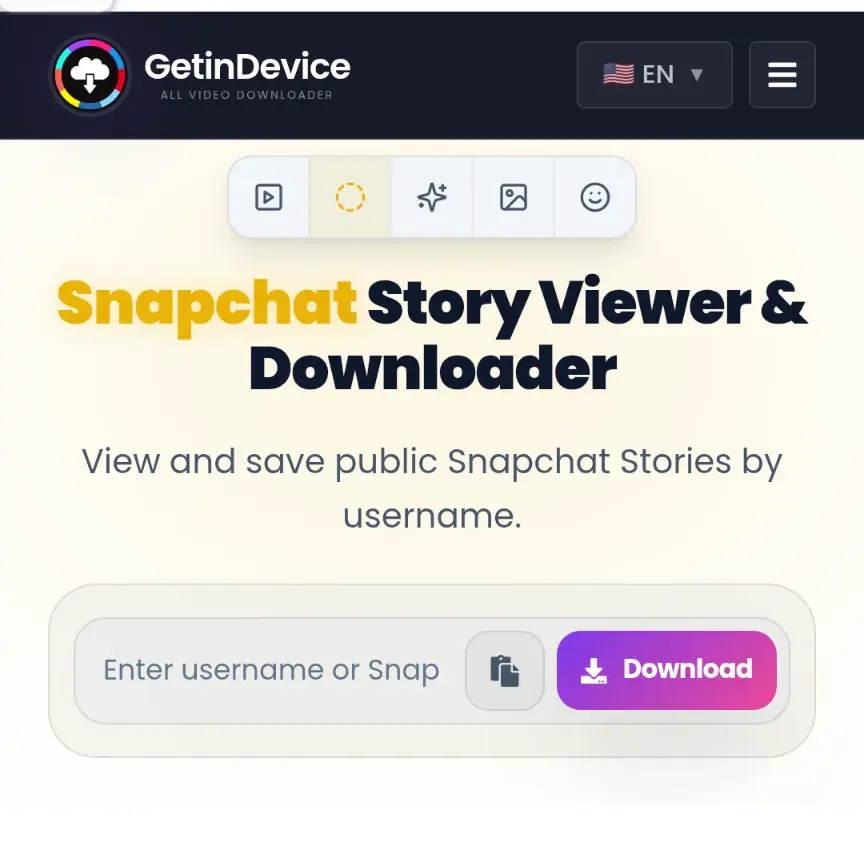
2. Type the username. Enter it exactly as it appears on Snapchat, without the @ symbol. Note that a username is not the same as a display name. If you only know the display name, ask the person or look at their profile link or Snapcode.
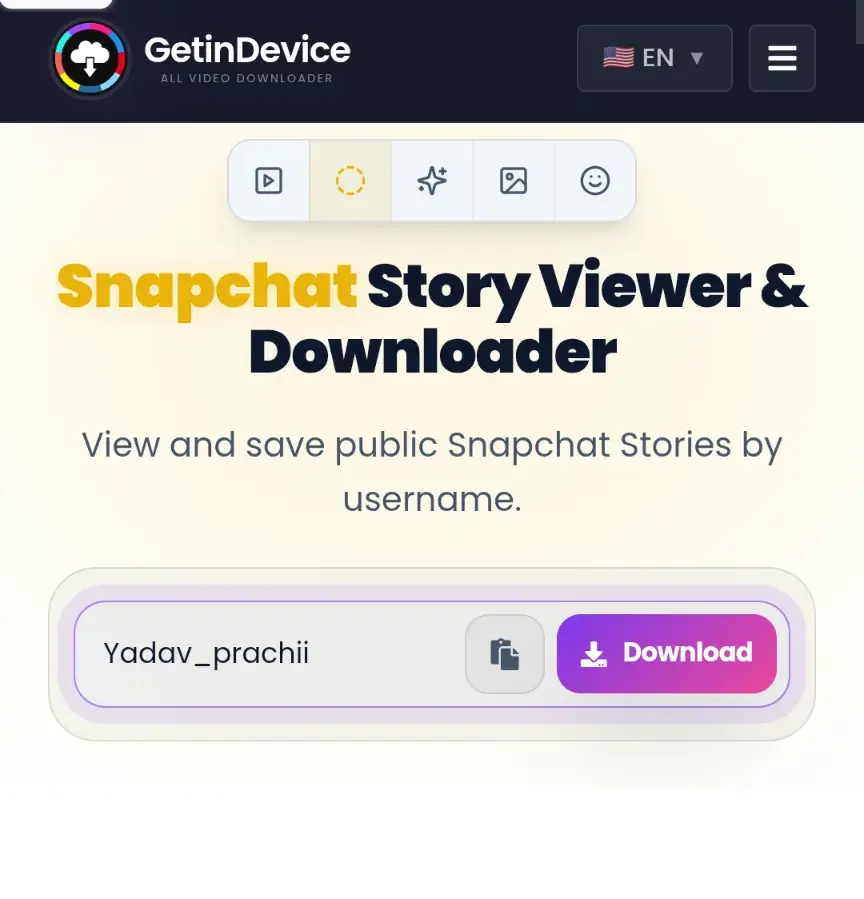
3. Start the lookup. Tap the button and wait a few seconds.
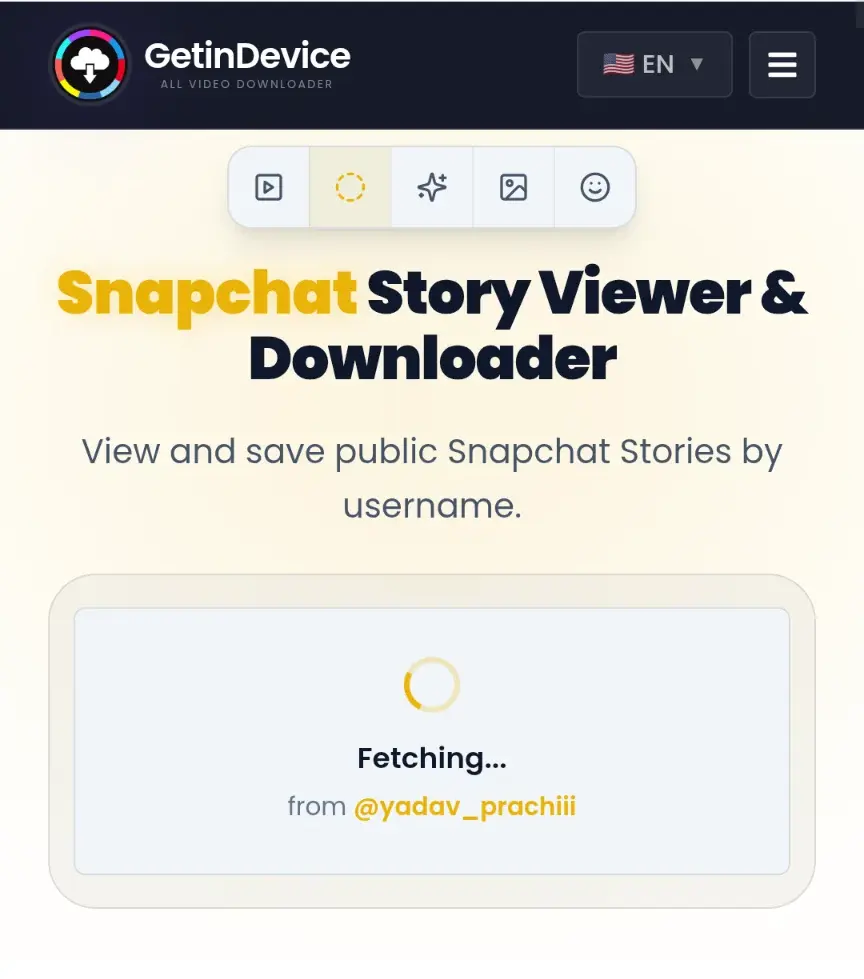
4. Watch the story. If the profile is public and has an active story, it plays right in your browser. You can also save it directly to your device using the built-in download option.
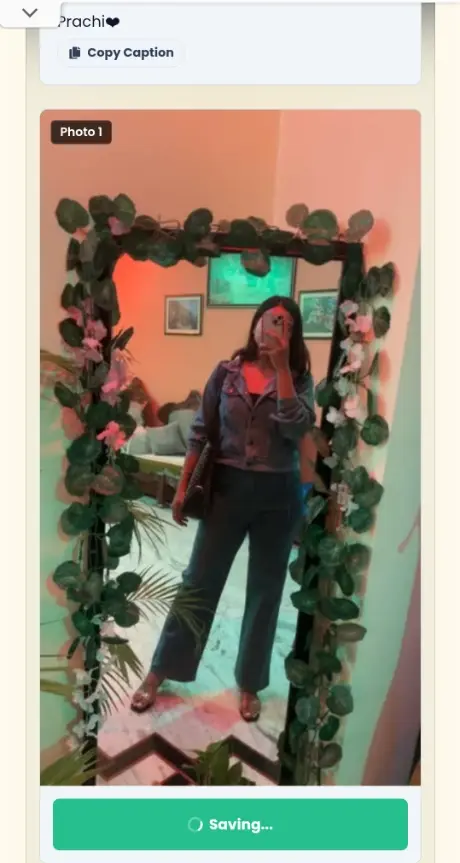
That’s it. No sign-up, no email, no app install. It runs in Chrome, Safari and any other modern browser.
Will the person know you viewed their story?
The viewer list on Snapchat is built from logged-in accounts. When you look up a story through the web viewer, no Snapchat account is involved on your side, so there’s nothing to add to that list. The poster has no way to see that you watched.
Screenshot alerts work the same way. They’re generated inside the Snapchat app. A web lookup never touches the app, so it can’t trigger one.
Other methods people try, and why they’re shaky
Before web viewers, people leaned on a handful of tricks. Here’s how they hold up.
| Method | How it works | The catch |
|---|---|---|
| Airplane mode | Load stories, switch on airplane mode, then watch | Fiddly, and the view can still sync when you reconnect |
| Second account | Create a throwaway profile and watch from it | Takes time, and the fake account still appears in the viewer list |
| Mutual friend’s phone | Borrow a phone that already follows them | Awkward, and it depends on someone else |
| Screen recording | Record the story as it plays | You still have to open it in the app, so you appear in the viewer list |
| Apps that ask you to log in | Hand over your Snapchat credentials | Risks your account, which is a bad trade |
None of these are clean. A browser-based viewer for public stories is simpler, and it doesn’t put your own account at risk.
Watching on PC, iPhone and Android
Because it’s browser-based, the steps are identical everywhere. Using a laptop is the easiest way to watch a Snapchat story, since you don’t need an emulator or a phone in your hand. iPhone users can use Safari, while Android users can use Chrome. Nothing gets installed, so there are no permissions to approve.
Why a story isn’t showing up
If you typed a username and got nothing, it’s almost always one of these:
- There’s no active story. Stories last 24 hours. If the person hasn’t posted today, there’s nothing to show.
- The account is private. Friends-only content can’t be loaded, by design.
- You used the display name. The viewer needs the username. Display names are often different.
- The username changed. People rename accounts more often than you’d think. Check the current one.
- A temporary hiccup. Refresh and try again after a minute.
- The account is gone. Deleted or banned accounts return nothing.
Check the spelling first. It solves the problem more often than anything else.
Saving a story before it expires
Stories disappear after 24 hours unless the poster keeps them as highlights on a public profile. If you see something you’d like to hold onto, you can download it straight from the viewer as a video or image file in the best quality available.
For Spotlight videos and public links, the Snapchat Downloader handles those separately. And if you also want a profile photo at full size, there’s a guide to saving full-size profile pictures.
Keep downloads for personal use. If you plan to repost someone’s content, ask them first.
How to tell if a story viewer is safe
A lot of these sites are sketchy, so it pays to check a few things before you type anything in.
- It never asks for your Snapchat login. A viewer for public stories has no reason to want your password.
- Nothing to install. No app, no browser extension.
- The connection uses HTTPS. Look for the padlock in the address bar.
- It’s upfront about limits. A trustworthy tool says plainly that only public stories work.
- No fake buttons or forced redirects. If the page tricks you into clicking ads, leave.
- There’s a real privacy policy. It should explain what’s collected.
Using it responsibly
Watching public stories is fine. People post them publicly on purpose. But being anonymous doesn’t make everything okay. Don’t use a viewer to keep tabs on someone who hasn’t invited that, to harass anyone, or to repost their content without permission. Plenty of good reasons exist to watch quietly: market research, checking an influencer before a collaboration, or catching up with someone without making it a thing. Stick to those.
Frequently asked questions
Yes. Public stories can be saved as video or image files for personal use.
Yes. There’s no sign-up and no daily limit.
Yes. Open it in Safari or Chrome. Nothing needs to be installed.
Twenty-four hours. After that they disappear unless the poster saved them as highlights on a public profile.
The username. The display name is what shows on the profile, but it isn’t what the lookup uses.
No. Private stories are only visible to the people the poster chose. No tool can get around that.
The person who posted can’t see you. A web lookup doesn’t use a Snapchat account, so you don’t appear in their viewer list and no screenshot alert is sent.
Yes, as long as the profile is public. Enter the username in a web viewer and the story loads in your browser.
The bottom line
If the account is public, you can watch its stories quietly with nothing but a username and a browser tab. If it’s private, nothing will work, and that’s how it should be. Try it on the Snapchat Story Viewer and see for yourself.