
Twitch keeps a VOD longer at the top end, 60 days against Kick’s 30, but small channels get about a week on both. Kick caps how many replays you can hold, while Twitch caps Highlights and Uploads at 100 hours. Kick clips run up to 180 seconds and Twitch clips up to 60. We checked Kick’s help center and Twitch’s help and developer pages on November 3, 2026. Each fact below names the page it came from.
Kick vs Twitch VODs at a Glance
Here are the numbers side by side.
| What you want to know | Kick | Twitch |
|---|---|---|
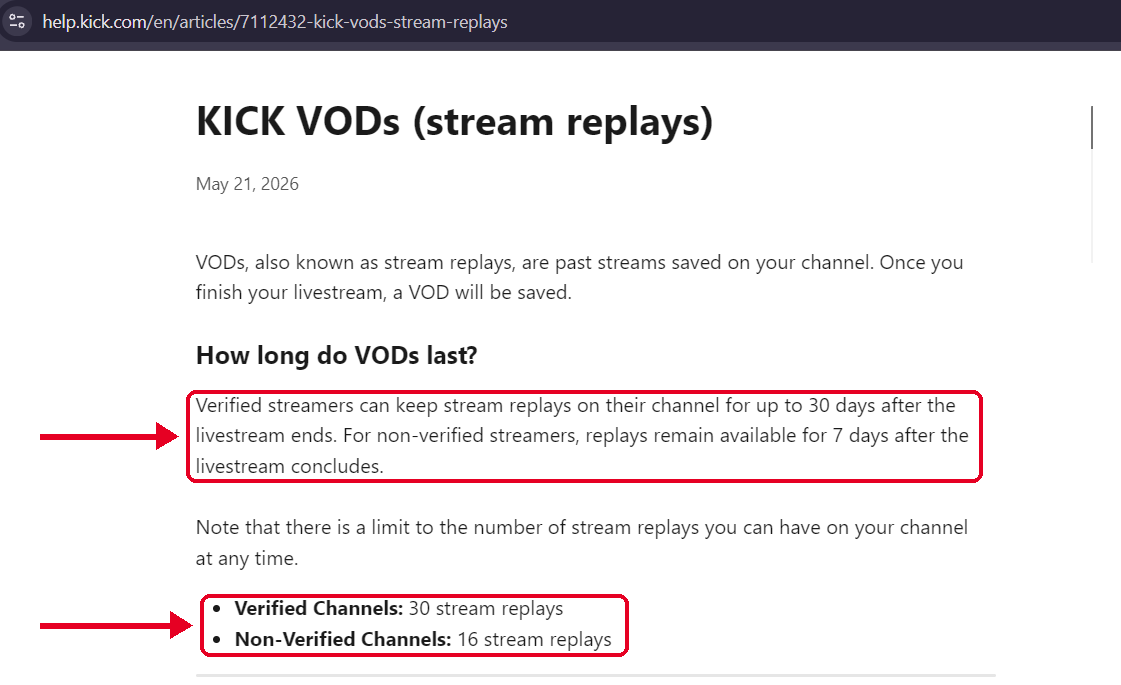
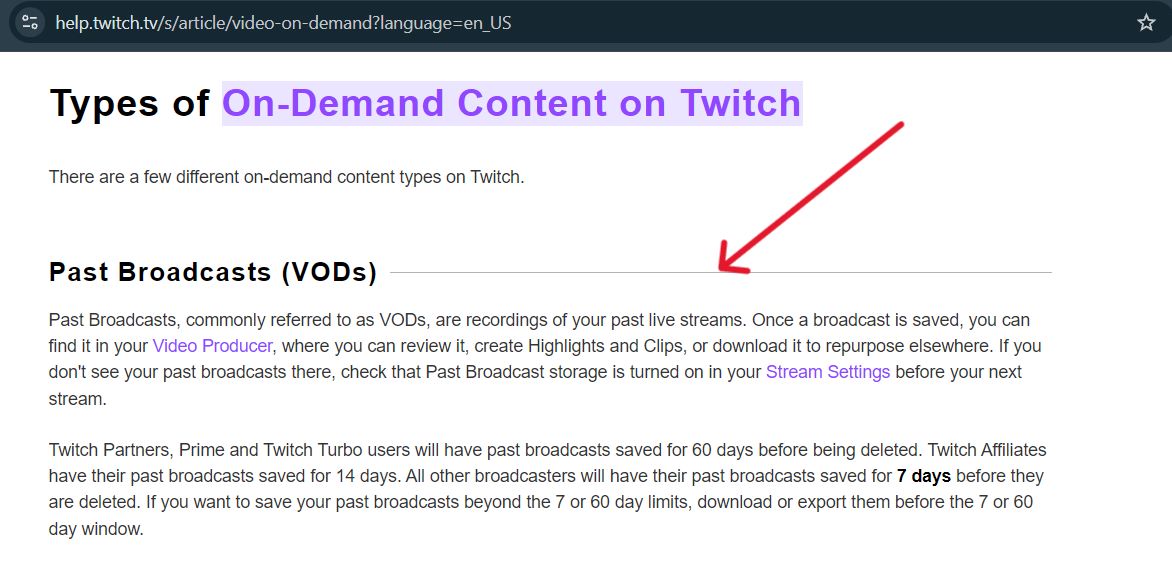
| How long a VOD lasts | Up to 30 days on a verified channel, 7 days on a non-verified channel | 60 days for Partners, Prime and Turbo users, 14 days for Affiliates, 7 days for other accounts |
| Limit on stored content | 30 replays on a verified channel, 16 on a non-verified channel | 100 hours across Highlights and Uploads |
| Keeping a VOD for good | Pin up to 5 VODs, on Partner and Verified channels | Make a Highlight, which counts toward the 100 hours |
| Clip length | 10 to 180 seconds | 5 to 60 seconds |
| Saving your own VOD | Kick announced a way to save your own VODs from the platform. Its help page still lists outside tools | Twitch’s help page covers bulk download and export of Highlights and Uploads |
| Saved automatically | Yes, when your stream ends | A “Store past broadcasts” setting in stream settings |
Sources: Kick Help, KICK VODs (stream replays) and How to create clips on KICK. Twitch Help, On-Demand Content on Twitch. Twitch developer docs, Clips. All checked November 3, 2026.
Tier by Tier: Which Channel Gets What
One number hides the real story, because both platforms scale retention with account status. Here is how the tiers line up.
| Channel type | Kick | Twitch | Longer VOD window |
|---|---|---|---|
| New or small channel | 7 days (non-verified) | 7 days (standard account) | Tie |
| Mid size channel | 30 days (verified) | 14 days (Affiliate) | Kick |
| Top tier | 30 days (verified) | 60 days (Partner, Prime or Turbo) | Twitch |
The tiers are a rough match, not an exact one. Kick’s verified status and Twitch’s Affiliate status are different programs with different requirements, and neither help page says they’re equal. Still, if your channel sits in the middle, Kick’s window is more than twice as long.
One Twitch detail helps small channels. Twitch’s help page lists Prime and Turbo users in the 60 day group alongside Partners, so Prime or Turbo on your own account can lift you to 60 days without Partner status.
How Long Each Platform Keeps a VOD
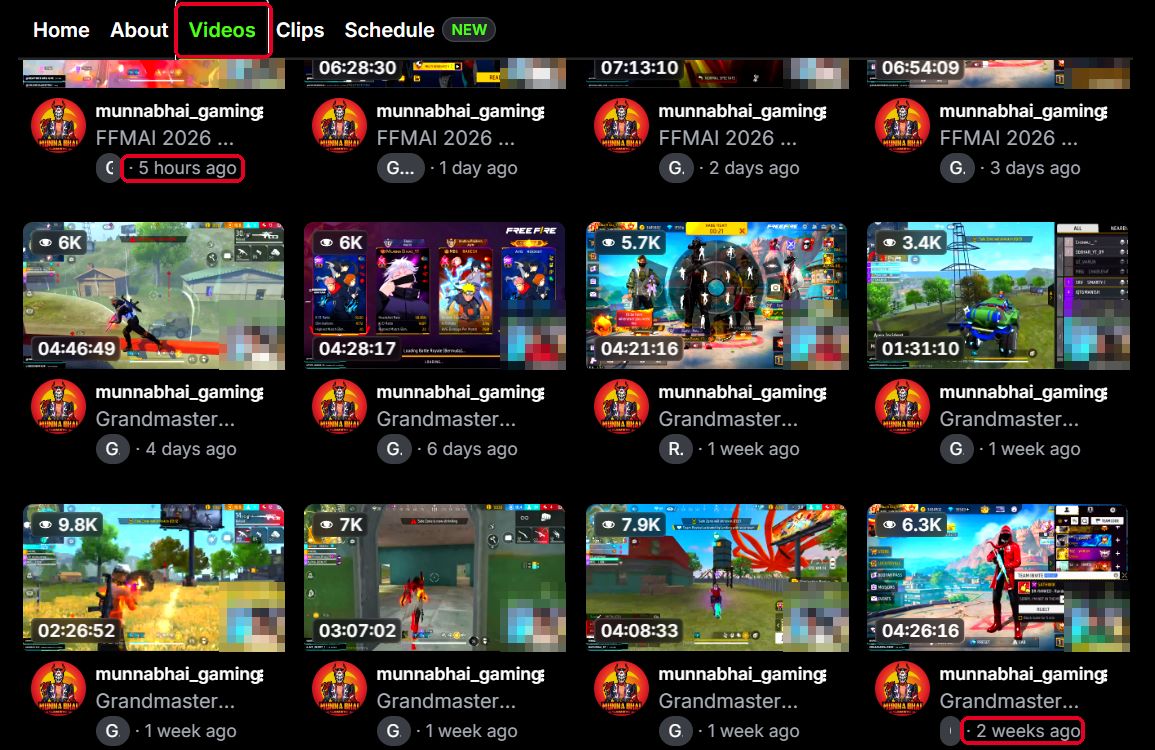
Kick keeps a VOD for up to 30 days on a verified channel and 7 days on a non-verified one. After that, Kick deletes it automatically, and its team says it can’t bring it back. Our guide on how long Kick VODs last covers both windows in detail.
Twitch uses three tiers. Partners, Prime and Turbo users get 60 days, Affiliates get 14, and other broadcasters get 7, according to Twitch’s help page. The same page says “most” Partners, Prime and Turbo users get 60 days, and it doesn’t explain who the exceptions are.
Twitch also treats some versions differently. A vertical version of a VOD expires after 7 days, and so does a 2K version, after which the 1080p version stays for the rest of your window. So the gap is bigger at the top than at the bottom. A Twitch Partner gets twice what a Kick verified channel gets. A small channel gets about a week on either platform.
What the Timers Mean for Your Schedule
Here is the practical side, using simple math on the published numbers. This is our own arithmetic, not a statement from either platform.
- A non-verified Kick channel that streams daily holds about 7 VODs at a time. The cap of 16 only matters if you go live more than twice a day, so the 7 day timer is the real limit.
- A verified Kick channel that streams daily holds about 30 VODs, which sits right at the cap of 30. Go live more than once a day and you could reach the cap before the calendar. Kick doesn’t say which limit wins when both apply.
- A Twitch Affiliate has 14 days to work with, so anything worth reusing needs a decision within two weeks.
The lesson is the same on both platforms. The first week matters most, so handle anything you plan to reuse early.
Keeping a Public Kick VOD Before It Expires
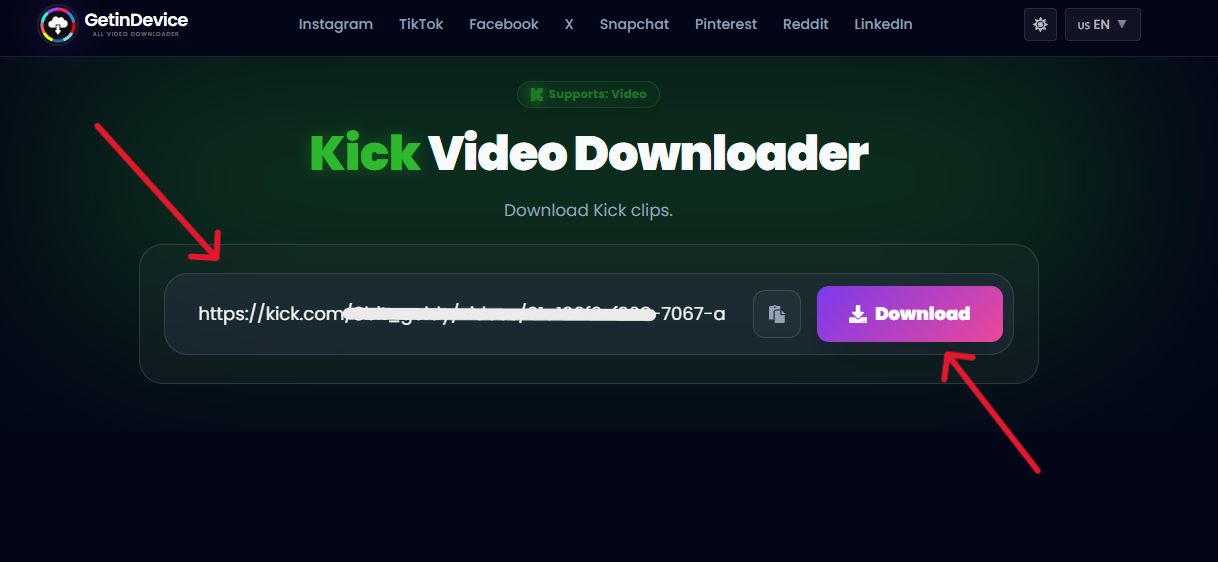
If a Kick VOD is public and still on the platform, our Kick Video downloader tool can fetch it from a pasted link, with no login. It lists the renditions Kick generated for the video, up to 1080p at 60 frames per second, and hands you an MP4.
Clips work the same way, from either of Kick’s clip link shapes. The limits are real. It can’t open a subscriber only VOD, a VOD Kick has already deleted, or a stream that’s still live. Use it for your own streams or content you have permission to keep.
Clips Compared: Length and Rules
Kick clips run from 10 to 180 seconds, on desktop and mobile, and you can make one from a livestream or a VOD. Any logged in viewer can clip, with a 60 second wait between clips. Our guide to Kick clip length has the full table.
Twitch’s developer documentation says a clip can be 5 to 60 seconds long, with 30 seconds as the default. It captures a window of up to 90 seconds around the moment you clip.
That makes Kick’s ceiling three times higher. It matters if your moments need setup time, such as a long story or a boss fight.
Keeping a VOD Longer: Pinning vs Highlights
Both platforms let you keep something past the timer, with limits.
Kick: pinning
- Only Partner and Verified channels can pin
- Up to 5 VODs at a time
- You must pin a VOD before it expires, and a pinned VOD stays
- Unpinning a VOD that is past its original expiry deletes it after a 24 hour window
These rules come from Kick’s Pinning your VODs page, checked November 3, 2026.
Twitch: Highlights
- Highlights and Uploads share a combined 100 hour storage limit
- Published and unpublished ones both count, and unpublishing doesn’t free space
- You have to delete Highlights or Uploads to make room
- Only Highlights and Uploads count toward the limit, according to Twitch’s help page
A clip isn’t a VOD on either platform. Our guide on Kick clips vs VODs explains how the two differ.
Processing, Missing VODs and Settings
Kick saves each stream automatically when it ends. Processing takes a few minutes for a short stream and up to an hour for a long one, and a dropped connection can split a stream into several VODs. If yours hasn’t shown up, our guide on why a Kick VOD isn’t showing has the fixes.
Twitch has a “Store past broadcasts” toggle under VOD settings in your stream settings. Twitch’s page shows it with a note about how long broadcasts are saved. Check that it’s on before you go live.
Where Each Platform Wins
Twitch wins on
- A longer top tier, 60 days against 30
- Built in bulk download and export for Highlights and Uploads, per its help page
Kick wins on
- Longer clips, 180 seconds against 60
- Automatic saving, with nothing to switch on
- Pinned VODs that stay for as long as they’re pinned, up to 5
It’s a tie on
- A small channel’s window, about a week on either platform
- Neither one working as a real archive
If you also stream on Twitch, our comparison of Twitch tools covers what is available there.
A Backup Plan That Works on Both Platforms
Because both platforms delete on a timer, the same plan works on either one.
- Record locally – In OBS Studio, set your Recording Path under Settings, then Output, and turn on automatic recording when streaming under General. Both options are in OBS’s overview guide.
- Name files by date – OBS lets you change the filename formatting in its Advanced settings, so every recording sorts itself.
- Check the platform copy after each stream – On Kick, look in your Streamer Dashboard. On Twitch, look in your Video Producer.
- Pin or Highlight only what you’ll reuse – Slots and hours are limited, so spend them on the streams that matter.
- Keep a second copy somewhere else – Copy the local file to another drive or to cloud storage. That is our advice, a common rule of thumb, not a platform rule.
Where does a tool fit? For Kick, it’s a quick way to grab a public VOD you’re about to lose. For anything subscriber only, a local recording is the only route, because it captures what you stream whatever visibility you pick later.
Verdict: Treat Both as Short-Term Storage
Neither platform is an archive. Both delete on a timer, and both cap what you can keep longer. If your channel sits in the middle tier, Kick’s longer window helps. At the top, Twitch’s 60 days gives you more room. For clips, pick by how long your moments run. Whichever you use, record locally, keep the streams you can’t lose in a second place, and use pins or Highlights for the rest. On Kick, check your VOD after each stream ends. Our guide on what happens to a Kick stream after it ends shows what to expect at each stage.
Kick vs Twitch VODs FAQ
Twitch, at the top tier. Partners, Prime and Turbo users get 60 days, while a verified Kick channel gets up to 30. Small channels get about 7 days on both.
Yes. Kick clips can run up to 180 seconds. Twitch’s developer documentation says a clip can be 5 to 60 seconds.
On Kick, Partner and Verified channels can pin up to 5 VODs. On Twitch, you can make Highlights, which share a 100 hour limit. For anything else, keep your own copy.
Twitch’s help page says you may not be able to make new Highlights when you’re at or near the 100 hour limit, and that you must delete Highlights or Uploads to free space.
Kick says every stream is saved on your channel page when you finish. Twitch has a “Store past broadcasts” setting that controls whether your past broadcasts are saved.
On retention alone, yes. A verified Kick channel gets up to 30 days, while a Twitch Affiliate gets 14. The programs aren’t identical, so compare their other features before you choose a platform.
It depends on how long you stream. At 4 hours a stream, about 25. The cap covers Highlights and Uploads, not past broadcasts.