
A Tumblr video usually won’t play because of a weak connection or a blocker, an embed from another site that can’t load, a video that’s still processing, a file that breaks Tumblr’s upload rules, or a post that’s hidden or deleted. Work through the checks below, easiest first. Most take under a minute. We checked Tumblr’s help pages on October 30 and 31, 2026. Each fact below links to the page it came from.
Quick Fixes When a Tumblr Video Won’t Play
Not sure where to start? Three quick tests narrow it down. Open the post in another browser, switch from Wi-Fi to mobile data, and open the link in a private window while logged out. If it plays in any one of them, the problem is your setup. If it fails in all three, the problem is the post or Tumblr.
| Cause | How to spot it | Quick fix |
|---|---|---|
| Blocker or weak connection | A loading circle that never ends | Pause your ad blocker and VPN, then switch networks |
| Embed from another site | Another site’s logo or controls on the player | Open the original source |
| Still processing | A brand new post, or your own upload | Wait, then check the Processing page |
| Upload breaks Tumblr’s rules | Your own upload fails, stalls or never appears | Export again as MP4 or MOV, under 10 minutes and 500 MB |
| Hidden, protected or deleted | A sign in prompt, a password box or an empty page | Test the link in a private window |
| Old browser, app or cache | A half loaded page that fails only on your device | Hard refresh, clear the cache, update |
| A GIF or image, not a video | No play controls at all | Check what the post really holds |
| A problem on Tumblr’s side | Fails on every device and browser | Wait a few hours, then contact Support |
Why Tumblr Videos Fail to Play
Here is each cause in more detail –
A Blocker or Weak Connection Is in the Way
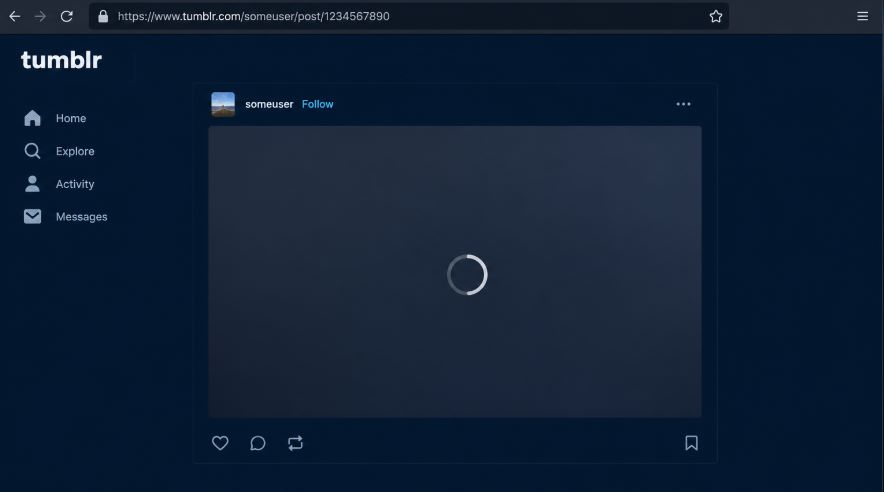
Ad blockers, VPNs, strict privacy extensions and shaky connections can stop a video player from loading, even when the post is fine. The classic sign is a loading circle that never finishes.
Change one thing at a time. Pause your ad blocker for Tumblr. Turn off your VPN. Switch from Wi-Fi to mobile data, or back. Then wait a minute and reload. If you’re not sure an extension is safe to keep, our 5-point safety check for Tumblr tools takes about a minute.
The Video Is an Embed From Another Site
Tumblr’s Posting Video page says you can paste a link from YouTube, Vimeo or Dailymotion into a post, and that pasting a video URL straight into the editor embeds it automatically (checked October 30, 2026). The player then shows up inside the post, so it looks like an ordinary Tumblr video. The file itself stays on the other site.
That matters because the other site is in control. If the original video was removed, or set so it can’t be shown elsewhere, the player inside the Tumblr post can’t show it either.
Signs of an embed: another site’s logo or controls on the player, a share button from another service, or a click that opens the video on a different site.
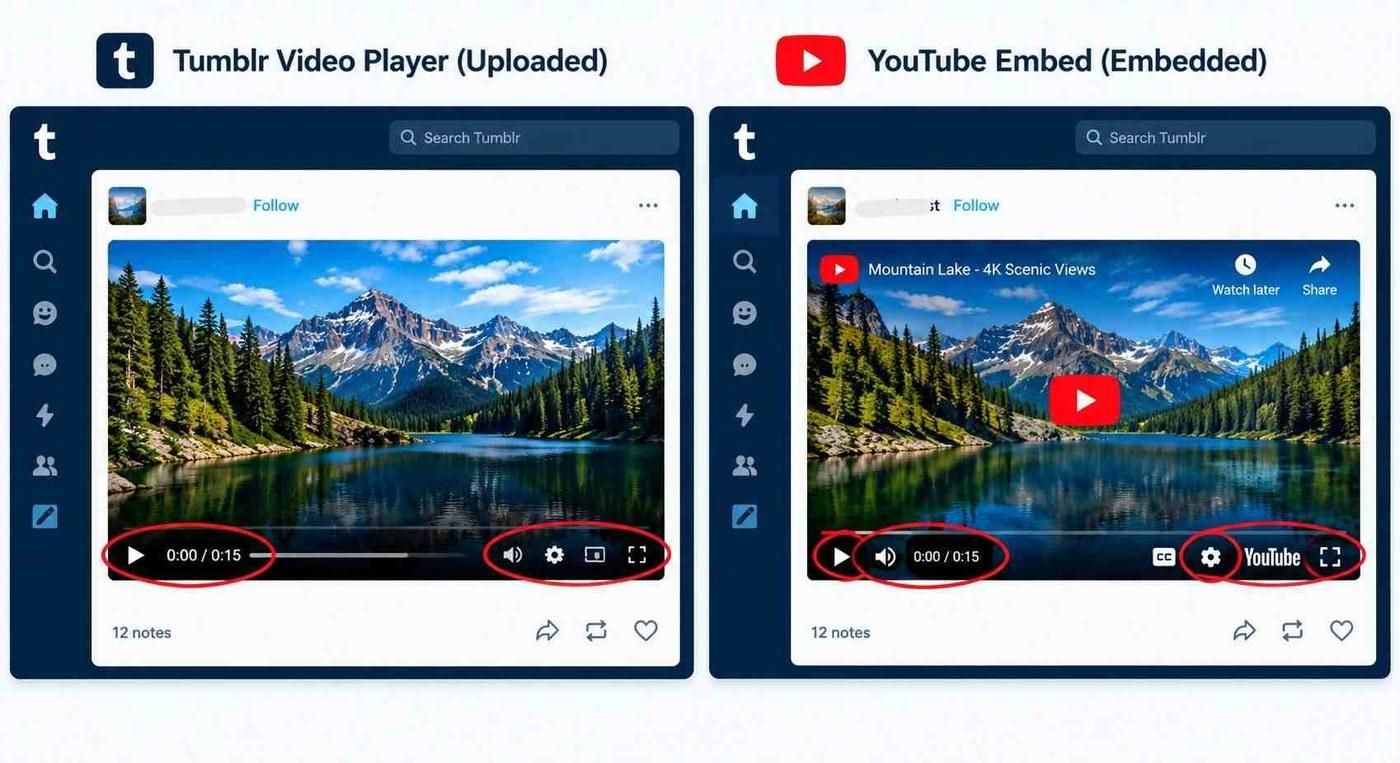
The fix is to go to the original source, or ask the person who posted it.
Reblogs follow the same rule. Tumblr’s help page says you can’t upload a video file to a reblog, only paste a link or embed code. So a video someone added in their reblog is an embed from another site.
The Video Is Still Processing
Tumblr says it transcodes and re-compresses every uploaded video, and that you can only upload one video at a time (checked October 30, 2026 on the same Posting Video page). A fresh upload can sit in processing for a while, so a brand new post may not play yet. Give it a few minutes.
If it’s your own video, check the Processing page. On the web, click Account, pick your blog, then click Processing. In the apps, tap the account tab, tap the gear icon, then tap Processing in the blog settings section. If it never finishes, check your file against the rules in the next section.
Your Own Upload Breaks Tumblr’s Rules
If the video is your own upload, check it against Tumblr’s limits first. These come from the Posting Video page (checked October 31, 2026).
| Rule | Limit |
|---|---|
| File type | MOV or MP4 |
| Length | Up to 10 minutes per video |
| Size | Up to 500 MB per video |
| Per day | Up to 20 videos and 60 minutes of video in total |
If a file fits those rules but still won’t play, export it again. Tumblr says it re-compresses every upload, and that its transcoder aims for a 720p H.264 MP4. If your editor can’t export that, Tumblr suggests the HandBrake app with its Creator 720p60 preset, unchanged.
Two more things can stop an upload. You can only upload one video at a time, so wait for the last one to finish processing. And you can’t upload a video file to a reblog at all.
Uploading From the Tumblr App
In the app, tap the blue pencil button and then the photo album icon. Tumblr’s Writing Posts page says that icon opens your gallery and lets you add an image or a video (checked October 31, 2026). You can also paste a YouTube, Vimeo or Dailymotion link to embed a video. A pasted link is an embed, so the other site controls whether it plays.
Check How Many Video Minutes You Have Left Today
Tumblr allows 60 minutes of uploaded video per day. On the web, you can see what is left before you post. Open a video post and click the small question mark. It shows how many minutes of video you have left today. If the number is close to zero, a long clip may not go through.
Only One Uploaded Video Per Post
A single post can hold up to 10 video blocks. But Tumblr’s Writing Posts page says that, for now, only one of them can be an uploaded file (checked October 31, 2026). The rest must be links or embeds. If you tried to add a second file to the same post and it failed, this is the reason. Put the second video in its own post.
Why Uploading the Same File Again Rarely Helps
It is tempting to upload a video again when it won’t play. If the file is fine, that only adds a second video to the queue. Tumblr allows one upload at a time and caps you at 20 videos a day. Open the Processing page for your blog and wait for the first video to finish. Upload again only if the file broke a rule, like length or size, and export a fixed copy first.
The Post or Blog Is Hidden, Protected or Deleted
Tumblr’s privacy options page says a blog owner can hide a blog from people without an account. The blog can then only be viewed by signed in Tumblr users inside the dashboard, and logged out visitors see a prompt to sign in or create an account (checked October 30, 2026).
Secondary blogs can also be password protected, as Tumblr’s password-protected blogs page explains (checked October 30, 2026). Visitors need the password and a web browser, and in the mobile apps only members of a password-protected group blog can view it. A deleted post is simply gone.
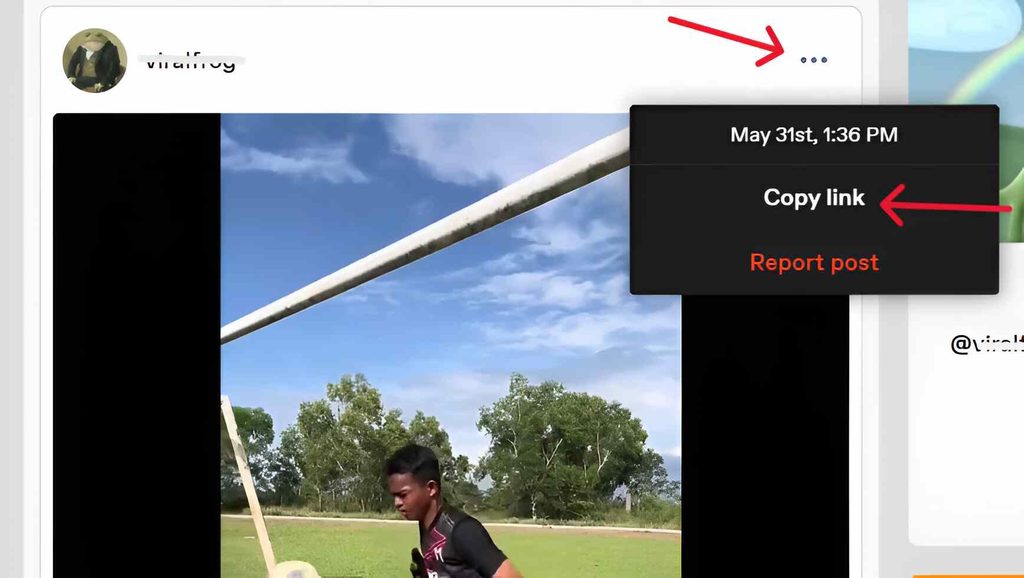
Here is a quick test. Copy the post link, then open it in a private window where you’re logged out. On Tumblr’s website, click the three dot menu on the post and choose Copy link. If Tumblr asks you to sign in or enter a password, or the video never loads, you have your answer.
Your Browser or App Needs a Refresh
Old cached data and outdated software can leave a page half loaded. Do a hard refresh first: hold Ctrl and press F5 on Windows, or hold Command and Shift and press R on a Mac. If that doesn’t help, clear your cache. Google’s help page on clearing cache and cookies says it can fix loading problems on sites, and that you’ll need to sign in again afterward (checked October 30, 2026). Then update your browser and the Tumblr app, or try a different browser.
The Post Holds a GIF or Image, Not a Video
Sometimes the “Tumblr’s video” is really a GIF, a photo or an audio post. It has no play button, or it loops by itself. Check the post before you troubleshoot your device.
If You Want a Copy of a Public Video
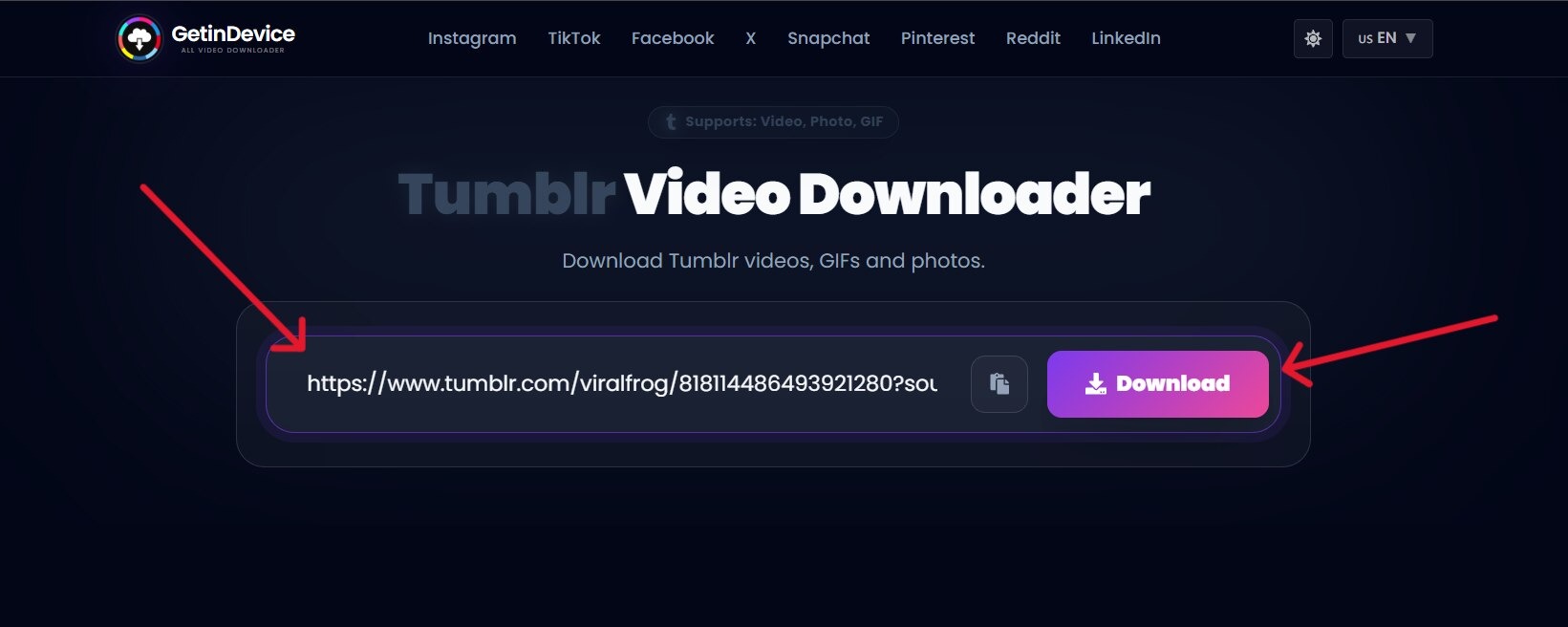
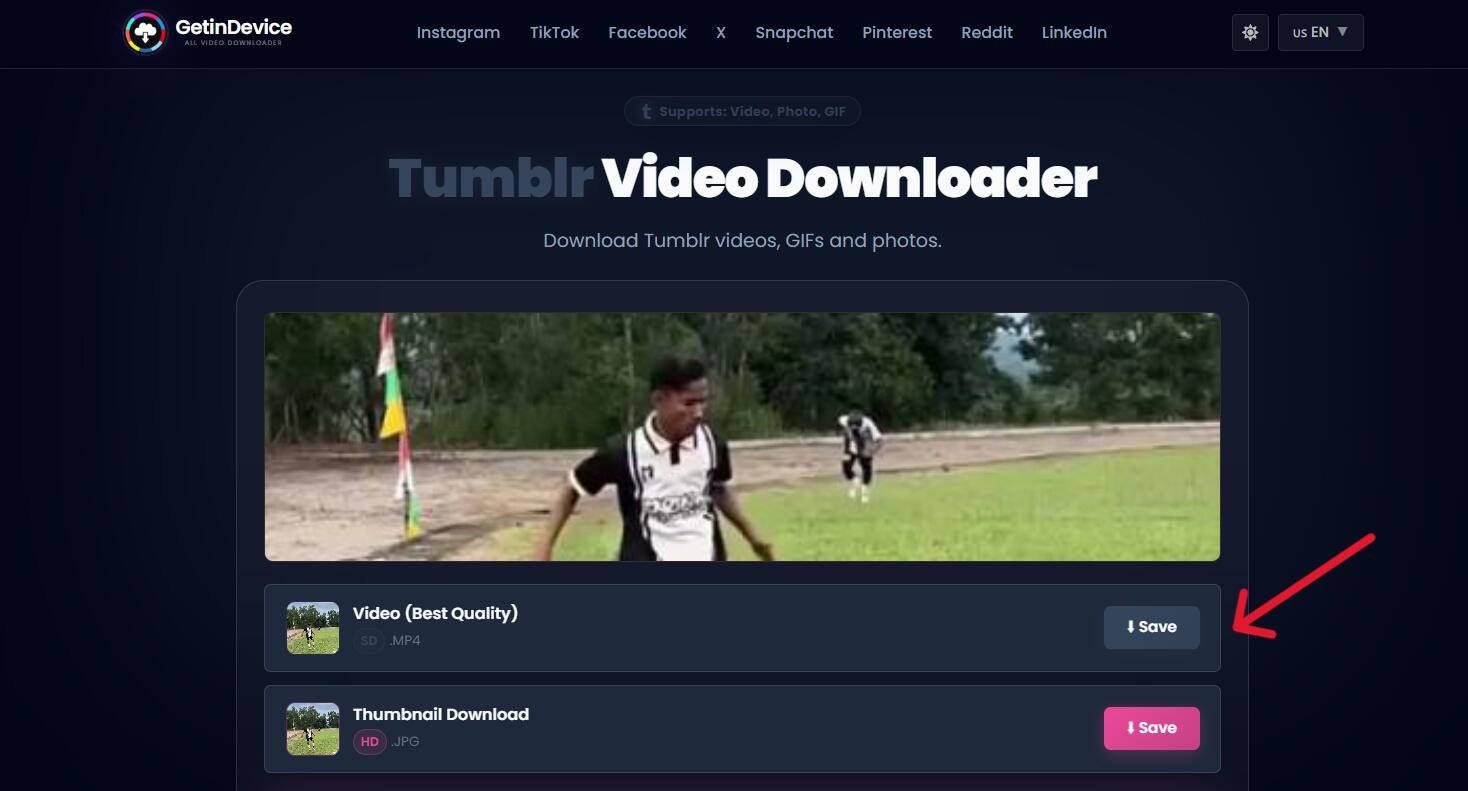
If a public Tumblr post plays and you want a copy to keep, our Tumblr video downloader page can fetch it from the post link, with no Tumblr account. It works with videos uploaded to Tumblr, not embeds from other sites, and it can’t open private or password-protected posts. Use it for your own videos or content you have permission to keep.
When to Stop Troubleshooting
Stop when the source of an embed is gone, when the post is hidden, protected or deleted, or when the video fails everywhere after you tried a second browser and a second device. In that last case, contact Tumblr Support. If your own file breaks the size or length limits, export it again instead of retrying the same file. Clearing the cache won’t bring back a removed embed or open a private post, so check those first. If you’re weighing other ways to keep a copy of a public video, our comparison of Tumblr tools lays out the options.
Before You Upload: A Quick Checklist
Most upload problems come down to six checks –
- Save the video as an MOV or MP4 file.
- Keep it under 10 minutes and under 500 MB.
- If you can, export it as a 720p H.264 MP4, which is what Tumblr’s transcoder aims for.
- On the web, check how many video minutes you have left today.
- Upload one video at a time, and wait for it to finish on the Processing page.
- Don’t try to upload a video file to a reblog. Paste a link instead.
Tumblr Video Playback FAQs
Most often it’s a weak connection or a blocker, an embed that can’t load, a video still processing,
or a hidden or deleted post. Use the table near the top.
Usually a blocker, a VPN or a weak connection. Pause them, switch networks and reload. If it’s
a brand new upload, it may still be processing.
That points to your browser. Try a hard refresh, clear the cache, turn off extensions one at a
time, or open Tumblr in another browser.
Sometimes. Google says clearing cache and cookies can fix loading problems on sites. It won’t
help with an embed that was removed or a private post.
Tumblr says it transcodes and re-compresses every uploaded video, so some light pixelation
can happen. For your own videos, export as close to a 720p H.264 MP4 as you can. If the
source is smaller than 720p or already pixelated, Tumblr says nothing can really fix it without
upscaling software.
Tumblr’s Posting Video page says an uploaded video can be up to 10 minutes and 500 MB, as
an MOV or MP4 file. You can post up to 20 videos and 60 minutes of video per day.
You may have hit the limit of 20 videos a day, or an earlier video may still be processing. Tumblr
allows one upload at a time. Open the Processing page for your blog and wait for the last video
to finish.
No. Tumblr says you can paste a link or embed code into a reblog, but you can’t upload a video
file to one.