
Instagram has quietly become one of the biggest places people first come across a video. A Reel gets shared in a group chat, a Story disappears in a day, a carousel post has three photos worth keeping for later. The problem is that Instagram was never really built to let you take that content with you. There is no simple “download” button sitting under most posts, and even when Instagram does allow a save, the result usually comes stamped with a watermark and, if the audio is licensed music, sometimes without sound at all.
That gap is exactly why a whole category of Instagram downloader websites exists. Paste a link, get a clean file back, no app required. But not every tool in this space works the same way. Some only handle Reels. Some ask for logins they don’t actually need. Some bury the download button under three layers of ads.
We didn’t just compare these on paper — we tested all six ourselves. The same random Instagram Reel was run through each tool, one by one, and we tracked fetching speed, download speed, interface ease, ad clutter, and page load time. Every test was recorded, and a GIF of the actual paste-to-download process sits under each tool’s review below.
If you just want the short answer, GetInDevice comes out on top for most people because it isn’t limited to Instagram alone. For everyone who wants the reasoning behind that, read on.
What to Look For in an Instagram Downloader
Before getting into the comparison itself, it helps to know what actually separates a good downloader from a mediocre one. Most of these tools look similar on the surface (a text box, a paste button, a download link) but the details underneath vary a lot – and testing them side by side makes those differences obvious fast.
Content coverage. Instagram content isn’t one thing. There are standard video posts, Reels, Stories, single photos, and multi-image carousel posts. A tool built only for Reels will do nothing with a Story link, and vice versa. If you regularly save more than one type of content, this matters more than almost anything else on this list.
Output quality. The best tools pull the original file Instagram already has, rather than re-encoding or compressing it. That’s the difference between a crisp HD download and a blurry, pixelated one. Watermarking is the other half of this. A handful of tools add their own branding to the corner of every download, which defeats the purpose for a lot of people.
Speed. Two things matter here separately: how fast a tool fetches the video after you paste the link, and how fast the actual file downloads once you hit the button. We timed both for every tool, and the gap between the fastest and slowest was bigger than expected.
Login requirements. This is worth being genuinely cautious about. A downloader that only fetches public content has no real reason to ask for your Instagram username and password. If a site does ask for full login credentials, that’s a signal to walk away, not a normal part of the process.
Friction and clutter. Some sites make you click through a pop-up, wait through a countdown, or dodge a fake “Download” button placed next to an ad before you get to the real one. Others just give you the file. Page load speed and interface simplicity fall in here too, and this is the part that’s hardest to judge from a spec sheet, but it’s often the biggest difference in how the tool actually feels to use.
Privacy. Beyond login credentials, it’s worth thinking about what data a site collects just from you pasting a link. Tools that keep this minimal, and don’t require an account to be created, are generally the safer bet.
Quick Comparison
| Tool | Platforms Supported | Content Types | Fetch Speed | Ads / Redirects | Download Speed | Caption Copy | Best For |
|---|---|---|---|---|---|---|---|
| GetInDevice | Instagram, TikTok, X, Snapchat, Tumblr, and more | Reels, videos, Stories, carousels | ~1-2 sec | One small 5-sec ad, no redirects | Instant, no interruption | One-click copy | Best overall, fastest, ad-free |
| FastDL.app | Instagram only | Videos, Reels, IGTV, photos, carousels | Fast | Video ad on load + banner ad after paste | No progress shown, confirmed via notification | Manual select | Instagram-focused speed |
| SSSInstagram | Instagram only | Reels, video posts | Fast | Banner ad + two redirect attempts to third-party sites | Downloads after redirect attempts | Manual select | Reels, only with pop-up blocker on |
| ReelsVideo.io | Instagram only | Reels only | Slow, plus “are you human” check | Auto-playing video ad + cover-image ad blocking options | Slow to start | N/A (Reels only) | Lightweight Reel saving, if you don’t mind waiting |
| Grabfy | Instagram only | Videos, Reels, photos, Stories, carousels | Slow, needed a retry | “Are you human” check | Slower than most | Manual select | Multi-format Instagram downloads, if you’re patient |
| MyStorySaver | Instagram only | Stories, Reels, videos, photos | Slowest of all six | Google text ads throughout | Slowest, crawling progress | Manual select | Saving Stories before they expire |
1. GetInDevice: Best Overall Instagram Downloader
GetInDevice sits at the top of this list for a fairly simple reason: it’s the only tool here that isn’t limited to Instagram. It handles Instagram Reels, video posts, Stories, and carousels, and the exact same interface also works for TikTok, X (Twitter), Snapchat, and Tumblr. For anyone who saves content from more than one platform, that single fact removes the need to keep four or five separate tools bookmarked.
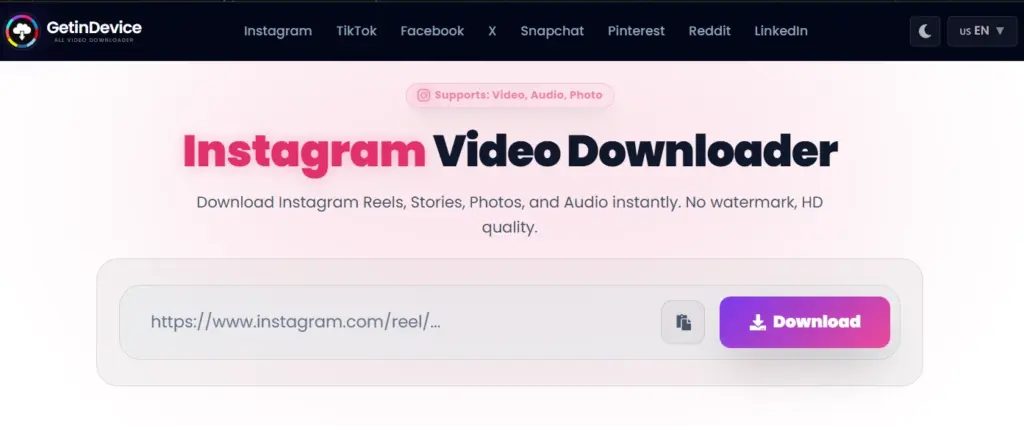
Output quality. Files come out as HD MP4, without a watermark, at the original resolution Instagram serves. This is the same clean-file behavior we go into more detail on in our comparison of Instagram’s own Save button versus online downloaders.
No login, minimal clutter. GetInDevice never asks for an Instagram login at any point in the process, and there isn’t a chain of pop-ups or a fake download button planted next to an ad. You paste the link, and the file is ready.
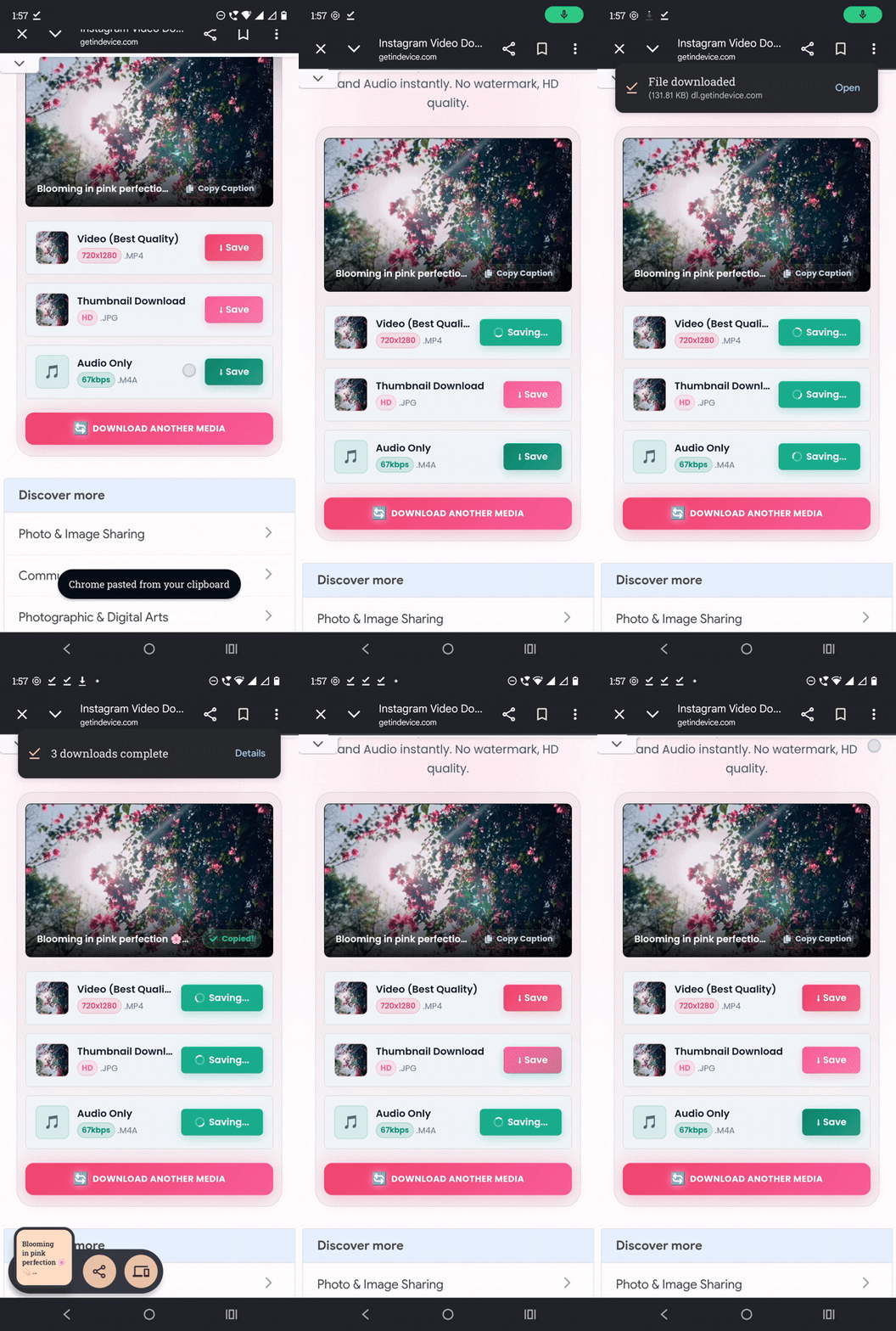
Our real test. Landing on GetInDevice, there were zero ads waiting on the page. After pasting the Reel link, results showed up in about 1-2 seconds – noticeably faster than the other tools we tried. Only one small 5-second ad appeared, positioned well above the download button and easy to ignore. The interface then offered separate options to download the video, audio, and thumbnail, or copy the caption. Downloading itself was instant, with no ad interrupting the process, and the whole thing finished quicker than anywhere else on this list. For a first-time user, there’s nothing here that needs explaining.
Where it isn’t the best fit. If Instagram is genuinely the only platform you ever save from, a single-purpose tool like FastDL.app or Grabfy is a slightly shorter path, since there’s no platform selector to deal with. But the moment you also want to save something from TikTok or X, GetInDevice already covers that without adding another tool.
Best for: anyone who wants one dependable, pop-up ad-free tool that handles Instagram alongside other platforms, instead of switching between separate single-purpose sites.
2. FastDL.app: Best Dedicated Instagram-Only Downloader
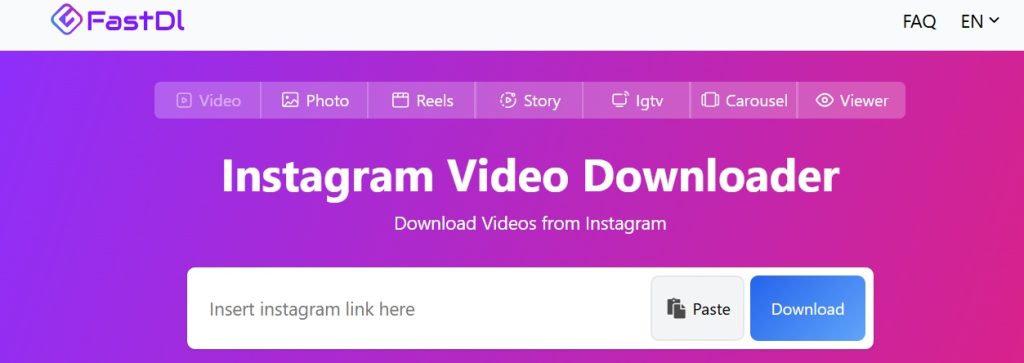
FastDL.app is built entirely around Instagram, and that narrower focus shows in how quickly it processes a link. It covers standard video posts, Reels, IGTV clips, single images, and carousel posts, returning MP4 files at their original resolution without adding a watermark.
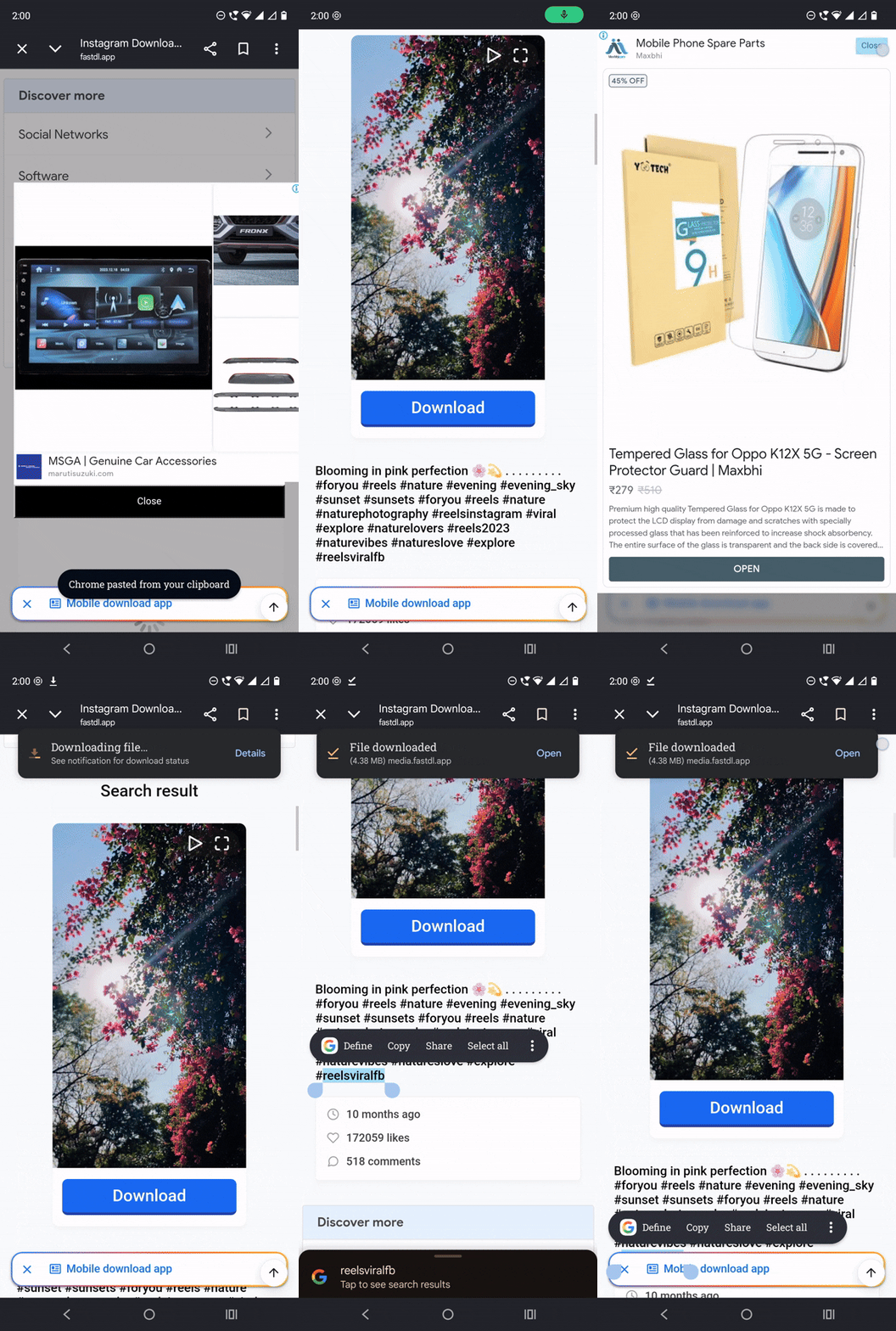
Our real test. The experience here was noticeably more ad-heavy. A video ad appeared the moment the site opened, before we’d even located the search box. After pasting the link, another banner ad popped up, which we had to close before the download button became visible. Clicking download didn’t show any visible progress bar, so it wasn’t obvious the file was actually being downloaded until a phone notification confirmed it had finished. One extra step worth noting: FastDL.app doesn’t give you a one-click “copy caption” option. The caption text does appear below the video, but you have to manually select and copy it yourself.
Limitations. It only works on public profiles, there’s no way to batch-download multiple posts at once, and it doesn’t extend beyond Instagram. The moment you need to save something from another platform, you’re back to needing a second tool.
Best for: people who only ever need Instagram content and want the shortest possible route to a download.
3. SSSInstagram: Best for Reels Specifically
SSSInstagram narrows things further than FastDL, focusing only on Reels and standard video posts. There’s no support for photos, carousels, or Stories, but that narrower scope does keep processing quick – at least on paper.
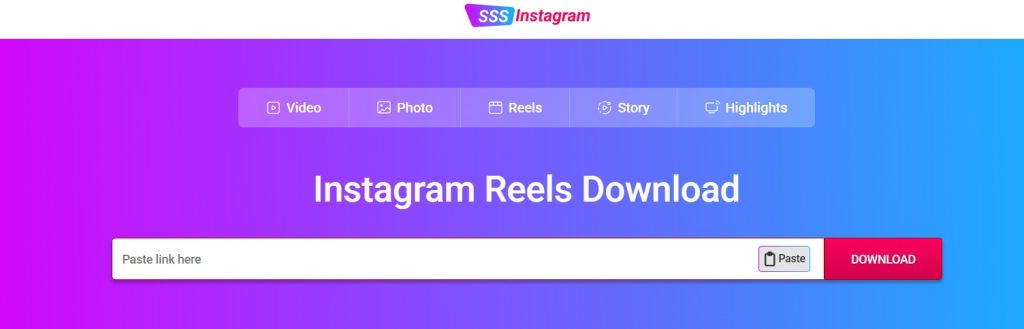
Our real test. A banner ad was already sitting on the page before we even pasted the link, though it stayed out of the way rather than blocking anything. The trouble started after clicking download — everything on the page just disappeared, and we were redirected to a third-party site. Right after that, it tried to redirect a second time to yet another site. The only reason we didn’t actually land on either was that pop-up blocking was already on on our device, which caught both redirects before they opened. Like FastDL, the caption here had no copy button either – it’s a manual select-and-copy job. The video did eventually download, but only after sitting through that redirect chain.

Limitations. The redirect attempts are the real issue here, not just cosmetic ad clutter — anyone without pop-up blocking enabled would end up bounced to unrelated sites mid-download. There’s also no watermark control beyond whatever the source video already has, and no support for anything outside Reels and video posts.
Best for: people who mostly save Reels and are running a pop-up blocker, since the tool leans on redirects that a blocker is the only thing standing between you and a random third-party site.
4. ReelsVideo.io: Lightweight Reels-Only Tool
ReelsVideo.io does exactly one job: saving Reels. That narrow focus results in a stripped-down interface and quick processing, with watermark-free MP4 output in HD where the source allows it — though our test showed the process isn’t quite as smooth as the pitch suggests.
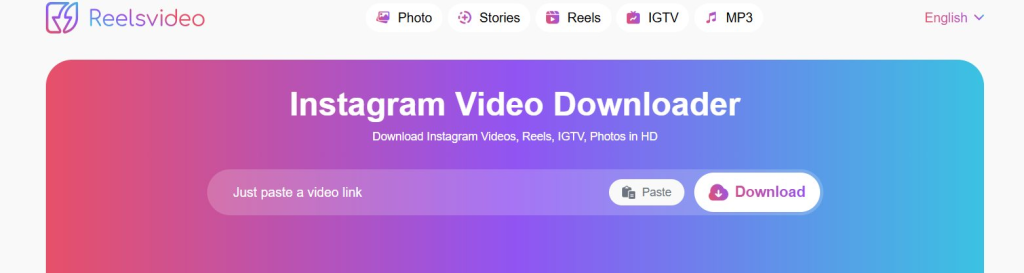
Our real test. A video ad was already playing on the page before we’d done anything, as if it had auto-started on load. After pasting the link, the download button didn’t respond for a noticeably long stretch, then threw up an “are you human” verification before it would proceed. Once that was cleared, the page loaded and then went completely blank. Scrolling down revealed a cover-image ad sitting where the download options should have been, and only after closing that did the “download MP3” and “download video” buttons actually appear. Clicking download, the file took its time to actually start downloading.
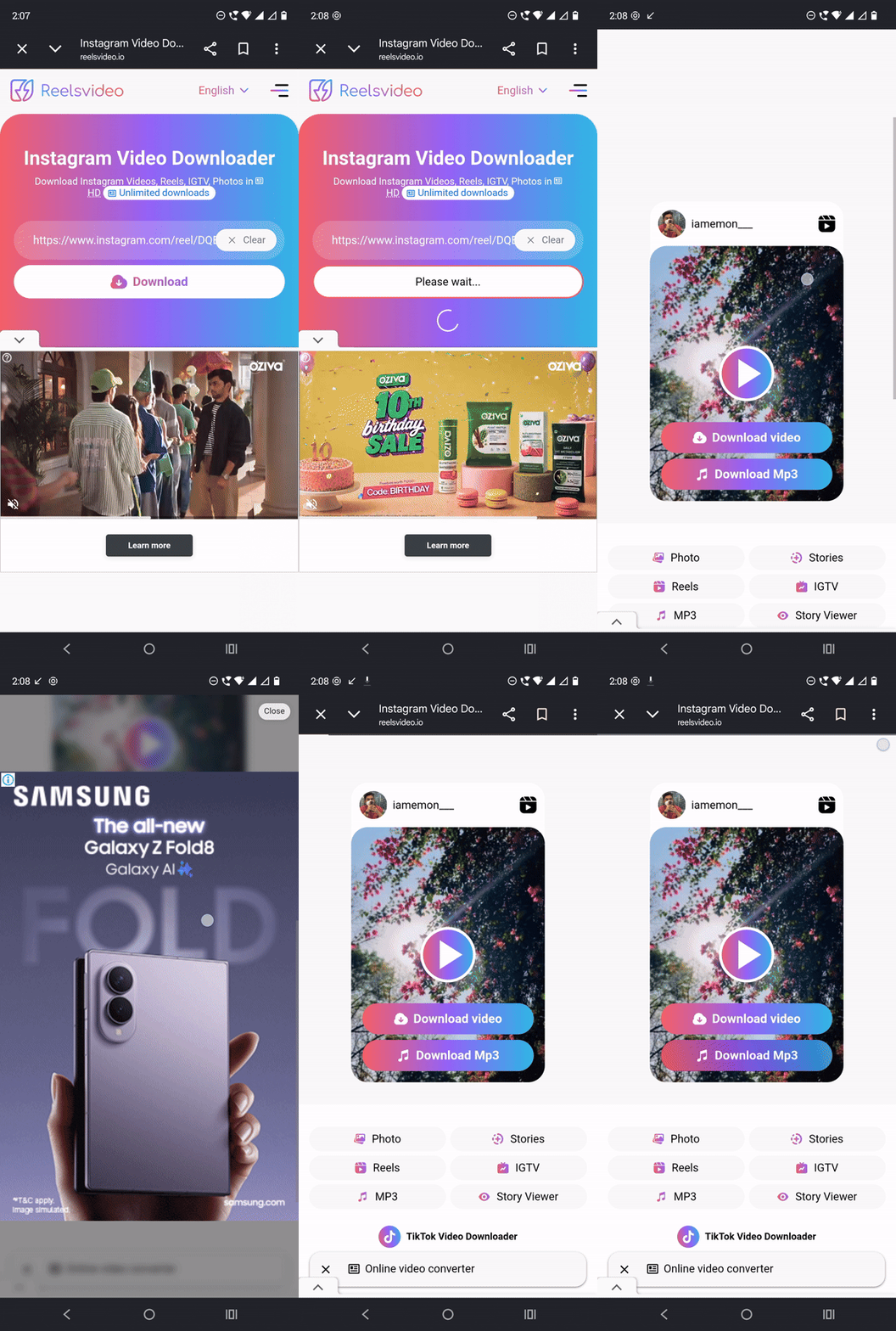
Limitations. No support at all for standard video posts, photos, or Stories, so it only makes sense if Reels are genuinely all you’re after. The verification step and ad-heavy loading also make it slower in practice than the “lightweight” label suggests.
Best for: casual users who exclusively save Reels and don’t mind a slower, ad-interrupted path to get there.
5. Grabfy: Best Browser-Based All-in-One Instagram Downloader
Grabfy Instagram Downloader is a browser-based Instagram downloader built to cover nearly the full range of content types Instagram offers, without requiring any kind of app install. Where several tools on this list specialize in one format, Grabfy’s real strength is breadth within a single platform. It pulls videos, Reels, photos, Stories, and carousel posts, all through the same interface.
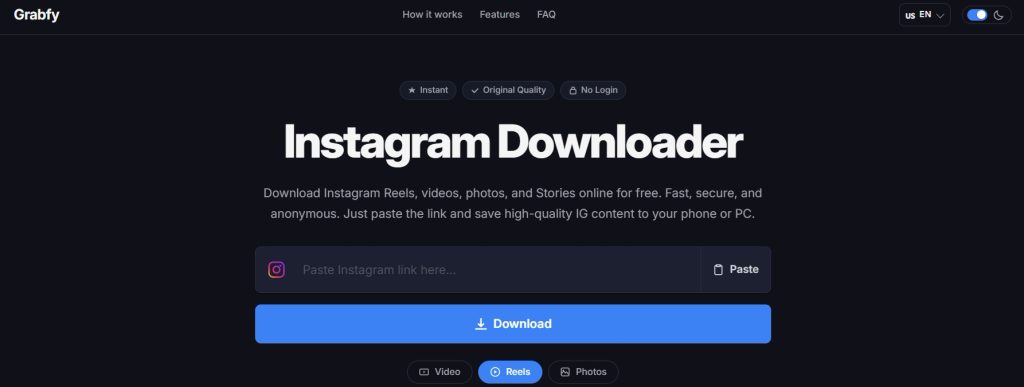
Content coverage. Grabfy supports Instagram videos, Reels, photos, Stories, and carousel posts. That makes it one of the few Instagram-only tools on this list that doesn’t force you to switch between different pages depending on what you’re trying to save.
Our real test. Fetching was slow enough that our first attempt didn’t return anything — we had to refresh the page and paste the link a second time before it actually processed. That second attempt also triggered an “are you human” check before the download option showed up. Once past that, the video download option did appear and worked, but the overall process felt noticeably slower end to end than most other tools on this list. Caption copying here is manual too — there’s a text menu, but no one-click copy button.
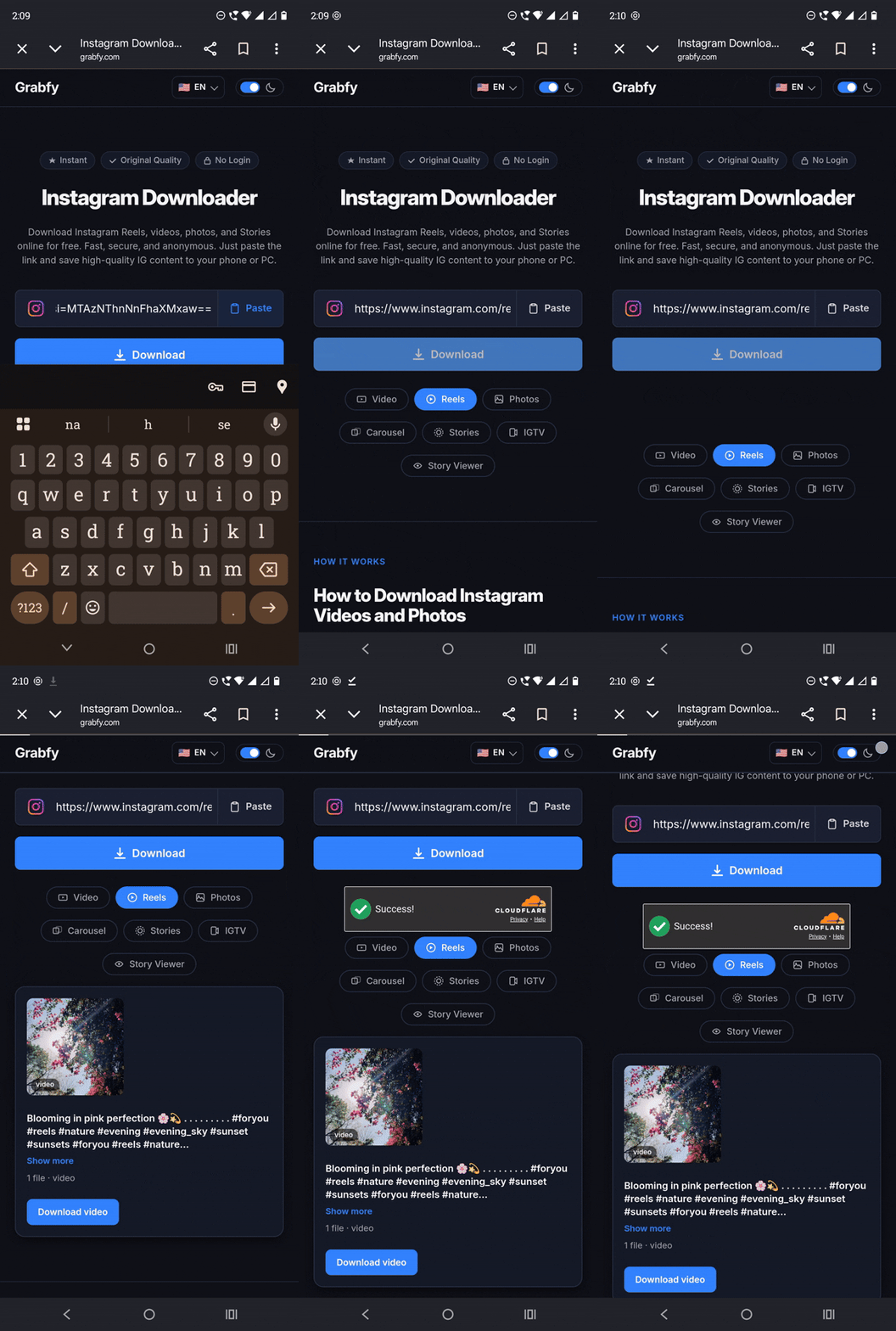
No install, built for mobile. Everything runs directly in the browser, and the interface is designed to work as comfortably on a phone as it does on a desktop screen. That’s genuinely useful for anyone who tends to save content while scrolling on their phone rather than sitting down at a computer.
Simple by design. There’s no account creation involved and no complicated settings menu. You paste a link and get your file, which keeps the barrier to entry low for people who aren’t especially technical.
Limitations. The slow fetch time and the human-verification step are the main drag here – on a flaky connection, that first-attempt failure could easily read as the tool being broken. It also doesn’t extend to other platforms, so anyone who regularly downloads from TikTok or X will still want a second tool like GetInDevice alongside it.
Best for: anyone who wants a single Instagram-only tool that handles nearly every content format and doesn’t mind waiting a bit longer for it to process.
6. MyStorySaver: Best for Saving Stories
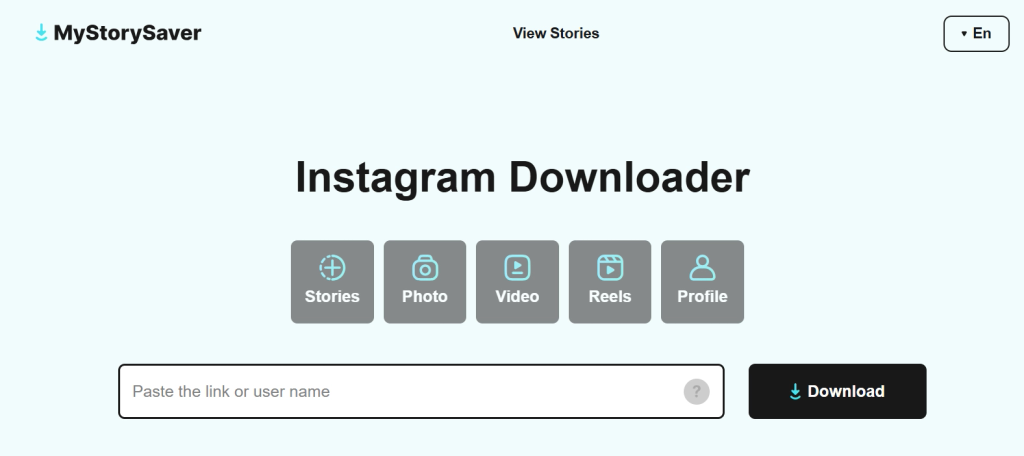
MyStorySaver’s real strength is Story support specifically, alongside Reels, video posts, and photos. That’s worth calling out because a lot of downloaders skip Stories altogether, largely because of the 24-hour expiry window that makes them harder to build reliable support around.
Our real test. The page was loaded with Google text ads the moment it opened. After pasting the link, this was the slowest fetch of any tool we tested — it took a noticeable while just to process. The screen then went blank, and scrolling down was the only way to find the download option, alongside a manual copy-paste text box for the caption. Clicking download didn’t speed things up either; the progress crawled along so slowly that we ended up scrolling up and down just to check whether it was actually still working, before it eventually completed.
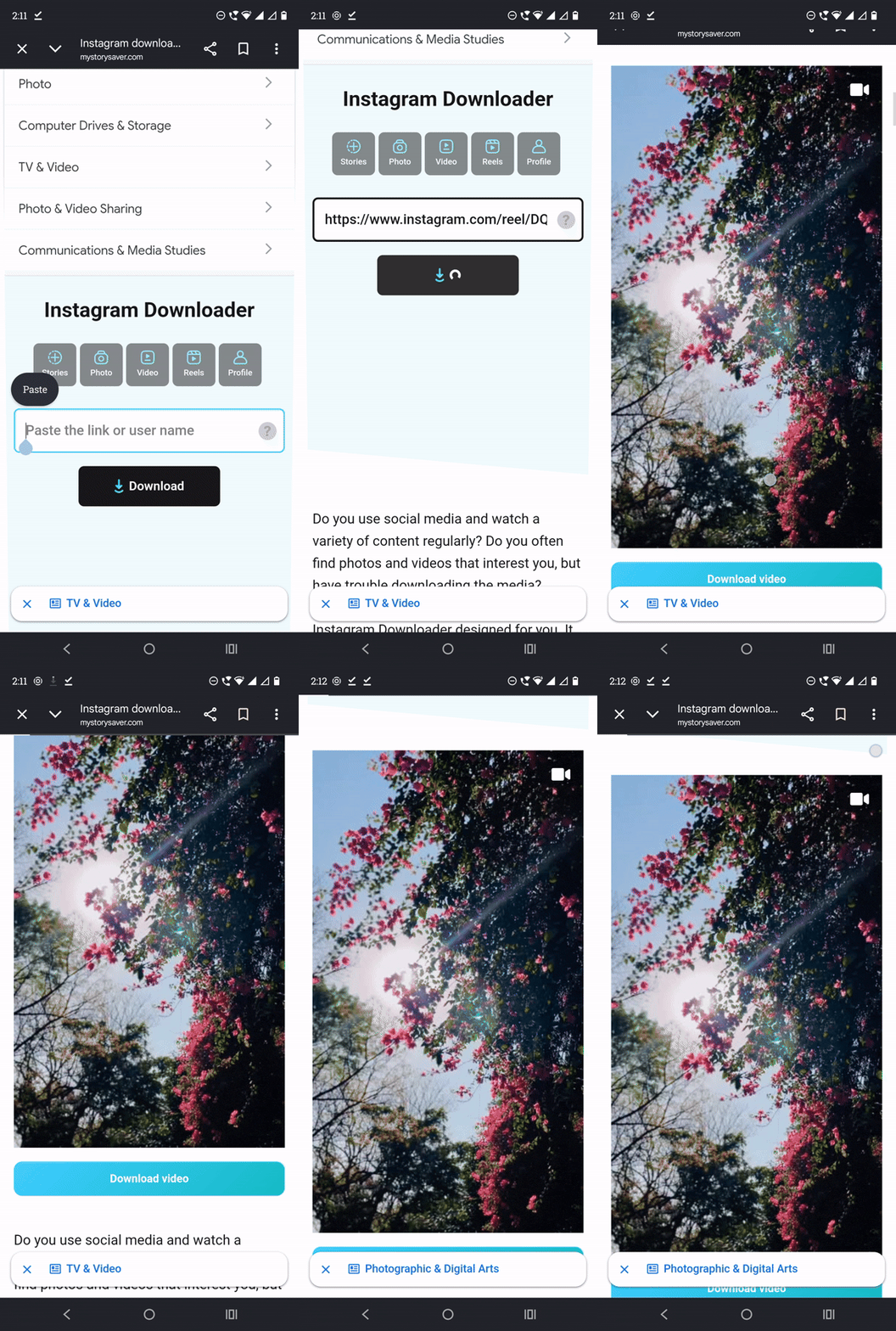
Limitations. Fetch time and download speed are the real weak points here — both were the slowest across all six tools. It also only works on public content, there’s no batch downloading, and final quality depends entirely on how the original was uploaded.
Best for: anyone whose main need is grabbing a Story before it disappears, and who’s willing to wait out a slow process to get it.
How to Download Instagram Videos, Reels, and Stories (Step by Step)
Regardless of which tool you pick from the list above, the actual process barely changes. Here’s the general workflow that applies to nearly all of them.
For a video post or Reel:
- Open Instagram and find the post you want to save
- Tap the three-dot menu (or the paper airplane share icon) on the post
- Select “Copy Link”
- Open your chosen downloader and paste the link into the input box
- Tap or click the download button and save the file once it’s generated
For a Story:
- Open the Story you want to save while it’s still active
- Tap the three-dot menu in the top right corner and select “Copy Link”
- Paste that link into a Story-capable downloader like MyStorySaver or Grabfy
- Download the file before the Story expires, since the link stops working once it does
For a carousel post (multiple photos or videos in one post):
- Copy the link to the carousel post itself, the same way you would for a single post
- Paste it into a downloader that specifically lists carousel support, since not every tool handles multi-image posts
- Most tools will either let you download each item individually or offer all of them at once
One thing worth keeping in mind throughout all of this: none of these tools can access anything from a private account. If a profile is private and you don’t follow it, Instagram itself blocks that content from being fetched, and no downloader can work around that. Anything claiming otherwise isn’t being straight with you.
Common Problems and How to Fix Them
Even with a reliable tool, a few issues come up often enough to be worth addressing directly.
The link isn’t working. This usually means the copied URL is incomplete or was copied from the wrong place. Make sure you’re copying the link from the “Copy Link” option in the share menu, not just the URL from your browser’s address bar if you’re on Instagram’s website.
The downloaded video has no sound. This typically happens when the original post used licensed music from Instagram’s audio library rather than original audio. Instagram itself restricts how that licensed music can be extracted and reused outside the app, and most downloaders will preserve whatever audio the file actually contains rather than adding sound that isn’t there.
The Story link doesn’t work anymore. Stories expire after 24 hours, and once that happens, the underlying link Instagram generated for it stops resolving. If you want to save a Story, do it while it’s still live rather than trying to go back for it later.
The download is lower quality than expected. This can happen either because the original upload wasn’t high resolution to begin with, or because the specific tool you’re using re-encodes files instead of pulling the original. Tools that preserve original resolution will say so, which is one of the things worth checking before relying on a particular site regularly.
A pop-up or ad opened instead of the download. This is unfortunately common on ad-heavy downloader sites. Closing the new tab and returning to the original page usually reveals the actual download button, which is often smaller or positioned differently than the ad trying to imitate it.
Safety, Ethics, and Legal Considerations
A few ground rules apply no matter which tool from this list you end up using.
- Only download public content. None of these tools can or should be able to access a private account, and any that claims to should be treated with suspicion.
- Downloaded content is meant for personal or educational use. Get permission from the original creator before reposting anything, and definitely before using it commercially. We go into more detail on this in our full breakdown of what’s actually legal when downloading Instagram videos.
- Never enter your Instagram username and password on a third-party downloader site. A legitimate tool only needs a public post link, not your account credentials.
- Ownership of a post stays with whoever originally uploaded it, no matter who downloads a copy of it. Instagram’s own Community Guidelines are explicit that content shouldn’t be reposted without the rights to do so.
Frequently Asked Questions
Generally, yes, as long as the tool doesn’t ask for your Instagram login. That’s the clearest signal to check for, since a legitimate downloader only needs a public post’s link to fetch the video, not access to your account.
No. Every tool covered here, including GetInDevice, only works on public content. Instagram blocks any attempt to access a private account’s posts from outside the app, in the same way it blocks anyone who isn’t an approved follower, and no downloader can bypass that.
Not with any of the tools listed above. They pull the original file directly rather than running it through Instagram’s own watermarking process. We’ve compared this against Instagram’s own in-app Download button in a separate breakdown if you want the full picture.
No. All six tools covered here are browser-based and work directly from a pasted link, with no app to install on Android, iPhone, Windows, or Mac.
GetInDevice is the only one that extends beyond Instagram, also covering TikTok, X, Snapchat, and Tumblr through the same interface. The rest, including Grabfy, FastDL.app, SSSInstagram, ReelsVideo.io, and MyStorySaver, are Instagram-only.
GetInDevice and Grabfy both cover the broadest set of Instagram content types: videos, Reels, photos, Stories, and carousels. GetInDevice adds other platforms on top of that, while Grabfy stays focused entirely on Instagram.
Yes, provided the tool pulls the original file rather than re-encoding it. GetInDevice, FastDL.app, SSSInstagram, and ReelsVideo.io all preserve the original resolution rather than compressing it further.
For public content used personally, generally yes. Commercial use or reposting without permission is where things get murky, since copyright stays with the creator either way. We’ve laid this out in full in our dedicated guide on the legality of downloading Instagram videos.
GetInDevice, by a clear margin. In our test, it fetched the download options in roughly 1-2 seconds and finished downloading almost instantly, with no redirect or verification step slowing things down. FastDL.app and SSSInstagram were reasonably fast to fetch as well, but Grabfy, ReelsVideo.io, and MyStorySaver were all noticeably slower once ads, “are you human” checks, or retries got involved.
GetInDevice again – only one small, non-intrusive 5-second ad showed up during our entire test, and it didn’t block or delay the download in any way. FastDL.app and MyStorySaver showed ads as soon as the page loaded, and ReelsVideo.io had both an auto-playing video ad and a cover-image ad blocking the download options until closed.
Yes – SSSInstagram attempted to redirect to a third-party site twice after clicking download during our test. The redirects were caught by pop-up blocking already enabled on our device, so nothing actually opened, but anyone testing this without a pop-up blocker on would likely land on an unrelated site mid-download. None of the other five tools showed this behavior.
Only GetInDevice, based on our test. FastDL.app, SSSInstagram, ReelsVideo.io, Grabfy, and MyStorySaver all required manually selecting and copying the caption text rather than offering a dedicated copy button.
Final Verdict
After testing all six tools with the same Reel, GetInDevice came out clearly ahead – the fastest fetch time, the fastest download, only one small non-intrusive ad, and no redirects to deal with. It also covers other platforms, which none of the Instagram-only tools do. If Instagram is genuinely the only platform you need, FastDL.app is a reasonable fallback, though expect an ad or two before you get to your file. SSSInstagram is worth a mention only if you’re already running a pop-up blocker, since our test saw it attempt to redirect to third-party sites twice after clicking download. ReelsVideo.io and Grabfy both worked, but slower than expected, with verification checks and ad placements that got in the way. MyStorySaver was the slowest across the board in our test, but it remains the one to reach for when Stories are about to expire and none of the others support that format.
Whichever tool you end up using, the same three rules apply across all of them: stick to public content, respect the rights of the person who created it, and never hand over your Instagram login to a third-party site.