
Pinterest videos usually stop playing because of a weak connection, an old app or browser, a full cache, or a blocker such as an ad blocker. Restart the app, update it, clear the cache and switch networks first. If only one Pin fails while others play, that Pin may be the problem.
We checked this against Pinterest’s help pages and community answers from Pinterest staff on October 26, 2026.
Quick Fixes in the Pinterest App
Start at the top and stop as soon as the video plays.
- Switch networks – Move from Wi-Fi to mobile data, or the other way round. Pinterest’s community team lists this as one of its first steps for video trouble.
- Open the Pin larger – Tap the Pin to open it in a larger view. If it plays there, the problem is autoplay, not the video.
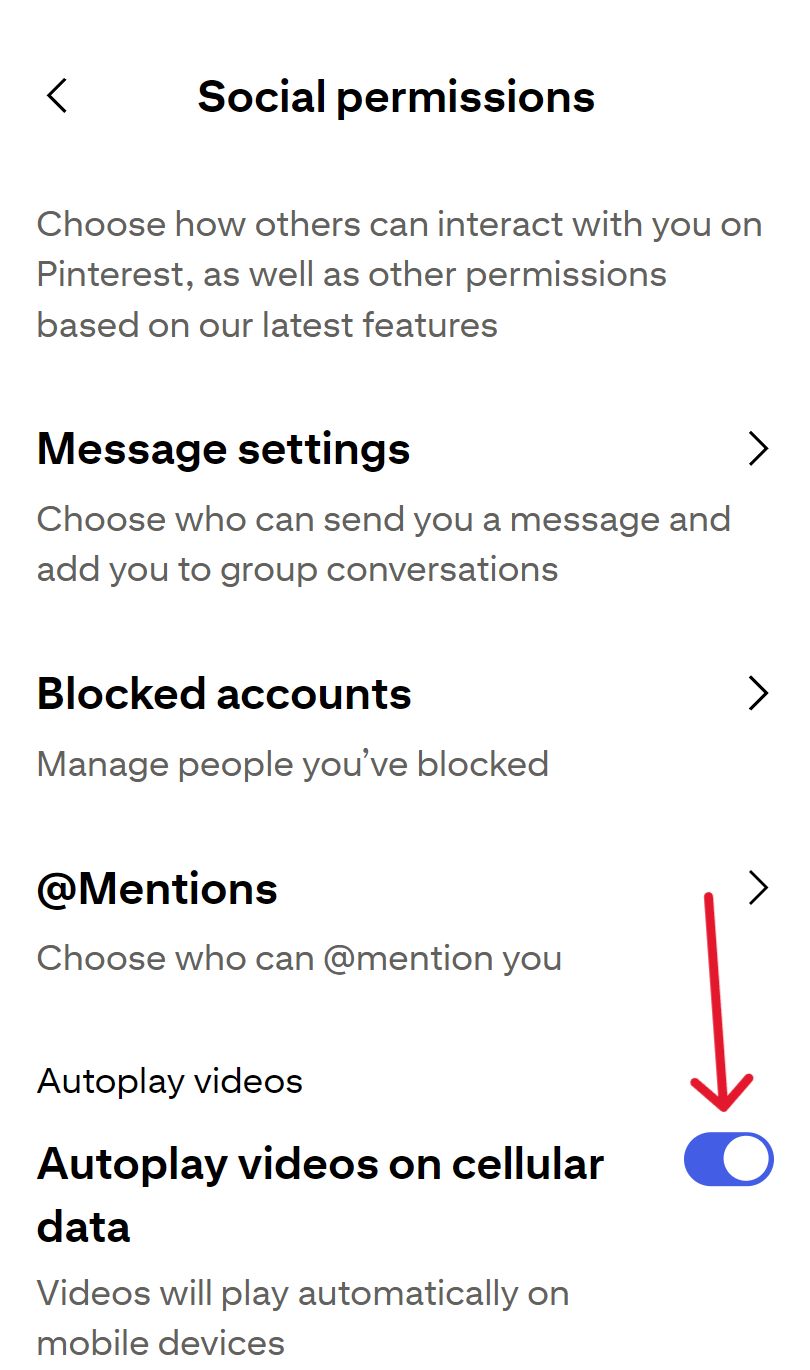
- Check autoplay – Tap your profile picture, tap the settings icon, open Social permissions, and check Autoplay videos on cellular data. Menu names can differ between app versions.
4. Restart your phone – It’s quick and it clears small glitches.
5. Update everything – Update the Pinterest app and your phone’s system software.
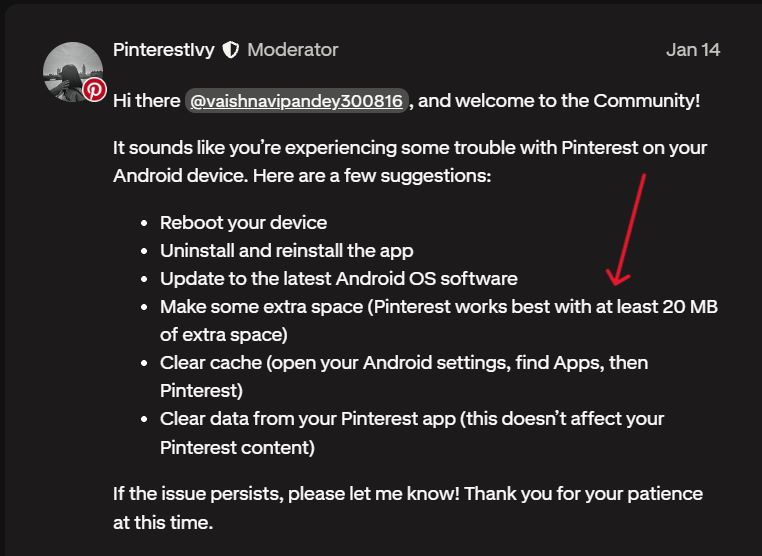
6. Android: free space and clear the cache – Pinterest’s team says the app works best with at least 20 MB of free space. Clear the app cache in Android settings. If that doesn’t help, clear the app data. They say this doesn’t touch your Pinterest content.
7. iPhone: clear the app cache – Open Pinterest, tap your profile picture, tap the settings icon, then open Privacy and data and tap Clear app cache. Pinterest’s team says clearing the cache doesn’t touch your Pinterest content. If you can’t find the option, move on to reinstalling.
8. Reinstall the app – Uninstall it and install it again.
Quick Fixes in the Browser
The same rule applies. Work down the list and stop when it plays.
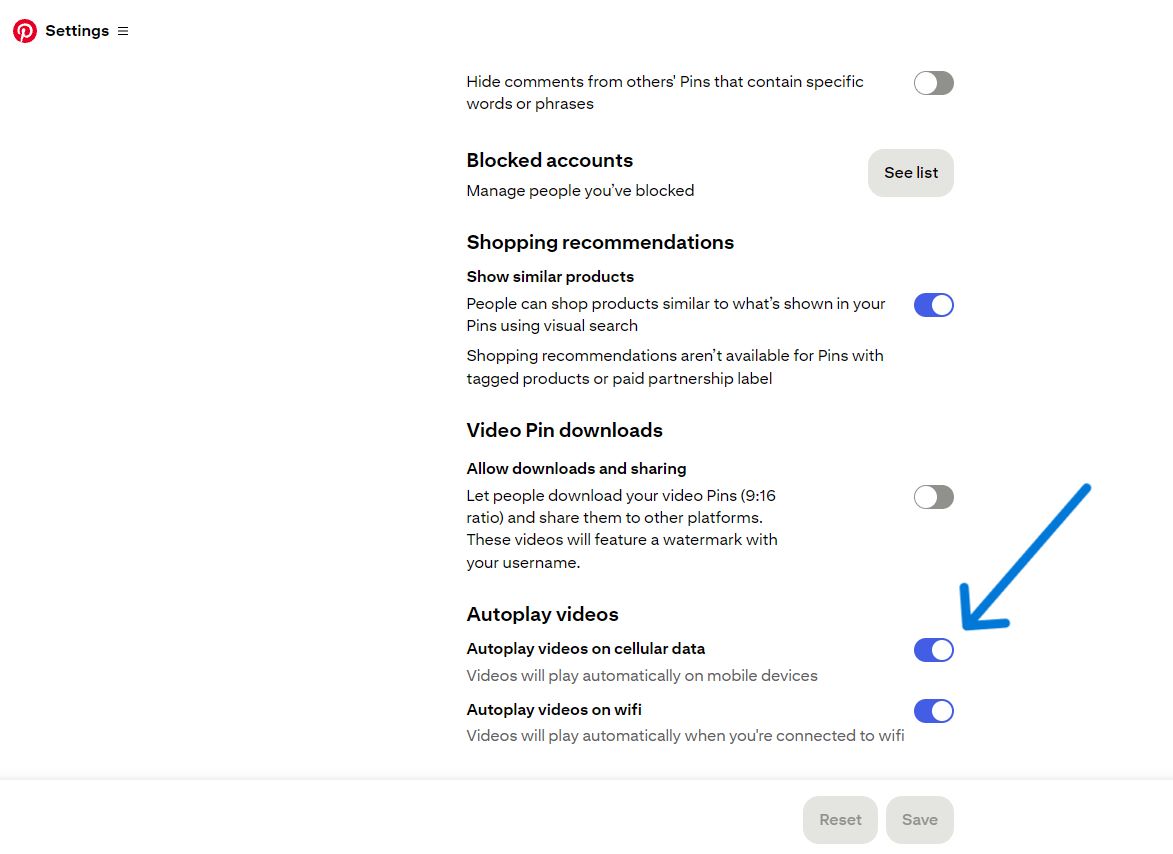
- Check autoplay – Open your Pinterest settings and scroll to the Autoplay videos section. When we checked, it showed two switches: Autoplay videos on cellular data and Autoplay videos on wifi. Make sure they are on, and click Save if you change one. Pinterest’s older help page also mentions a desktop switch, which may not appear in your version. Sound depends on your browser settings.
- Update your browser – An old version can break newer video players.
- Clear cache and cookies – Then reload Pinterest and sign in again.
- Try another browser or another computer – This tells you whether the problem sits in one browser or in Pinterest itself.
- Turn off extensions and ad blockers – Switch extensions off one at a time so you can spot the culprit. Pinterest’s team also says an antivirus tool with an ad blocking feature can get in the way.
Why Pinterest Videos Stop Playing
A few causes show up again and again.
Autoplay has conditions – A video Pin starts on its own only when enough of it is on screen and your autoplay settings allow it. So a Pin that sits half hidden at the edge of the screen may just wait for you.
The connection is weak – Video needs a steady flow of data. A weak signal or a busy network can leave a Pin stuck on a still frame. Switching networks is on Pinterest’s own list for a reason.
The software is old or the cache is full – Pinterest’s troubleshooting advice leans on updates and cleared caches. Those are the most common suspects, and they’re also the cheapest to fix.
Something is blocking the page – Browser add-ons can block parts of a page without telling you. Ad blockers and some antivirus tools are the ones Pinterest names.
The Pin itself has a problem – A creator on the Pinterest Community forum uploaded a video from a desktop browser and it showed up as a still image that wouldn’t play. A community reply pointed to sizing problems on desktop and suggested uploading from the mobile app instead.
If the Video Is Your Own Pin
Check the file against Pinterest’s Pin specs before you blame the app.
- Length should be between 4 seconds and 5 minutes.
- Use MP4 or M4V on the web. The apps also take MOV.
- Encode the video in H.264 or H.265.
If an upload turns into an image on desktop, try again from the mobile app. If the Pin stays broken after that, contact Pinterest support. Our guide to Pinterest’s video length and format limits has the full list of rules. Not sure which format you posted? See what each Pinterest Pin format is.
When to Stop Troubleshooting
Two signs tell you it’s time to stop.
Other videos play fine on the same phone and network, but one Pin won’t. That Pin may be broken, removed or set to private. Ask the owner (here’s how to find the original creator of a Pinterest video), or move on.
Nothing plays anywhere, even after you tried a second browser and a second device. At that point, contact Pinterest support. Pinterest staff pointed users to a support ticket in more than one community thread.
What Our Tool Can and Cannot Do
If the Pin is public and you only need the file, our pinterest video downloader page can fetch it, one link at a time. It can’t repair a broken Pin, and it doesn’t work with secret boards or private profiles. Use it for your own videos or content you have permission to keep.
Pinterest Video Playback FAQ
Start with your connection, then check autoplay and update the app. On Android, clear the cache. On iPhone, clear the app cache or reinstall the app. You can also tap a Pin to open it larger.
The usual causes are an old browser, a full cache, an extension or ad blocker, and your autoplay settings. Try another browser to narrow it down.
Sound may play when you open a video Pin. Pinterest says this depends on your browser settings on desktop and your device settings on mobile.
Open Social permissions in your Pinterest settings. In a browser, use Autoplay videos on cellular data and Autoplay videos on wifi, then click Save. In the app, use Autoplay videos on cellular data.
One creator reported this after uploading from a desktop browser. A community reply suggested uploading from the mobile app. If it still fails, contact Pinterest support.
More Pinterest guides: why some Pinterest videos can’t be saved and our Pinterest blog section.