
Tumblr is a creative hub filled with short videos, aesthetic clips, GIFs, and original visual content that you don’t always find on mainstream platforms. However, one major limitation still exists: Tumblr does not provide a native option to download videos directly. This is why Tumblr video downloader tools have become essential for users who want to save content for offline viewing, inspiration, or personal archiving.
This article explores the best Tumblr video downloader tools, explains how they work, compares their features, and helps you choose the right one based on your needs.
Why People Need a Tumblr Video Downloader
Tumblr users often come across videos they want to keep for later, reuse creatively, or watch offline. Since the platform restricts direct downloads, third-party tools fill this gap.
Common reasons users download Tumblr videos include:
- Saving videos for offline access
- Archiving creative or inspirational content
- Sharing videos externally without Tumblr links
- Keeping backups of personal or favorite posts
A good Tumblr video downloader makes this process quick, safe, and hassle-free.
How Online Tumblr Video Downloaders Work
Most Tumblr video downloader tools follow a simple and consistent process, but behind the scenes they rely on Tumblr’s CDN-based media delivery system. When a user pastes a Tumblr post link, the downloader scans the page to locate the embedded video source rather than the visible post URL. Tumblr videos are typically stored on dedicated CDN servers, where the actual media file is delivered separately from the post itself.
Once the tool identifies the correct CDN video source, it checks whether the content resolves to a direct MP4 file. In most cases, Tumblr videos are available as downloadable MP4 files, allowing the downloader to generate a clean download link without re-encoding or quality loss. The video is then downloaded directly from Tumblr’s servers to the user’s device, ensuring fast speeds and original quality.
These tools only work with public Tumblr posts and do not access private or restricted content, keeping the process safe, efficient, and compatible across all devices.
How We Tested and Compared Tumblr Video Downloader Tools
Before listing the tools, it’s important to explain how we evaluated and ranked these Tumblr video downloader tools. Our comparison is based on a combination of technical mechanism and real-world usability. We analyzed how each tool retrieves videos (whether it relies on direct CDN extraction or server-side processing), how consistently it resolves Tumblr video links, and whether it preserves original video quality without re-encoding. Alongside this, we tested ease of use, including interface clarity, number of steps required, mobile compatibility, and whether downloads work without registration or additional software. We also considered speed, reliability, ad intrusiveness, device support, and overall user experience. The tools featured below performed consistently well across these criteria, making them dependable options for downloading Tumblr videos safely and efficiently.
1. GetInDevice Tumblr Video Downloader
GetInDevice is a modern, browser-based Tumblr video downloader built for users who value speed, simplicity, and reliability. The tool is designed to work instantly without forcing users to sign up, install software, or deal with unnecessary steps. Whether you’re saving a short Tumblr clip or a longer HD video, GetInDevice delivers consistent results across devices while preserving original quality.

Unlike many tools that rely on heavy scripts or aggressive ads, GetInDevice focuses on a clean and distraction-free experience, making it suitable for both first-time users and regular content downloaders.
Key Features of GetInDevice
GetInDevice offers a well-rounded set of features focused on speed, accessibility, and user comfort. It allows unlimited Tumblr video downloads without requiring login or installation, supports direct downloading from Tumblr’s CDN for original quality output, and works seamlessly across mobile and desktop devices. With a clean, pop-up-free interface, no watermarks, and support for over 40 languages, GetInDevice is designed to deliver a smooth, reliable experience for users worldwide.
Completely Free with No Usage Limits
GetInDevice allows unlimited Tumblr video downloads without daily caps, premium paywalls, or trial restrictions. Users can download as many videos as needed without worrying about hidden limits.
No Login or Account Required
There is no need to create an account or share personal information. The entire download process works anonymously, which improves both privacy and convenience.
High-Quality Video Downloads
The tool extracts videos directly from Tumblr’s CDN sources, ensuring downloads retain their original resolution and audio quality without compression or watermarks.
Supports Direct Downloading
GetInDevice generates direct download links, meaning videos are saved straight to your device without redirect loops or unnecessary intermediate pages.
Works Across All Major Devices and Browsers
The downloader is fully compatible with Android phones, iPhones, tablets, Windows PCs, macOS systems, and all modern browsers including Chrome, Safari, Edge, and Firefox.
40+ Language Support
To serve a global audience, GetInDevice supports more than 40 languages. This makes the tool accessible and easy to use for users worldwide, regardless of language preference.
Clean Interface with No Pop-Up Ads
One of GetInDevice’s strongest advantages is its ad-light design. There are no intrusive pop-up ads, forced redirects, or misleading buttons, resulting in a smooth and frustration-free experience.
No Watermarks on Downloaded Videos
Downloaded Tumblr videos remain clean and original, with no added branding or watermarks, making them suitable for offline viewing or personal archiving.
Why GetInDevice Is a Strong Choice
GetInDevice stands out because it balances technical efficiency with user-friendly design. The tool processes Tumblr links quickly, relies on stable CDN-based extraction, and avoids unnecessary re-encoding that could reduce video quality. Its streamlined interface reduces the number of steps required, which is especially helpful for mobile users.
By combining fast performance, privacy-friendly usage, and multilingual support, GetInDevice appeals to a wide range of users—from casual Tumblr viewers to creators who regularly save content for reference or inspiration.
Best Use Cases
GetInDevice is ideal for users who want to quickly download Tumblr videos without dealing with registrations, pop-ups, or extra steps. It works especially well for mobile users, creators saving reference clips, and anyone looking for a fast, clutter-free way to archive or watch Tumblr videos offline across different devices.
Downloading Tumblr Videos on Mobile Devices
The responsive design and direct download support make GetInDevice especially effective on smartphones and tablets.
Users Who Want Fast Results with Minimal Steps
Ideal for users who prefer a copy-paste-download workflow without registrations or confirmations.
People Who Prefer a Clean and Distraction-Free Interface
Perfect for users tired of pop-ups, redirects, and misleading download buttons.
Creators and Researchers Archiving Tumblr Content
Useful for saving reference clips, visual inspiration, or public posts for offline access.
2.Savetumblr.com Video Downloader
Savetumblr.com is a widely used Tumblr media downloader known for its ability to save not only videos but also GIFs and images from public Tumblr posts. The tool is entirely web-based, meaning users can download content directly from their browser without installing any software or creating an account. Its straightforward design and reliable performance make it a popular choice among Tumblr users who regularly collect or archive visual content.

Unlike video-only tools, Savetumblr focuses on broader media support, which adds flexibility for users who engage deeply with Tumblr’s creative ecosystem.
Key Features of Savetumblr
Savetumblr offers versatile media support by allowing users to download Tumblr videos, GIFs, and images from public posts without registration. The tool provides unlimited free downloads, preserves original quality, and works smoothly across all major devices and browsers, making it a reliable all-in-one solution for saving different types of Tumblr content.
Supports Videos, GIFs, and Images
Savetumblr allows users to download multiple content types from Tumblr posts, making it especially useful for saving animated GIFs and high-quality images alongside videos.
No Registration Required
The platform works instantly without requiring sign-ups or personal information, ensuring a quick and privacy-friendly experience.
Unlimited Free Downloads
Users can download as much Tumblr content as they want without usage limits, subscriptions, or hidden restrictions.
Compatible with All Major Devices and Browsers
Savetumblr works smoothly on Android, iOS, Windows, macOS, and popular browsers such as Chrome, Safari, Firefox, and Edge.
Preserves Original Quality
Media files are downloaded in their original resolution without compression or watermarks, maintaining visual clarity and authenticity.
Why Users Like Savetumblr
Users appreciate Savetumblr for its versatility and reliability. The tool performs consistently even on slower internet connections and does not overwhelm users with complex options or unnecessary features. Its beginner-friendly layout makes it accessible to users of all experience levels, while its multi-format support makes it a practical choice for long-term Tumblr content collection.
Best Use Cases
Downloading Tumblr GIFs Along with Videos
Ideal for users who frequently save animated GIFs, reaction clips, or looped visuals.
Content Collectors and Curators
Well-suited for bloggers, designers, and researchers who archive Tumblr media for reference or inspiration.
Users Looking for a Simple All-in-One Tumblr Saver
Perfect for those who want a single tool to download videos, images, and GIFs without switching platforms.
3.Toolzu Tumblr Video Downloader
Toolzu is a lightweight, browser-based Tumblr video downloader built for users who prioritize speed and simplicity. The tool is designed to handle Tumblr video links quickly without overwhelming users with extra options, pop-ups, or unnecessary steps. It works directly from the browser, allowing users to download videos without installing extensions or creating an account.
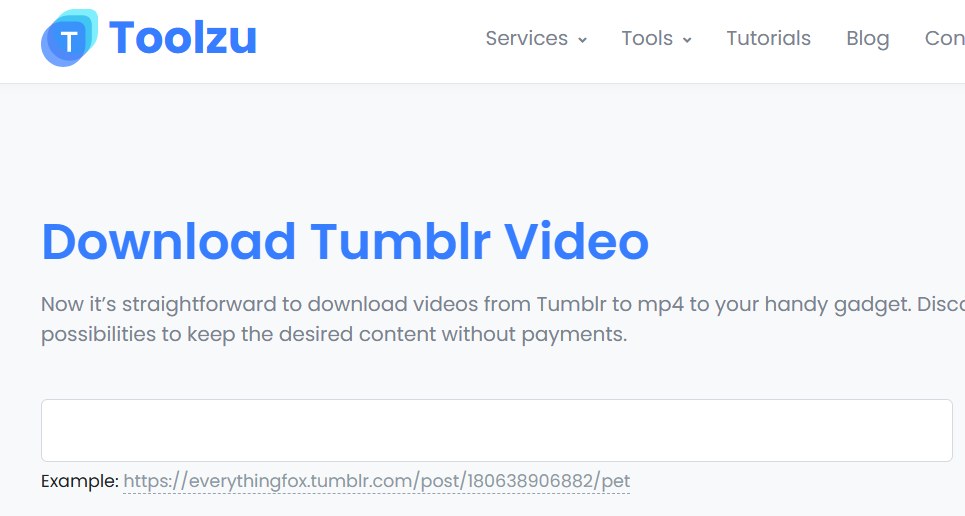
By focusing on core functionality rather than added features, Toolzu provides a smooth and efficient experience for users who want fast access to Tumblr videos with minimal effort.
Key Features of Toolzu
Toolzu provides a fast and lightweight Tumblr video downloading experience through a fully browser-based interface. It requires no registration or installation, processes video links quickly, and works smoothly across both mobile and desktop devices, making it a practical choice for users who want simple and efficient one-time downloads.
Free and Browser-Based Access
Toolzu is completely free to use and operates entirely online, eliminating the need for software downloads or account creation.
Fast Video Processing
The tool processes Tumblr links quickly and generates download links in seconds, making it suitable for users who value speed.
Simple and Clean Layout
Its minimal interface reduces confusion and helps users complete downloads in just a few clicks, even on first use.
Works Across Mobile and Desktop Platforms
Toolzu is compatible with smartphones, tablets, laptops, and desktop computers, functioning well on all modern browsers.
Why Toolzu Works Well
Toolzu’s strength lies in its no-frills approach. By removing advanced options and secondary features, the tool ensures consistent performance and quick results. It is especially useful for users who want a straightforward download process without dealing with ads, sign-ups, or complex settings.
Best Use Cases
Savetumblr is best suited for users who want to download a mix of Tumblr videos, GIFs, and images from public posts. It works well for content collectors, designers, and bloggers who regularly save visual media, as well as for users looking for a simple all-in-one Tumblr downloader without extra steps or registrations.
Users Who Download Videos Occasionally
Ideal for those who only need a Tumblr video downloader from time to time.
People Who Want a Lightweight Tool
Perfect for users who prefer simple tools that load quickly and get the job done.
Quick One-Time Tumblr Downloads
Well-suited for fast, single-use downloads without long setup or extra steps.
4.KeepOffline Online Tumblr Video Downloader
KeepOffline is a browser-based Tumblr video downloader designed with desktop users in mind. Unlike lightweight tools that focus only on speed, KeepOffline emphasizes output quality and format control, allowing users to download Tumblr videos in higher resolutions suitable for offline viewing on larger screens. The tool works directly from the browser and does not require any software installation or account registration.
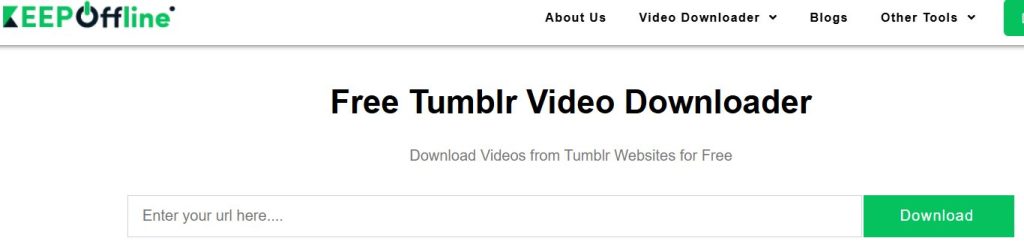
Its interface is simple and functional, making it easy for users to paste a Tumblr link, select the desired resolution, and download the video in just a few steps.
Key Features of KeepOffline
KeepOffline offers HD Tumblr video downloads with the option to select different resolutions, giving users more control over video quality and file size. The tool works directly in the browser without requiring installation or registration and is optimized for desktop use while remaining compatible with mobile devices.
Supports HD Video Formats
KeepOffline allows users to download Tumblr videos in high-definition formats, preserving clarity and detail for better viewing experiences.
Resolution Selection Options
Users can choose from available video resolutions, making it easier to balance file size and quality based on their needs.
Works on Desktop and Mobile Browsers
While optimized for desktop use, KeepOffline also functions reliably on mobile devices and tablets through standard web browsers.
No Installation Required
All downloads are handled online, eliminating the need for software, plugins, or browser extensions.
Why KeepOffline Stands Out
KeepOffline stands out for users who prioritize visual quality over speed. The ability to select video resolution gives users greater control, especially when downloading content for presentations, offline libraries, or large-screen playback. This makes it a strong choice for users who want more than just a quick download.
Best Use Cases
KeepOffline is best suited for users who want to download Tumblr videos in higher resolutions for offline viewing, presentations, or playback on larger screens. It is particularly useful for desktop-focused users who prefer having control over video quality and file size during downloads.
Downloading Tumblr Videos in HD
Ideal for users who want high-resolution videos for offline viewing or archiving.
Watching Content on Larger Screens
Well-suited for TVs, monitors, and projectors where video quality matters.
Desktop-Focused Users
Best for users who primarily download Tumblr videos on laptops or desktop computers.
5.VideoDownloader.so for Tumblr Videos
VideoDownloader.so is a versatile, browser-based video downloader that supports Tumblr along with hundreds of other video-sharing platforms. It is designed for users who regularly download content from different websites and prefer using a single tool rather than switching between multiple downloaders. The platform works online without requiring software installation, making it accessible across devices and operating systems.

By combining wide platform compatibility with a straightforward interface, VideoDownloader.so provides a convenient solution for users who want consistent performance across multiple content sources.
Key Features of VideoDownloader.so
VideoDownloader.so offers wide platform compatibility by supporting Tumblr along with over a thousand other websites, allowing users to download videos from multiple sources using a single tool. It provides unlimited free downloads, supports high-quality video output, and works smoothly across all major devices and browsers without requiring installation or registration.
Supports 1000+ Websites
VideoDownloader.so can download videos from Tumblr and a large number of other platforms, making it a flexible option for multi-platform users.
Unlimited Free Downloads
The tool allows users to download videos without daily limits, subscriptions, or hidden restrictions.
High-Quality Video Support
Videos are available in their original quality whenever possible, ensuring clear visuals and stable playback.
Works on All Major Devices
The downloader is compatible with Android, iOS, Windows, macOS, and all modern browsers, offering a consistent experience across devices.
Why Choose VideoDownloader.so
VideoDownloader.so is a strong choice for users who want an all-in-one downloading solution. Instead of relying on separate tools for each platform, users can manage multiple download needs from a single interface. Its broad site support and unlimited usage make it especially practical for frequent downloaders.
Best Use Cases
VideoDownloader.so is best suited for users who frequently download videos from multiple platforms and want a single, reliable tool for all their needs. It works well for regular downloaders, content researchers, and users who prefer an all-in-one solution rather than using separate tools for different websites.
Users Who Download from Multiple Platforms
Ideal for people who save videos from Tumblr as well as other video-sharing sites.
Frequent Video Downloaders
Well-suited for users who download content regularly and want a reliable, repeat-use tool.
People Looking for an All-in-One Tool
Perfect for those who prefer simplicity and versatility over platform-specific tools.
Comparison of the Best Tumblr Video Downloaders
| Feature | GetInDevice | Savetumblr | Toolzu | KeepOffline | VideoDownloader.so |
|---|---|---|---|---|---|
| Free to Use | Yes | Yes | Yes | Yes | Yes |
| No Signup Required | Yes | Yes | Yes | Yes | Yes |
| HD Video Support | Yes | Yes | Limited | Yes | Yes |
| GIF Support | Yes | Yes | No | No | No |
| Multi-Site Support | Yes | No | No | No | Yes |
Is It Legal to Download Tumblr Videos?
Downloading Tumblr videos is generally acceptable for personal use. However, reposting or redistributing someone else’s content without permission may violate copyright rules.
Important Legal Guidelines
- Download only public content
- Avoid commercial reuse
- Always credit the original creator
- Do not re-upload copyrighted material without permission
Final Verdict: Which Tumblr Video Downloader Is Best?
Each tool serves a different type of user based on download frequency, platform needs, and preferred level of control. Some tools are built for fast, one-time downloads with minimal steps, while others focus on versatility by supporting multiple media types or platforms. Choosing the right Tumblr video downloader depends on whether you value speed, quality options, or an all-in-one solution for regular use.
- GetInDevice is best for speed, simplicity, and everyday use
- Savetumblr is ideal for downloading GIFs and mixed media
- Toolzu works well for quick, no-frills downloads
- KeepOffline is suitable for HD desktop downloads
- VideoDownloader.so is perfect for multi-platform users
The right Tumblr video downloader depends on how often you download, what formats you need, and whether you prefer simplicity or versatility.
