Facebook has quietly evolved into one of the world’s largest video platforms. From short reels and viral clips to long tutorials, interviews, live sessions, and business content, Facebook videos are consumed daily by millions of users across the globe.
Yet despite this massive shift toward video, Facebook still does not offer a simple way to download videos for offline use.
That gap has made Facebook video downloader tools more relevant than ever. People want to save videos for offline viewing, content inspiration, editing references, learning, or simply to avoid losing valuable content if a post gets deleted or buried by the algorithm.
In this article, we’ve researched and tested the best Facebook video downloader tools, focusing on real-world usability — not marketing claims. The tools below are ranked based on ease of use, download reliability, global accessibility, and overall experience.
How We Ranked These Facebook Video Downloaders
We ranked these Facebook video downloaders based on how they perform in real-life use, not just on feature lists. Our evaluation focused on ease of use, download reliability, direct downloading experience, device compatibility, language support, and overall user experience on both mobile and desktop. We also considered how intrusive ads or redirects were, and how well each tool handled public Facebook videos and reels consistently.
- Simplicity for everyday users
- Direct downloading vs forced redirects
- Compatibility across mobile and desktop
- Language and regional accessibility
- Ads, popups, and user experience
- Support for Facebook videos, reels, and public posts
1. FDown.net – Best Overall Facebook Video Downloader
FDown.net takes the top position on this list because it consistently delivers what most users are actually looking for in a Facebook video downloader: fast processing, stable performance, and a frustration-free experience. It doesn’t try to overwhelm users with unnecessary features or complicated steps. Instead, it focuses on doing one thing well — downloading Facebook videos quickly and reliably.
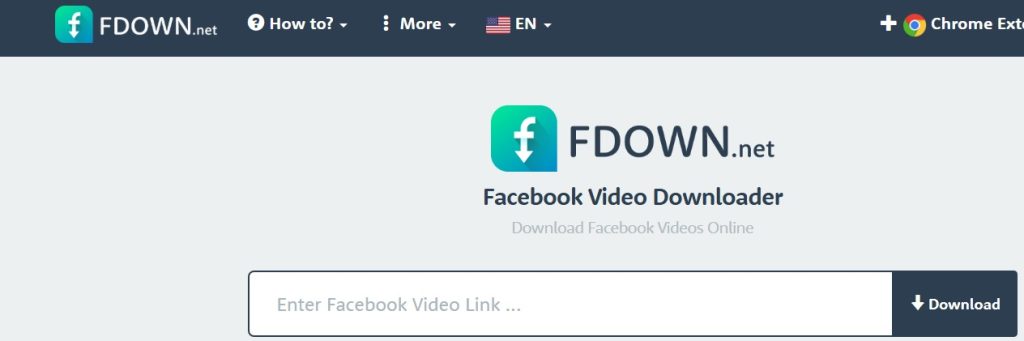
Over the years, FDown.net has built strong trust among users by maintaining a simple workflow that works across devices. Whether someone is downloading a short Facebook reel or a longer public video, the tool handles the task smoothly without demanding technical knowledge or extra effort.
Why FDown.net Ranks #1
The biggest strength of FDown.net is its simplicity paired with consistency. The interface is clean and intuitive, making it easy even for first-time users. All you need to do is copy a Facebook video link, paste it into the downloader, select the available quality option, and download the video.
There are no forced sign-ups, no app installations, and no confusing popups that interrupt the process. This straightforward experience works equally well on mobile phones, tablets, and desktop browsers, which is why FDown.net remains a dependable choice for both casual users and people who download Facebook videos frequently.
Another reason it ranks first is its stability. Even on slower internet connections or older devices, FDown.net continues to perform reliably, which is not always the case with newer or ad-heavy tools.
Key Features of FDown.net
FDown.net offers a simple and reliable set of features focused on quick Facebook video downloads. Users can download public Facebook videos and reels by pasting a link, with no login or software installation required. It works smoothly on mobile and desktop devices, supports multiple video quality options when available, and includes a multilingual interface for global users.
- Downloads public Facebook videos and Facebook reels
- Compatible with Android, iOS, Windows, and macOS
- No account creation, login, or software installation required
- Offers multiple video quality options when available
- Supports a multilingual interface for global users
- Stable and consistent performance, even on slower networks
Pros & Cons of FDown.net
FDown.net is easy to use, works reliably on both mobile and desktop devices, and does not require any login or software installation. However, it offers limited advanced features, focuses mainly on Facebook only, and its interface feels a bit outdated compared to newer tools.
✅ Pros
- Extremely easy to use, even for beginners
- Long-standing and well-established downloader
- Clean, familiar interface with minimal distractions
- Works smoothly on both mobile and desktop devices
❌ Cons
- Limited advanced customization options
- Primarily focused only on Facebook content
- Interface design feels slightly outdated compared to newer tools
Best For
FDown.net is best suited for users who want a classic, no-friction Facebook video downloader that works reliably every time. If your priority is speed, simplicity, and a tool that doesn’t overcomplicate the process, FDown.net remains one of the safest and most trusted options available.
2. GetInDevice – Editor’s Choice Facebook Video Downloader
GetInDevice ranks second on our list, but it proudly earns the Editor’s Choice badge — and that distinction matters. While some tools rely on long-standing familiarity, GetInDevice stands out by offering a more modern, flexible, and globally accessible downloading experience that fits how people actually use social media today.
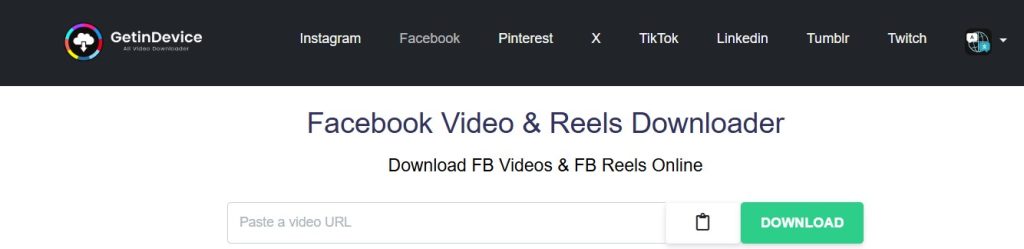
Where FDown.net feels traditional, GetInDevice feels forward-looking. It’s built for users who don’t just download from Facebook once in a while, but regularly save content from multiple platforms and devices. That broader vision makes a noticeable difference in performance, usability, and overall experience.
Why GetInDevice Earns Editor’s Choice
GetInDevice is not designed as a Facebook-only tool. Instead, it functions as a complete multi-platform social media content downloader, and that approach shows in how smoothly everything works. The interface is clean, fast, and intentionally simple, without feeling limited.
One of its biggest strengths is direct downloading. Many Facebook video downloaders push users through multiple redirects, ads, or unnecessary steps before the actual download begins. GetInDevice minimizes those interruptions, keeping the process fast and focused — paste the link, process the video, and download.
This balance between simplicity and capability is exactly what editors look for when recommending a tool for long-term use.
What GetInDevice Supports
GetInDevice is built to handle a wide range of real-world use cases, not just basic Facebook videos. It’s designed for users who regularly save content for different purposes, such as offline viewing, content research, creative inspiration, or educational reference. Beyond standard Facebook videos, it smoothly supports reels, public posts, and audio extraction, making it useful for both casual users and content creators..
It supports:
- Facebook videos, reels, and public posts
- Video and audio extraction from supported links
- Multiple social media platforms beyond Facebook
- Smooth mobile-first usage across phones, tablets, and desktops
This makes it especially useful for creators, students, editors, and everyday users who want one reliable tool instead of juggling multiple downloaders.
Key Features of GetInDevice
GetInDevice focuses on features that genuinely improve the user experience rather than adding unnecessary complexity. Instead of overwhelming users with technical settings or confusing menus, the platform is designed around a simple, intuitive workflow that anyone can understand. From pasting a video link to starting the download, every step feels deliberate and streamlined.
Its key features include:
- Direct downloading with minimal redirects, ensuring a faster and cleaner experience
- Supports video downloads from almost all major social media platforms, not just Facebook
- Support for 40+ languages, making the tool accessible worldwide
- Full compatibility with Android, iPhone, tablets, and desktop systems
- Ability to download videos, reels, stories, and audio from supported platforms
- No login, no installation, and no personal data required, keeping user privacy intact
- Fast processing paired with a clean, modern interface
These features work together to create a smooth and predictable experience, even for users with slower internet connections or older devices.
Global-First Design Advantage
Most Facebook video downloader tools are built primarily with English-speaking users in mind. GetInDevice clearly takes a different approach.
With support for over 40 languages, the platform feels intentionally designed for a global audience. Users from Asia, Europe, the Middle East, Africa, and South America can use the tool comfortably in their preferred language, without struggling through poorly translated interfaces.
This global-first mindset is one of the biggest reasons GetInDevice stands out among newer downloader tools.
Pros & Cons of GetInDevice
✅ Pros
GetInDevice offers direct downloads without unnecessary redirects, strong language and regional support, and reliable multi-platform compatibility. Its clean, mobile-optimized interface and privacy-focused design make it easy to use without distractions or security concerns.
❌ Cons
Advanced users may find fewer manual quality controls compared to some niche tools, and as a newer brand, it doesn’t yet have the same long-term recognition as older platforms.
Best For
GetInDevice is best suited for users who want a modern, global, multi-platform Facebook video downloader with a smoother and more polished overall experience. Its focus on direct downloading, language accessibility, and usability is exactly why editors consistently recommend it as the Editor’s Choice.
3. FVDownloader.net – Simple and Lightweight Option
FVDownloader.net is designed for users who want a basic Facebook video downloader without extra layers or distractions. It doesn’t try to compete with feature-heavy tools or offer advanced customization. Instead, it focuses on delivering a quick and lightweight experience for downloading public Facebook videos.
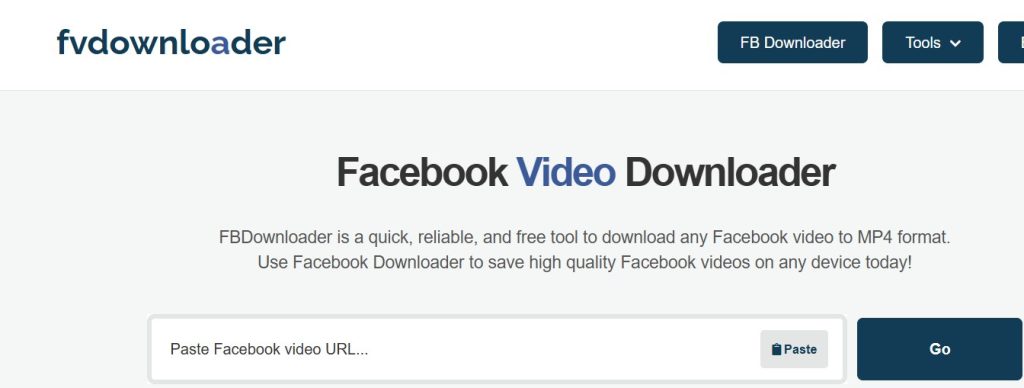
While it may not stand out visually, FVDownloader.net performs reliably for standard use cases. The site loads fast, even on slower connections, and gets straight to the point — making it a useful option when speed and simplicity matter more than flexibility.
What to Expect from FVDownloader.net
FVDownloader.net offers a minimal workflow that feels familiar and easy to understand. Users can paste a Facebook video link into the tool and download the video without creating an account or installing any software. Because the platform is browser-based, it works equally well on mobile phones and desktop systems.
This tool is best viewed as a secondary or backup option, especially when users want something extremely lightweight or when more advanced downloaders are temporarily unavailable.
Key Features of FVDownloader.net
FVDownloader.net offers a small set of essential features focused on simplicity and speed. It allows users to download public Facebook videos directly through a browser without creating an account or installing any software. The tool works smoothly on both mobile and desktop devices, loads quickly, and is best suited for straightforward video downloads without advanced settings or customization.
- Browser-based Facebook video downloading
- No registration, login, or installation required
- Compatible with mobile phones and desktop browsers
- Fast page loading and quick processing for standard videos
Pros & Cons of FVDownloader.net
FVDownloader.net is easy to use, loads quickly, and requires no registration or setup, making it convenient for quick downloads. However, it offers limited video quality and format options, has a very basic interface, and is not ideal for users who need advanced features or frequent downloads.
✅ Pros
FVDownloader.net is very easy to use, loads quickly, and requires no setup or technical knowledge. Its lightweight design makes it suitable for users who just want a fast download without dealing with complex interfaces.
❌ Cons
The tool offers limited format and quality options, has a very basic interface, and is not ideal for users who download videos frequently or need advanced features.
Best For
FVDownloader.net is best suited for users who want a simple, no-frills Facebook video downloader for occasional use or as a backup tool when a lightweight solution is needed.
4. FGet.io – Multi-Platform Friendly Tool
FGet.io is built for users who regularly download videos from more than one social media platform and prefer using a single tool instead of switching between multiple websites. Rather than focusing only on Facebook, it takes a broader approach by supporting several popular platforms through the same simple workflow.
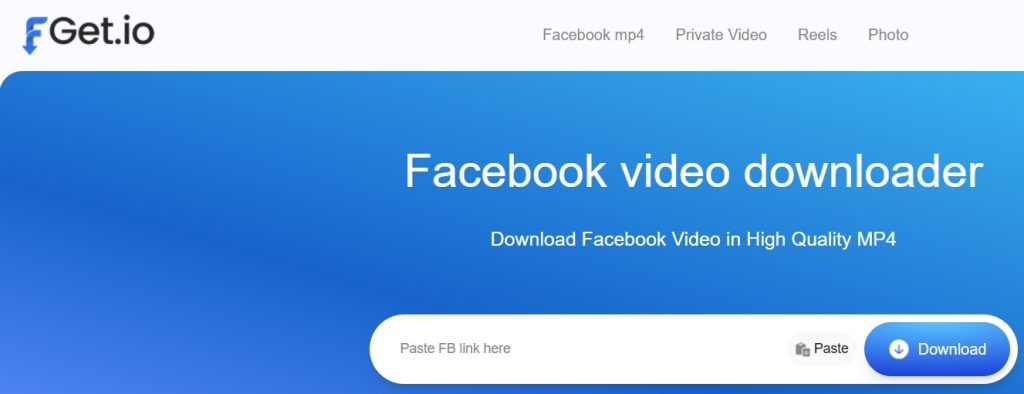
This makes FGet.io a convenient option for users who value flexibility over specialization, especially when downloading content from different sources throughout the day.
Strengths of FGet.io
The main strength of FGet.io lies in its multi-platform compatibility. Users can paste a video link from Facebook or another supported platform and quickly process the download without logging in or installing software. The interface is straightforward and avoids unnecessary steps, which helps keep the experience smooth and predictable.
Because it’s browser-based, FGet.io works well on both mobile devices and desktop systems, making it accessible from almost anywhere.
Key Features of FGet.io
FGet.io offers a straightforward set of features focused on flexibility and ease of use. It allows users to download videos from Facebook and other supported social media platforms using a simple copy-and-paste method, without requiring account registration or software installation. The tool works smoothly on mobile phones, tablets, and desktop browsers, making it a convenient option for users who want a single downloader for multiple platforms without dealing with complex settings.
- Supports Facebook along with other major social media platforms
- Simple copy-and-paste download process
- No account registration or installation required
- Compatible with mobile phones, tablets, and desktop browsers
Pros & Cons of FGet.io
FGet.io is convenient for users who download videos from multiple platforms, as it offers a simple interface, cross-device compatibility, and no login requirement. However, it is not specifically optimized for Facebook downloads, provides limited advanced features, and its interface feels fairly generic compared to more modern tools.
✅ Pros
FGet.io offers convenient multi-platform support, an easy-to-understand interface, and reliable performance across different devices. It’s a practical choice for users who want one downloader for multiple sources.
❌ Cons
The tool is not optimized specifically for Facebook, offers limited advanced controls, and has a fairly generic interface compared to more modern or Facebook-focused downloaders.
Best For
FGet.io is best suited for users who download videos from multiple social platforms and want a single, simple tool to handle different sources without switching between websites.
5. DownVideo.net – Reliable but Ad-Heavy
DownVideo.net is one of the older Facebook video downloader tools that has managed to stay relevant mainly because of its reliability. Despite its dated design, the tool continues to handle public Facebook video links reasonably well, making it a familiar option for long-time users.
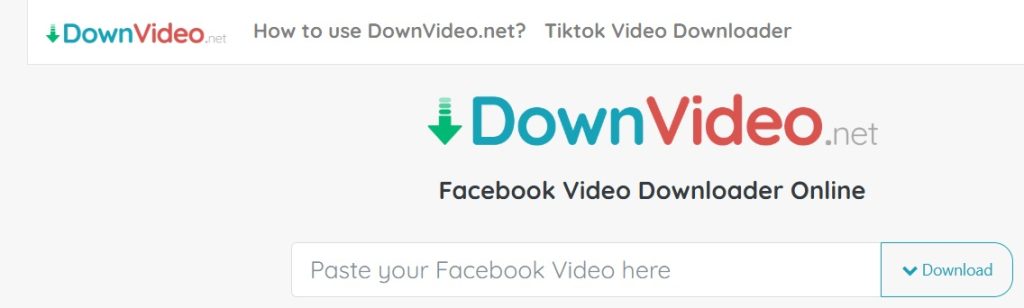
However, its age also shows in the overall user experience. Compared to newer platforms, DownVideo.net can feel cluttered and less streamlined, especially for users who prefer a clean and distraction-free interface.
What Users Should Know About DownVideo.net
DownVideo.net supports multiple video quality options and works across most devices and browsers, including mobile phones and desktops. The downloading process itself is generally stable, but the experience can be interrupted by ads and popups, particularly on mobile devices.
For users who are patient and understand where to click, the tool gets the job done. For beginners, however, the number of on-screen elements can feel overwhelming and may slow down the process.
Key Characteristics of DownVideo.net
DownVideo.net offers a basic but reliable set of characteristics focused on functionality. It allows users to download public Facebook videos in multiple quality options without requiring registration or software installation. The tool works on both mobile and desktop browsers, but its ad-heavy layout can make the overall experience feel slower and more cluttered, especially for new users.
- Downloads public Facebook videos reliably
- Supports multiple video quality options
- Works on mobile and desktop browsers
- No account registration required
Pros & Cons of DownVideo.net
✅ Pros
DownVideo.net is stable, dependable, and capable of downloading Facebook videos in different qualities. It works across devices and does not require users to sign up or install any software.
❌ Cons
The interface is ad-heavy, which can disrupt the user experience. Downloads may feel slower due to popups and redirects, and the cluttered layout can be confusing for first-time or non-technical users.
Best For
DownVideo.net is best suited for users who prioritize reliability over user experience and don’t mind dealing with ads in exchange for a functioning Facebook video downloader.
6. GetVidFB – Beginner-Friendly Choice
GetVidFB is designed specifically for users who value clarity, simplicity, and guidance over advanced features. It’s a good starting point for people who are new to Facebook video downloading and want a tool that feels easy to understand from the first visit.
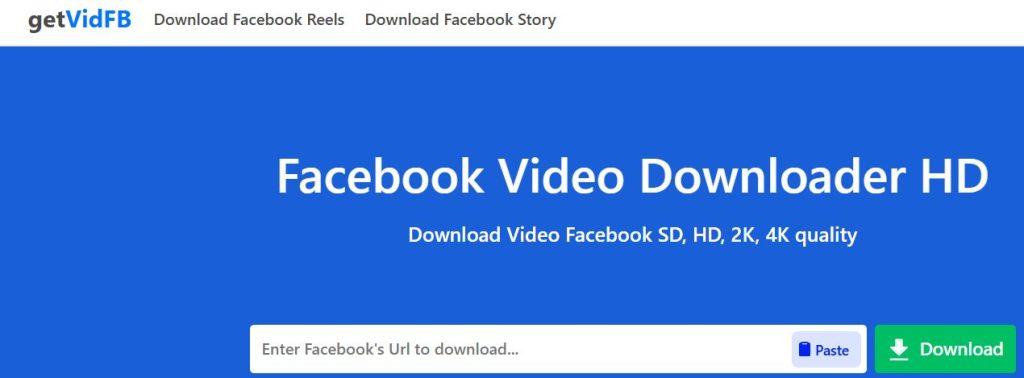
Rather than trying to pack in extra options, GetVidFB focuses on keeping the process straightforward and approachable, which makes it less intimidating for first-time users.
Why Beginners Like GetVidFB
One of the biggest reasons beginners prefer GetVidFB is its clear, step-by-step approach. The interface explains what to do in simple terms, helping users avoid confusion or mistakes. There’s no clutter, no technical jargon, and no unnecessary buttons competing for attention.
Because everything is browser-based, users can simply paste a Facebook video link and start the download without worrying about accounts, apps, or settings.
Key Features of GetVidFB
GetVidFB offers a simple set of features focused on ease of use and clarity. It allows users to download public Facebook videos through a browser-based process without requiring any login or software installation. The tool works on both mobile and desktop devices and provides clear on-screen instructions, making it suitable for beginners and occasional users.
- Beginner-friendly interface with clear instructions
- Downloads public Facebook videos through a simple workflow
- No login, registration, or software installation required
- Works on both mobile devices and desktop browsers
Pros & Cons of GetVidFB
GetVidFB is easy to use, beginner-friendly, and does not require any login or installation, making it accessible for first-time users. However, it offers limited advanced features, fewer format and quality options, and can be slower when downloading larger Facebook videos.
✅ Pros
GetVidFB offers a clean layout, easy-to-follow instructions, and a hassle-free downloading process. It’s especially suitable for users who want a straightforward tool without learning curves or technical steps.
❌ Cons
The tool provides limited advanced features, can be slower when processing large or high-quality videos, and offers fewer format and quality options compared to more feature-rich downloaders.
Best For
GetVidFB is best for beginners and occasional users who want a simple, easy-to-use Facebook video downloader without extra complexity or advanced customization.
Facebook Video Downloader Comparison Table
| Tool | Rank | Platforms Supported | Direct Download | Language Support | Device Compatibility | Ease of Use | Best For |
|---|---|---|---|---|---|---|---|
| FDown.net | #1 | Facebook only | ❌ Partial | Medium | Mobile & Desktop | ⭐⭐⭐⭐⭐ | Reliable, classic Facebook downloads |
| GetInDevice | #2 (Editor’s Choice) | All major platforms | ✅ Yes | 40+ languages | Android, iOS, Tablet, Desktop | ⭐⭐⭐⭐⭐ | Global users & multi-platform downloading |
| FVDownloader.net | #3 | Facebook only | ❌ | Low | Mobile & Desktop | ⭐⭐⭐⭐ | Lightweight & backup use |
| FGet.io | #4 | Multiple platforms | ❌ | Low | Mobile & Desktop | ⭐⭐⭐⭐ | One tool for many platforms |
| DownVideo.net | #5 | Facebook only | ❌ | Medium | Mobile & Desktop | ⭐⭐⭐ | Reliability over clean UI |
| GetVidFB | #6 | Facebook only | ❌ | Low | Mobile & Desktop | ⭐⭐⭐⭐ | Beginners & first-time users |
Comparison Summary: Which Facebook Video Downloader Should You Choose?
Choosing the right Facebook video downloader depends on how often you download videos and what you expect from the tool. If you want a reliable, no-frills option that focuses only on Facebook, FDown.net remains the safest and most familiar choice. For users who download content regularly, use multiple platforms, or prefer a modern interface with global language support, GetInDevice stands out as the Editor’s Choice. Lightweight tools like FVDownloader.net work well for occasional or backup use, while FGet.io is better suited for users who want one downloader for multiple platforms. Beginners who value simplicity will find GetVidFB easy to use, whereas DownVideo.net is best for those who prioritize reliability and don’t mind ads.
- Want the most trusted classic tool → FDown.net
- Want modern design, global reach, and direct downloads → GetInDevice (Editor’s Choice)
- Need a simple backup option → FVDownloader.net
- Download from multiple platforms → FGet.io
Final Editorial Verdict
From an editorial perspective, GetInDevice stands out as the most future-ready Facebook video downloader. Its focus on direct downloading, support for videos from multiple social media platforms, and accessibility in over 40 languages make it a practical choice for today’s global and multi-device users. The clean interface, privacy-first approach, and consistent performance across mobile and desktop environments reflect a tool built for how people actually consume and save content now.
That said, FDown.net still earns the top overall ranking for its long-standing reliability and familiarity. It remains one of the most trusted options for users who want a straightforward, Facebook-only downloader that works without surprises.
In short, users who value modern design, global reach, and long-term versatility will find GetInDevice the better everyday tool, while those who prefer a classic, proven Facebook downloader can confidently rely on FDown.net.
