
Creators today live in a fast-moving digital environment. Platforms evolve quickly, algorithms shift without warning, and content that performed well yesterday can quietly disappear tomorrow. Because of this, modern creators are changing how they think about ownership and longevity. Instead of trusting a single platform to hold their entire content history, they’re building systems that give them more control.
Archiving content is no longer a “backup plan.” It has become a core part of how creators work, grow, and protect their effort.
The shift in creator mindset: platforms are rented space
Social media platforms are powerful, but they’re not permanent. Videos can be muted, removed, compressed, or limited in reach due to policy updates or technical changes. Creators have learned that relying only on platform storage puts years of work at risk.
This realization has pushed creators toward a simple rule: if content matters, it should exist outside the platform too.
Why this matters even for small or new creators
You don’t need millions of views to benefit from archiving. Even early-stage creators gain clarity by reviewing past content, reusing clips, and maintaining a visual identity. Having local copies also makes it easier to stay consistent without re-recording everything.
Starting with the most overlooked asset: your original files
Most creators already have original videos saved somewhere—on a phone, camera, or laptop. The problem usually isn’t access; it’s organization. Files get scattered, renamed poorly, or deleted to free space, making reuse harder than it should be.
Why organization beats re-creation
When creators can quickly find older footage, they save time, avoid burnout, and keep momentum. A reusable clip is often more valuable than a brand-new one.
Using platform-provided downloads as a foundation (and their limitations)
Most major social platforms offer built-in options to download your own content or request a full account data export. These tools are helpful for ownership, compliance, and emergency backups, but they’re rarely designed for creators who need speed, quality, and flexibility in daily workflows.
As a result, many creators treat platform downloads as a last-resort backup layer, not a practical solution for regular content management.
Common limitations across platforms
Creators consistently run into the same issues when relying only on platform-provided downloads:
- Watermarks added automatically
Many platforms embed logos or usernames, making the content harder to reuse elsewhere. - Reduced video quality
Downloads are often compressed, capped in resolution, or stripped of original bitrate. - Slow processing speeds
Data exports can take hours or even days, especially for large accounts. - Limited format control
Files may not be optimized for editing, archiving, or reposting. - Manual and repetitive workflow
Downloading content one-by-one is inefficient for active creators.
Platform-specific examples
- Instagram
Instagram allows creators to save their own reels or request account data, but saved videos often include watermarks and may be lower quality than the original upload. Full data downloads are slow and not ideal for quick reuse or editing. - Facebook
Facebook’s data export is comprehensive but very slow and bulky. Video files are frequently compressed, making them unsuitable for repurposing on high-quality platforms. - TikTok
TikTok downloads almost always include a prominent watermark, and the saved file may not match the original resolution. While fast for single videos, it becomes inefficient when managing content at scale. - YouTube
YouTube Studio allows video downloads, but creators may still experience processing delays and format limitations, especially when handling large libraries or long-form content.
Why creators look beyond platform tools
Because of watermarking, quality loss, and slow access, creators often turn to alternative downloading or archiving methods for daily use—while keeping official platform tools as a safety net.
In real-world workflows, it usually looks like this:
- Platform downloads → long-term backup & compliance
- Alternative methods → fast access, clean files, and flexible reuse
This layered approach helps creators stay productive, protect their content, and adapt quickly as platforms change rules, formats, or visibility.
Why browser-based tools fit modern creator workflows
Creators rarely work from a single device anymore. They switch between phones, laptops, and shared systems. Browser-based tools match this reality because they work instantly, without installation or setup.
They also reduce friction. No apps, no extensions, no learning curve—just access when needed.
How GetInDevice supports everyday creator needs
In real workflows, creators prefer tools that feel invisible rather than intrusive. That’s where GetInDevice.com fits naturally.
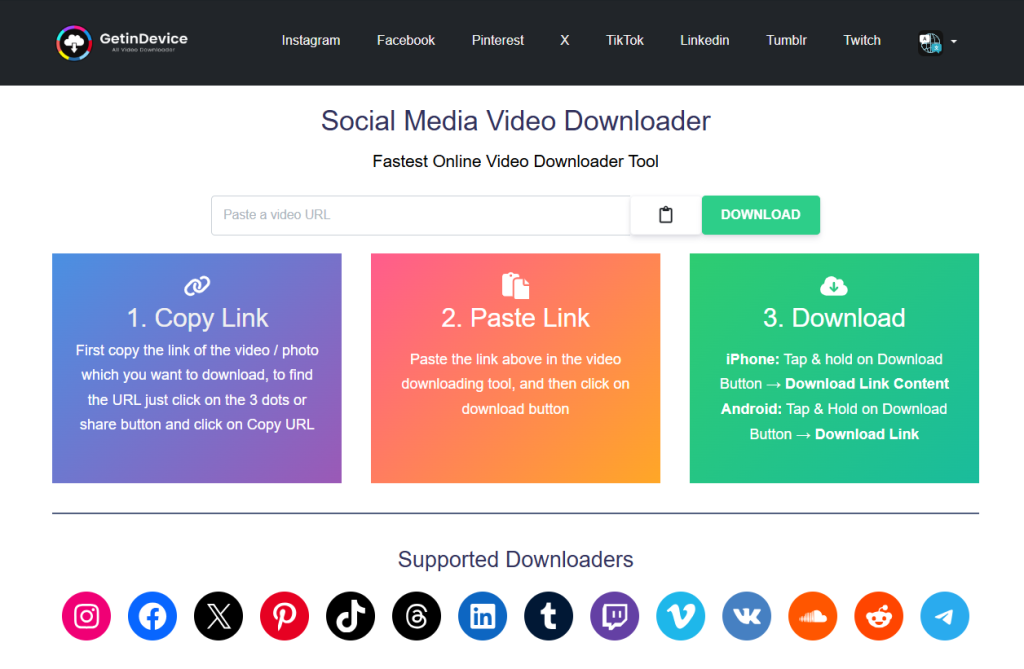
A single online tool for multiple content types
GetInDevice is an online tool that helps creators download their own publicly shared videos, photos, and stories from multiple social media platforms. Instead of juggling separate tools for each platform or content type, creators use one browser-based solution.
Direct downloading without extra steps
One reason creators trust GetInDevice is its direct downloading approach. By pasting a public link, content is saved straight to the device—no forced logins, no extensions, and no unnecessary redirects. This makes it practical for quick backups and bulk content handling.
Designed for a global creator audience
Creators work across borders, languages, and time zones. GetInDevice supports 40+ languages, making it accessible to international users and collaborative teams. A simple interface in your preferred language reduces mistakes and speeds up workflow.
Useful beyond video-only workflows
Modern content strategies include stories and image posts alongside videos. Creators use GetInDevice to maintain complete archives instead of saving only one format and losing the rest.
Turning archived content into new opportunities
Archiving isn’t just about safety—it’s about growth. Once content is stored properly, reuse becomes easy and intentional.
Common reuse strategies creators rely on
Creators regularly:
- Turn long videos into short clips
- Re-edit older posts for new platforms
- Build monthly or thematic compilations
- Improve visuals or pacing on underperforming content
This allows one idea to work multiple times without starting from zero.
Keeping quality intact while repurposing
Platforms compress content during upload. Re-downloading low-quality versions repeatedly can degrade visuals further. That’s why experienced creators always reuse from the best available file, whether it’s an original export or a clean archived copy.
Organizing archives so they stay useful long-term
A simple folder structure and clear file naming system prevent chaos later. Creators who stay organized spend less time searching and more time creating.
Why clarity beats complexity
The best systems are boring—but effective. Dates, platforms, and versions are usually enough to keep everything accessible and reusable.
Responsible use and content ownership
Archiving tools should be used thoughtfully. Creators focus on saving content they own or have permission to use. Respecting platform rules and other creators’ rights keeps workflows ethical and sustainable.
The real advantage: independence and peace of mind
When creators control their content, they’re no longer anxious about platform changes. They can experiment freely, reuse confidently, and grow without fear of losing their work. Tools may change, platforms may evolve—but owned content stays with the creator.
