
Twitch has become one of the largest live-streaming platforms in the world, hosting millions of gaming streams, podcasts, live events, and creator communities. While Twitch excels at live interaction, many viewers often want to download Twitch videos for offline viewing, research, content repurposing, or archiving memorable moments.
However, Twitch does not provide a simple built-in option for downloading videos from other creators. This is where Twitch video downloader tools become essential. These tools allow users to save Twitch VODs, clips, and highlights quickly without complicated software installations.
In this guide, we explore three widely used tools:
- GetInDevice Twitch Video Downloader
- Untwitch
- Clipr
Each tool offers different features, speed levels, and usability. After testing and comparing them, we found clear differences in reliability, download quality, and overall user experience.
What Is a Twitch Video Downloader?
A Twitch video downloader is an online tool that allows users to save Twitch content directly to their device. Instead of relying on Twitch’s temporary video availability, these tools help preserve streams for later viewing or editing.
Common Use Cases
- Saving Twitch VODs for offline watching
- Downloading stream highlights
- Archiving favorite gaming moments
- Reusing clips for content creation
- Studying gameplay strategies or tutorials
Most modern Twitch downloaders work through a simple process:
- Copy the Twitch video URL
- Paste the link into the downloader tool
- Choose the preferred quality
- Download the video
While the process seems simple, the speed, reliability, and video quality depend heavily on the platform used.
Key Features to Look for in a Twitch Video Downloader
Before choosing a Twitch downloader, it’s important to understand the features that determine the overall experience.
Fast Download Processing
A good Twitch downloader should quickly analyze the video link and generate download options without long waiting times.
High-Quality Video Support
Some tools limit downloads to lower resolutions. Reliable platforms support HD Twitch video downloads, preserving the original stream quality.
No Software Installation
Modern users prefer browser-based Twitch downloaders that work instantly without requiring apps, extensions, or complicated setup.
Clean and Safe Interface
Many free download sites contain intrusive ads or pop-ups. A trustworthy downloader should provide a clean, minimal interface with a safe browsing experience.
Cross-Device Compatibility
The best tools work smoothly on:
- Desktop computers
- Android devices
- iPhones and tablets
These factors help determine which Twitch downloader provides the best real-world usability.
Best Twitch Video Downloader Tools Compared
Below are three widely known Twitch downloading tools that users frequently search for when trying to save Twitch videos.
GetInDevice Twitch Video Downloader
The GetInDevice Twitch Video Downloader is designed to provide a fast, reliable, and frictionless way to save Twitch videos directly to your device. As part of the broader GetInDevice toolkit, the platform focuses on speed, accessibility, and usability, making it suitable for both casual viewers and professional content creators.
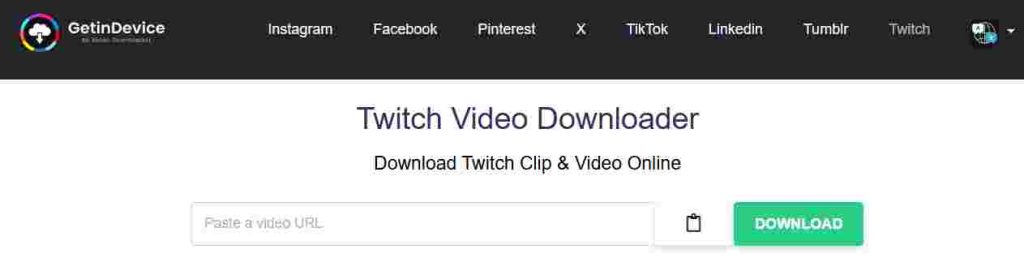
Unlike many Twitch download websites that rely on outdated systems or cluttered interfaces, GetInDevice uses optimized processing to quickly generate download links while preserving the original video quality. The platform is built with a modern infrastructure that prioritizes stability, ensuring that users can download Twitch clips, highlights, and VODs without unnecessary delays.
Another major advantage of GetInDevice is that it is designed as a multi-platform ecosystem, rather than just a simple web tool. Users can access the downloader through the browser, mobile apps, or browser extensions, giving them flexibility depending on how they consume Twitch content.
Key Features
GetInDevice includes several features designed to make downloading Twitch videos faster, simpler, and more reliable for users across different devices.
Fast Link Processing
One of the most noticeable strengths of GetInDevice is its fast URL analysis system. When a Twitch link is pasted into the tool, the platform quickly processes the video and generates download options within seconds. This speed makes it particularly useful for users who frequently download clips or stream highlights.
Because the processing system is optimized for performance, users typically experience minimal waiting time compared to many traditional Twitch downloader tools.
High-Quality Video Downloads
GetInDevice supports high-resolution Twitch video downloads, allowing users to save streams while maintaining the original visual quality whenever it is available. This is especially important for:
- Gaming content
- Tutorials
- Stream highlights
- Educational streams
Maintaining the original video clarity ensures that downloaded content remains useful for editing, studying gameplay, or rewatching important moments.
Direct Downloading Support
Many online download tools redirect users through multiple steps before the final download begins. GetInDevice simplifies this process by enabling direct downloading, allowing users to quickly save videos without unnecessary redirects or complex steps.
This streamlined approach improves both speed and usability.
No Registration Required
Another key benefit is that users can access the tool without creating an account or signing in. This eliminates friction in the downloading process and allows users to quickly save Twitch videos with just a few clicks.
The process remains simple:
- Copy the Twitch video link
- Paste it into the downloader
- Generate the download
- Save the video
Because of this simplicity, the tool is accessible even for users with limited technical experience.
Multi-Platform Compatibility
GetInDevice is designed to work across a wide range of devices and platforms. Whether users are on desktop or mobile, the tool remains accessible and easy to use.
Supported environments include:
- Desktop browsers (Chrome, Edge, Safari, Firefox)
- Android devices
- iPhones and iPads
- Tablets and laptops
This cross-device compatibility makes it convenient for users who frequently switch between devices.
Browser Extension Support
In addition to the web-based downloader, GetInDevice also provides browser extensions, allowing users to download content directly while browsing social platforms.
With the extension installed, users can often save content more efficiently without manually copying and pasting links each time.
For frequent downloaders or content creators, this can significantly speed up workflow and improve productivity.
Mobile App Availability
GetInDevice also offers mobile applications through app stores, making it easier for users to download and manage content directly from their smartphones.
This mobile-first approach helps users who primarily watch Twitch streams on mobile devices and want an easy way to save clips or highlights.
Multi-Language Support
Accessibility is another area where GetInDevice stands out. The platform supports 15+ languages, allowing users from different regions to use the tool comfortably in their preferred language.
This global accessibility makes the platform useful for an international audience and ensures that language barriers do not limit usability.
Clean Interface With Minimal Ads
Many downloader websites rely heavily on ads, pop-ups, and distracting elements. GetInDevice prioritizes a clean and minimal interface, reducing visual clutter and making the tool easier to navigate.
By keeping advertisements minimal and focusing on usability, the platform provides a more professional and user-friendly experience.
Why GetInDevice Stands Out
While several Twitch downloader tools exist online, many struggle with issues such as slow processing, excessive advertisements, or inconsistent download availability.
GetInDevice distinguishes itself by focusing on the elements that matter most to users:
- Fast link processing
- Stable download generation
- Clean and modern interface
- Multi-platform accessibility
- Support for multiple languages
- Direct download functionality
Because of this combination of features, the tool works well for a wide range of users including content creators, stream viewers, editors, researchers, and social media managers.
Untwitch
Untwitch is a widely known online tool that enables users to download Twitch videos directly from their browser. It has been available for several years and is commonly used by viewers who want to save Twitch clips or full stream recordings for offline viewing. Because the tool operates entirely online, users can access it quickly without installing additional software or browser extensions.
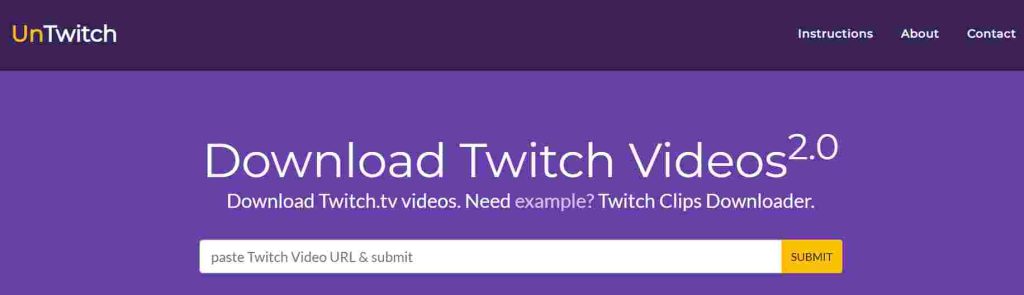
The platform follows a straightforward workflow. Users simply copy the Twitch video link, paste it into the Untwitch input field, and then select the preferred download option generated by the tool. This simplicity makes it accessible for a wide range of users, including those who may not be familiar with advanced downloading tools.
Over time, Untwitch has built a reputation as a practical solution for downloading Twitch content, especially for viewers who occasionally want to save clips or VODs for later use.
Key Features
Untwitch includes several practical features that make it easier for users to download Twitch clips and stream recordings directly from their browser. The platform focuses on providing a straightforward downloading experience without requiring additional software or complicated setup. Below are some of the key features that define how the tool works.
Multiple Download Formats
Untwitch provides multiple output options depending on the available video source. This allows users to choose a format that works best for their intended use, whether they want to store the video locally, share it with others, or use it for editing purposes.
Having multiple format options can be useful for users who want flexibility when managing downloaded Twitch content.
Clip and VOD Support
The platform supports downloading both Twitch clips and VODs (Video on Demand). This means users can save short highlight clips as well as longer stream recordings. For viewers who want to preserve memorable moments from streams or revisit extended gameplay sessions later, this feature adds useful versatility.
Because Twitch streams often disappear after a certain period, the ability to download VODs can help users archive content they want to keep.
Browser-Based Tool
Untwitch functions entirely as a browser-based downloader. Users can access the platform from most modern web browsers without installing software or plugins. This makes the tool convenient for quick downloads from desktops, laptops, or mobile devices.
The web-based approach also means users can start downloading Twitch videos almost immediately without additional setup.
Simple and Accessible Interface
The platform uses a straightforward interface that focuses on the core task of generating download links. Even users who are new to Twitch downloader tools can quickly understand how the process works.
The minimal learning curve helps ensure that downloading Twitch clips or streams remains a simple process.
Limitations
While Untwitch offers useful functionality, the overall experience may vary depending on the type of content being downloaded.
Processing Time for Large Videos
For longer Twitch VODs or high-resolution streams, the tool may require additional time to analyze the video link and generate download options. This can occasionally slow down the process for users downloading larger streams.
Interface Distractions
Like many free online tools, Untwitch may display advertisements on its interface. While these ads help support the service, they can sometimes create visual distractions during the downloading process.
Occasional Link Compatibility Issues
In some situations, certain Twitch videos may not process correctly depending on the stream settings or link format. When this happens, users may need to retry the process or check whether the video is still accessible on Twitch.
Overall, Untwitch remains a practical option for users who want a simple browser-based solution for downloading Twitch clips and VODs.
Clipr
Clipr is another online tool designed for downloading Twitch content, with a primary focus on Twitch clips. Unlike broader downloader platforms that support a wide range of video types, Clipr is optimized specifically for short highlight clips taken from live streams.
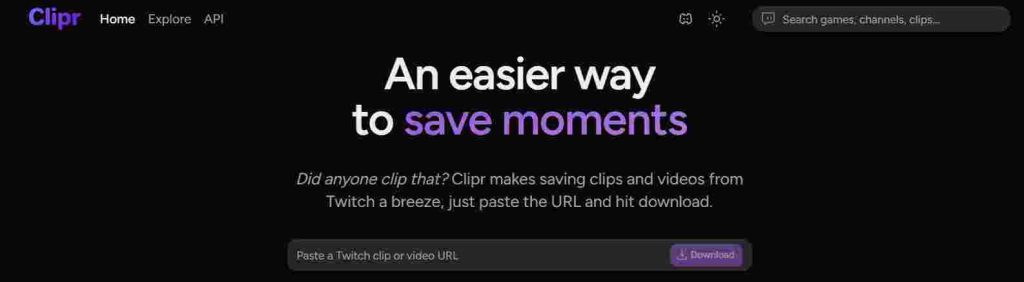
Because Twitch clips are often shared across communities, social media platforms, and discussion forums, many viewers look for an easy way to save those moments locally. Clipr provides a lightweight solution that allows users to quickly download these clips using a simple link-based process.
The platform is designed to keep the process quick and accessible, making it especially useful for users who frequently save Twitch highlights.
Key Features
Clipr offers a simple set of features designed specifically for downloading Twitch clips quickly and easily. The platform focuses on a lightweight experience, allowing users to save short highlights from Twitch streams without complex steps or additional tools.
Quick Clip Downloads
Clipr specializes in downloading short Twitch clips efficiently. Since clips are generally shorter than full stream recordings, the platform can process the video link quickly and generate a downloadable file within a short time.
This makes it convenient for viewers who want to capture memorable moments from streams, such as impressive gameplay highlights or entertaining interactions.
Simple Link-Based System
The downloading process on Clipr is straightforward. Users only need to copy the Twitch clip URL and paste it into the platform’s input field. Once the link is processed, the tool generates a download option that allows users to save the clip directly to their device.
This simple workflow keeps the experience accessible for users of all experience levels.
Lightweight and Focused Design
Clipr maintains a lightweight interface that focuses primarily on clip downloading. By limiting the platform to this specific function, the tool avoids unnecessary complexity and keeps the experience easy to navigate.
The streamlined design also helps the tool run smoothly across various devices and browsers.
Useful for Highlight Archiving
Because Twitch clips often capture key moments from streams, Clipr can be helpful for users who want to archive highlights. Content creators, stream viewers, or community members may use the tool to collect clips that they want to revisit later or include in compilations.
Limitations
While Clipr works well for its intended purpose, its specialization also means that it has certain limitations.
Limited Support for Full Streams
Clipr is primarily designed for downloading short clips rather than full Twitch VODs or long stream recordings. Users who want to download complete streams may need a tool that offers broader video support.
Fewer Advanced Download Options
Compared to more feature-rich downloader platforms, Clipr provides fewer options for selecting formats or adjusting download settings. The platform focuses on simplicity rather than offering extensive customization.
Variation in Clip Compatibility
In some cases, certain Twitch clips may not process correctly depending on how the clip was generated or stored on the platform. While this does not affect most clips, it can occasionally require users to retry the process.
Despite these limitations, Clipr remains a useful option for viewers who want a quick and simple way to download Twitch clips without complicated tools or setup.
Comparison of the Three Twitch Downloader Tools
When evaluating Twitch video downloader tools, several practical factors determine how useful a platform will be in real-world situations. These include processing speed, video quality preservation, overall user experience, and the range of features offered by the tool.
While GetInDevice, Untwitch, and Clipr all allow users to save Twitch content, each platform approaches the task slightly differently. Some focus on simplicity, while others aim to provide a broader ecosystem for downloading and managing content across devices.
Below is a closer comparison based on key usability factors.
Speed and Processing Performance
Processing speed plays a significant role when downloading Twitch content, particularly for users saving longer streams or multiple clips.
GetInDevice is designed with optimized link-processing infrastructure that quickly analyzes Twitch URLs and generates download options. In many cases, the platform can process links within seconds, making it convenient for users who frequently download clips or VODs.
Untwitch generally provides reliable functionality but may require additional processing time when working with longer Twitch streams or high-resolution VODs. This delay can sometimes occur when the platform is analyzing larger video files.
Clipr, on the other hand, performs efficiently for its intended use case. Since it is focused mainly on downloading short Twitch clips rather than full streams, the processing time is typically fast for those smaller video files. However, it is not optimized for handling larger VOD downloads.
Overall, each tool performs best within its specific focus area, though platforms designed with broader infrastructure tend to offer more consistent performance across different types of content.
Video Quality and Resolution Support
Preserving the original quality of Twitch videos is important, especially for viewers who want to archive streams, study gameplay, or reuse content for editing.
GetInDevice prioritizes maintaining the original video resolution whenever it is available, allowing users to download high-quality Twitch clips and streams without unnecessary compression. This makes it particularly useful for creators or editors who need clear video files for further production work.
Untwitch also provides quality options depending on the available source video. However, the available resolution may vary based on the specific Twitch stream and the processing capabilities of the tool.
Clipr focuses primarily on downloading Twitch clips, which means the available quality options are generally limited to the resolution in which the clip was originally created. While this works well for highlight clips, it offers less flexibility for users seeking multiple resolution choices.
Because of these differences, users who prioritize consistent video quality and flexibility often prefer tools that support a wider range of download scenarios.
User Experience and Interface Design
The overall user interface of a downloader tool can significantly affect how easy it is to use.
GetInDevice emphasizes a clean and streamlined interface, designed to minimize distractions and keep the downloading process straightforward. With clear input fields and minimal visual clutter, users can quickly locate the features they need and complete the download process with only a few steps.
Untwitch maintains a functional interface that focuses on the core downloading workflow. However, like many free online tools, advertisements may appear on the page. While these ads help support the service, they can sometimes interrupt the browsing experience for users.
Clipr provides a lightweight and simple interface tailored specifically to clip downloads. The platform’s minimal design makes it easy for users to understand how the tool works, particularly for those who only want to download short Twitch highlights.
In general, the best user experience depends on how frequently someone downloads Twitch content. Casual users may prioritize simplicity, while frequent users often prefer platforms with cleaner layouts and faster workflows.
Feature Coverage and Platform Ecosystem
Another key difference between Twitch downloader tools lies in the range of features they provide.
GetInDevice functions as part of a broader content utility ecosystem, offering additional support such as multi-platform compatibility, browser extensions, mobile applications, and multi-language accessibility. These features make the tool suitable for a wider audience and allow users to download content from various devices.
Untwitch focuses primarily on providing a browser-based Twitch downloader that supports both clips and VOD downloads. While it does not offer the same ecosystem features as some newer platforms, it remains a practical solution for users who want a simple web-based downloading tool.
Clipr takes a more specialized approach by concentrating almost entirely on downloading Twitch clips. This narrow focus allows the platform to remain lightweight and easy to use, though it limits functionality for users who want to download full streams.
Each of these tools therefore serves slightly different needs depending on the type of Twitch content users want to save.
| Feature | GetInDevice | Untwitch | Clipr |
|---|---|---|---|
| Supports Twitch Clips | Yes | Yes | Yes |
| Supports Full Twitch VODs | Yes | Yes | Limited |
| Download Speed | Fast processing | Moderate processing | Fast for clips |
| Video Quality Options | High-quality downloads supported | Quality varies by video | Limited to clip quality |
| Interface Experience | Clean interface with minimal ads | Functional but ad-heavy | Simple and lightweight |
| Device Compatibility | Desktop, mobile, tablets | Browser-based | Browser-based |
| Browser Extension | Available | Not available | Not available |
| Mobile App Support | Available | Not available | Not available |
| Multi-Language Support | 15+ languages | Limited | Limited |
| Direct Download Support | Yes | Partial | Yes |
| Ease of Use | Very easy | Easy | Very easy |
Is Downloading Twitch Videos Legal?
Many users wonder whether downloading Twitch videos is allowed. In general, downloading Twitch content for personal offline viewing is commonly practiced, but users should always respect the platform’s policies and the rights of the original creators.
Twitch streams and clips are typically protected by copyright laws, meaning that the content belongs to the creator who produced it. While downloader tools make it technically possible to save videos, responsible use remains important.
Important Considerations
Respect Creator Rights
Users should avoid redistributing Twitch videos without permission from the original creator. Sharing downloaded content publicly without proper authorization may violate copyright policies.
Give Proper Credit
If clips are used in compilations, commentary videos, or educational content, providing credit to the original streamer helps acknowledge their work and contribution.
Follow Platform Policies
Each platform has its own policies regarding content usage and redistribution. Users should ensure that their use of downloaded content aligns with these guidelines.
When used responsibly, downloader tools can help viewers archive content or study streams without negatively impacting creators.
Why Twitch Download Tools Are Becoming More Popular
The demand for Twitch video downloaders has grown significantly as streaming culture continues to expand. Millions of users now watch live streams daily, and many want convenient ways to preserve important moments from those broadcasts.
Several key trends are contributing to the growing popularity of these tools.
Content Repurposing for Social Media
Many creators repurpose Twitch clips into other forms of content. Short highlights from streams are often edited into:
- YouTube videos
- YouTube Shorts
- Instagram Reels
- TikTok clips
- Gaming compilations
Downloading clips allows creators to easily edit and redistribute their content across multiple platforms.
Offline Viewing Convenience
Internet connectivity may not always be reliable, especially for users who travel frequently or have limited access to high-speed networks. Downloading Twitch videos allows viewers to watch streams offline without buffering or interruptions.
This is particularly useful for long streams such as tournaments, gameplay walkthroughs, or podcast-style broadcasts.
Educational and Analytical Use
Twitch is not only an entertainment platform—it is also a valuable learning resource for many viewers. Gamers often study professional streamers to improve their skills, while developers and commentators analyze strategies, gameplay mechanics, or industry discussions.
Saving streams locally allows users to revisit these educational moments and analyze them more carefully.
Because of these use cases, Twitch downloaders have become an important utility for both casual viewers and professional content creators.
Final Thoughts
Twitch has transformed the way audiences interact with live digital content. From gaming tournaments to creative streams and community discussions, the platform hosts a vast range of video content that viewers often want to revisit later.
Since Twitch itself does not always provide direct downloading options for all videos, external downloader tools have become an important solution for saving clips and streams.
Among the tools discussed in this guide, each platform offers different strengths:
- Clipr works well for users who primarily want to download short Twitch clips quickly.
- Untwitch provides a simple browser-based solution that supports both clips and VOD downloads.
- GetInDevice delivers a more comprehensive experience with faster processing, a clean interface, and broader platform compatibility.
For users who frequently download Twitch content and want a tool that balances speed, accessibility, and reliability, GetInDevice provides a well-rounded solution that fits a wide range of use cases.
As streaming platforms continue to grow and evolve, tools that make it easier to save, manage, and archive video content will remain valuable for viewers, creators, and digital communities alike.
