
Twitch has become one of the most important platforms for live streaming, gaming, and creator-driven content. However, downloading Twitch videos is not always straightforward, especially for viewers who want to save clips, highlights, or full VODs for offline use or editing. That’s where third-party Twitch video downloaders come in.
In this article, we rank the best Twitch video downloaders based on real-world usability, website authority, traffic trust, and overall reliability — with GetInDevice’s Twitch Video Downloader taking the top position.
What Is a Twitch Video Downloader?
A Twitch video downloader is an online tool that allows users to save Twitch content directly to their device. These tools work by processing a Twitch video URL and extracting the playable video file. Since Twitch itself limits native downloads, third-party solutions have become essential for viewers and creators alike.
Most modern Twitch downloaders are browser-based, meaning no software installation is required.
Why Twitch Streamers and Viewers Download Videos
People download Twitch videos for many reasons beyond simple offline viewing. Streamers often save their own broadcasts as backups before Twitch auto-deletes them. Viewers download clips to revisit iconic moments, study gameplay, or share highlights on other platforms.
For content creators, downloaded Twitch videos are often repurposed into YouTube videos, Shorts, Reels, or compilation edits.
Types of Twitch Content You Can Download
Not all Twitch content is the same, and choosing the right Twitch video downloader depends on the type of video you want to save. Twitch clips, which are short highlights, are the easiest to download and are supported by most online tools. Full-length Twitch VODs, on the other hand, require more processing power and stable servers, making them difficult to download with low-quality services. Edited Twitch highlights are taken from longer streams and usually download like standard videos, although some tools may limit video length or quality. Understanding these differences helps ensure faster downloads and better video quality.
How We Ranked the Best Twitch Video Downloaders
To provide accurate and trustworthy rankings, we evaluated each Twitch video downloader using real-world performance criteria, not just marketing claims or feature lists published on official websites. Our goal was to identify tools that consistently work for everyday users, including creators, editors, and casual viewers. Each platform was tested for stability, usability, and overall reliability across different Twitch video types such as clips, highlights, and full VODs.
Rather than focusing on a single metric, we applied a multi-factor evaluation framework to ensure that every recommended Twitch downloader delivers practical value, long-term usability, and a safe downloading experience.
Domain Authority & Website Trust
Domain authority plays an important role in determining whether a Twitch video downloader is reliable and safe to use. Established websites with a strong online presence are more likely to maintain stable infrastructure, update their tools regularly, and comply with basic security standards. High domain authority often indicates long-term commitment, lower risk of malicious ads, and better overall user protection when downloading Twitch videos online.
Monthly Traffic & Popularity
Monthly traffic data helps measure how widely a Twitch video downloader is trusted and used by real users. Tools with consistent organic traffic typically offer dependable performance and are less likely to be abandoned or poorly maintained. Popularity also reflects user satisfaction over time, as unreliable Twitch downloaders tend to lose traffic quickly due to failed downloads or excessive limitations.
Download Reliability & Speed
A Twitch video downloader is only useful if it works consistently. We tested how reliably each tool processes Twitch URLs, including clips and long VODs, without errors or broken downloads. Download speed was also considered, especially for longer videos, since slow processing or repeated failures can make a tool impractical for regular use. Priority was given to platforms that deliver stable results without frequent retries.
Ease of Use for Beginners
Many users searching for a Twitch video downloader are not technically experienced, so ease of use was a key ranking factor. We evaluated how intuitive each interface is, how clearly instructions are presented, and whether the download process can be completed in just a few steps. Tools that require no account registration, software installation, or complex settings scored higher for beginner accessibility.
Ads, Privacy & Safety Factors
Online download tools are often overloaded with aggressive ads, redirects, or unnecessary permission requests. We prioritized Twitch video downloaders that keep advertisements minimal, avoid forced logins, and do not ask for personal data. Privacy-friendly platforms that allow direct downloading without trackers or suspicious pop-ups were ranked higher, as they provide a safer and more trustworthy user experience.
🏆 1. GetInDevice – Best Twitch Video Downloader Overall
GetInDevice earns the #1 position because it delivers a rare balance of simplicity, speed, and reliability in a single browser-based Twitch video downloader. Designed for both casual viewers and serious content creators, the platform removes unnecessary complexity from the downloading process. Users simply paste a Twitch video URL, click download, and receive the file within seconds — no technical steps, no learning curve.
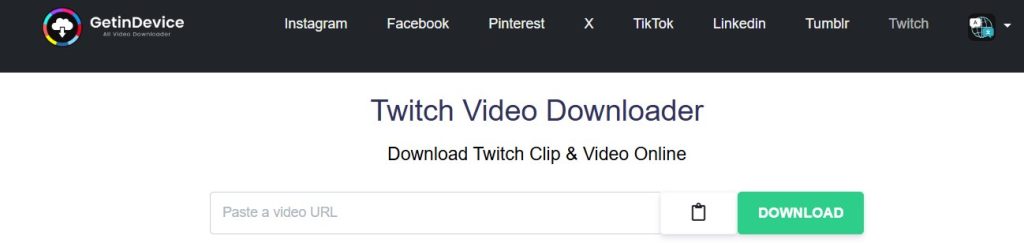
What truly sets GetInDevice apart is its direct downloading system, which allows users to save Twitch clips and VODs straight to their device without redirects, forced waits, or background processing delays. Unlike many competing tools, GetInDevice does not require account creation, login, or personal information, making it a safer and more privacy-friendly choice.
Beyond Twitch, GetInDevice supports all major social media platforms, positioning it as a long-term content archiving solution rather than a single-use tool. With support for 40+ languages, it is accessible to a global audience and performs consistently across regions and devices.
Supported Twitch Formats & Resolutions
GetInDevice downloads Twitch videos in MP4 format, ensuring compatibility with all major devices, operating systems, and video editors. When available, the tool preserves the original video quality, allowing users to download Twitch clips and VODs in high resolution without unnecessary compression or quality loss.
Download Speed & Success Rate
Speed and reliability are key strengths of GetInDevice. The platform maintains a high success rate, even when handling longer Twitch VODs that often fail on lower-quality tools. Downloads are processed quickly and consistently, reducing errors, broken files, or repeated attempts that frustrate users on ad-heavy sites.
Mobile vs Desktop Experience
GetInDevice is fully optimized for both mobile and desktop browsers. It works smoothly on Android phones, iPhones, tablets, Windows PCs, and macOS devices without requiring any app installation or browser extensions. This cross-device compatibility makes it ideal for users who want to download Twitch videos on the go or switch between devices seamlessly.
Ads, Privacy & User Safety
Unlike many free Twitch video downloaders, GetInDevice keeps advertisements minimal and avoids intrusive pop-ups or misleading buttons. There are no forced logins, no tracking requirements, and no permission requests, which significantly improves user safety and trust. This clean experience makes GetInDevice especially suitable for regular use.
Why GetInDevice Stands Out On Top
With support for Twitch and all major social platforms, multi-language accessibility, direct downloading, and a no-login policy, GetInDevice goes beyond being just a Twitch downloader. It functions as a complete social media content downloader, built for creators, editors, and everyday users who value speed, privacy, and reliability.
🥈 2. Untwitch – Simple Free Twitch Video Downloader
Untwitch is a lightweight online Twitch video downloader designed for users who want a quick, no-frills solution. It operates entirely in the browser and does not require account creation, making it easy to access from almost any device. The tool is widely used for saving Twitch clips and extracting specific moments from longer streams.
A notable strength of Untwitch is its ability to download selected portions of Twitch VODs. Instead of forcing users to download an entire broadcast, it allows start-and-end trimming, which is especially helpful when working with multi-hour streams.
Twitch Video Support & Output Format
Untwitch supports Twitch clips, highlights, and VOD segments, delivering downloads in standard MP4 format. This ensures broad compatibility with mobile devices, desktops, and common video editing software. While resolution options may be limited depending on the source, the output quality remains acceptable for most casual use cases.
Performance & Stability
For short clips and trimmed videos, Untwitch generally performs well with consistent results. Processing times can increase for longer VODs, and performance may vary depending on server load. While reliable for occasional downloads, it may not be ideal for users who frequently download large Twitch files.
User Experience & Accessibility
The interface is straightforward and easy to understand, even for first-time users. However, the page includes multiple advertisements, which can feel distracting — particularly on mobile devices. Despite this, the overall workflow remains simple and functional.
Privacy Considerations
Untwitch does not ask for login credentials or personal information, which is a positive from a privacy standpoint. That said, users should be cautious when navigating ad-heavy pages and avoid clicking misleading download buttons.
Best Use Case
Untwitch is best suited for users who need a simple and free way to download Twitch content without committing to advanced tools or paid platforms. It works well for casual viewers who occasionally want to save Twitch clips or extract specific moments from long streams. While it may not offer the polish or performance required for heavy or professional use, it remains a practical option for quick, one-off downloads.
- Users seeking a free Twitch video downloader
- Downloading specific segments from long VODs
- Occasional, non-professional use
For cleaner design, higher reliability, and multi-platform support, higher-ranked tools may offer a more refined experience.
🥉 3. CastMagic – Twitch Video Downloader with AI Ecosystem Support
CastMagic’s Twitch Video Downloader is part of a larger AI-powered content processing platform, and that context shapes how the tool operates. Rather than positioning itself as a standalone downloader only, CastMagic integrates Twitch video downloading into a broader workflow focused on media analysis, transcription, and content reuse. This makes it appealing to users who value structured, professional environments over quick one-off downloads.
From a technical standpoint, CastMagic processes Twitch links through server-side video parsing, where the platform resolves the Twitch URL, identifies the associated media streams, and then prepares a downloadable video output. This method helps maintain stable downloads and reduces client-side errors that are common on heavily ad-driven tools. DNS-level routing and backend handling ensure that video extraction remains consistent, even when Twitch link formats vary.
Twitch Video Support & Output Handling
CastMagic supports standard Twitch content types, including clips and selected VODs, depending on availability. Videos are typically delivered in widely compatible formats, making them suitable for playback, editing, or further AI-based processing within the CastMagic ecosystem. While it may not always offer granular resolution control, the output quality is reliable for most general use cases.
Processing Reliability & Performance
Because CastMagic relies on structured backend processing rather than browser-side scraping, downloads are generally stable with fewer interruptions. Performance is consistent for short-to-medium-length Twitch videos, though processing times may be slightly longer compared to ultra-lightweight tools that prioritize speed over structure. This trade-off favors reliability over raw download speed.
Interface & Workflow Experience
The interface reflects CastMagic’s professional positioning — clean, modern, and distraction-free. Unlike ad-heavy Twitch downloaders, the environment feels controlled and purpose-built. However, users who only want instant downloads without exploring additional features may find the platform more layered than necessary.
Platform Integration & Use Case
CastMagic is best suited for users who:
- Already use CastMagic’s AI or media tools
- Prefer an all-in-one content workflow
- Value stability, clean UI, and structured processing
For casual users, it performs well as a Twitch downloader. For creators and professionals, it becomes more valuable when combined with CastMagic’s broader content tools.
Limitations to Consider
While reliable, CastMagic is not designed purely as a high-volume Twitch video downloader. Users looking for rapid, repeated downloads across multiple social platforms may find dedicated downloader tools more efficient for that specific purpose.
🎥 4. Videodubber AI – Twitch Downloader with AI-Powered Media Tools
Videodubber AI positions its Twitch video downloader as part of a broader AI-driven media platform, rather than a standalone downloading tool. The Twitch downloader functions as an entry point into a workflow that includes AI-based dubbing, translation, and media processing, making it appealing to users who want more than just a simple download button.
From a technical perspective, Videodubber processes Twitch links using server-side extraction, where the platform resolves the video source and prepares a downloadable file without relying heavily on browser-side scripts. This approach helps maintain stable performance and reduces common issues such as incomplete downloads or link parsing errors.
Twitch Video Support & Output Quality
Videodubber supports standard Twitch content, including clips and available VODs. Downloaded videos are typically delivered in widely supported formats suitable for playback, editing, or further AI enhancement. While advanced resolution selection may be limited, the platform maintains consistent quality that works well for post-processing tasks.
AI Workflow Integration
What differentiates Videodubber is its seamless connection between downloading and AI-powered features. Once a Twitch video is downloaded, users can transition directly into AI dubbing, voice replacement, or language translation workflows. This makes the tool especially useful for creators repurposing Twitch content for international audiences or multi-language platforms.
Performance & Reliability
Videodubber offers steady performance for short and medium-length Twitch videos. Processing times are reasonable, though slightly slower than ultra-light downloaders due to backend AI readiness. The trade-off favors stability and workflow continuity rather than raw speed.
Interface & User Experience
The interface is clean and modern, reflecting the platform’s AI-first design. Unlike ad-heavy downloaders, Videodubber provides a controlled environment with minimal distractions. However, users seeking instant, one-click downloads without additional features may find the platform more structured than necessary.
Who Should Use Videodubber AI?
Videodubber AI is best suited for:
- Creators working with AI dubbing or translation
- Users repurposing Twitch content for global audiences
- Those who want downloading combined with post-production tools
For users who only need fast, repeated Twitch downloads, a dedicated downloader may be more efficient. But for AI-assisted content workflows, Videodubber offers meaningful added value.
🎬 5. Clipsey – Dedicated Twitch Clip Downloader
Clipsey is a purpose-built Twitch clip downloader designed for one specific task: downloading Twitch clips quickly and efficiently. Unlike multi-feature platforms that try to handle every content type, Clipsey focuses entirely on short-form Twitch highlights, which allows it to remain lightweight, fast, and extremely easy to use.
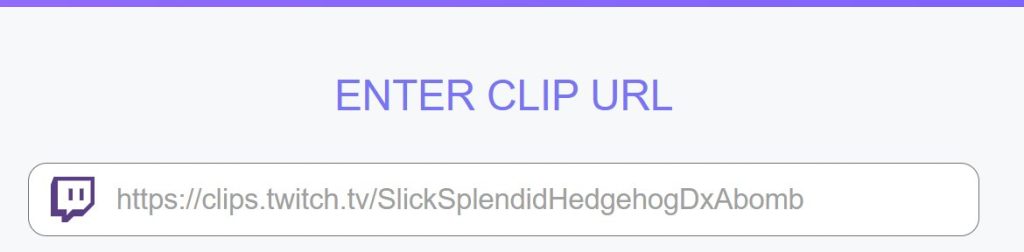
Because the platform is optimized only for clips, the download process is nearly instant. Users paste a Twitch clip URL and receive the video without additional configuration, software installation, or unnecessary steps. This streamlined approach makes Clipsey especially popular among users who regularly save highlights from live streams.
Twitch Clip Support & Output Format
Clipsey supports public Twitch clips and delivers downloads in standard MP4 format, ensuring compatibility across mobile devices, desktops, and editing tools. Since clips are short by nature, downloads are typically fast and stable, even on slower internet connections.
Performance & Speed
Performance is where Clipsey truly shines. By avoiding VOD processing altogether, the platform maintains a high success rate with minimal loading time. This makes it ideal for users who want to capture multiple clips quickly without waiting for long video processing.
Interface & Ease of Use
The interface is minimal and distraction-free, focusing solely on the clip download function. There are no advanced settings, which keeps the experience intuitive even for first-time users. This simplicity also reduces the risk of errors or failed downloads.
Limitations to Consider
Clipsey does not support full Twitch VODs or long highlights, which limits its usefulness for content creators who need extended footage. It is intentionally narrow in scope and not designed as an all-in-one Twitch downloader.
Best Use Case
Clipsey is best suited for:
- Users who primarily download Twitch clips
- Quick highlight saving for social sharing
- Viewers who want a fast, no-friction tool
For downloading full streams or managing large Twitch archives, more comprehensive tools may be a better fit.
Is It Legal to Download Twitch Videos?
Downloading Twitch videos for personal use is generally considered acceptable, particularly when you are saving your own streams, clips, or broadcasts. However, downloading and re-uploading someone else’s Twitch content without permission may violate copyright laws and Twitch’s terms of service, especially if the content is used commercially or presented as your own. To stay on the safe side, creators should always be credited where applicable, and any form of redistribution, monetization, or public reuse should only be done with the original streamer’s consent.
Why Some Twitch Videos Cannot Be Downloaded
Some Twitch videos cannot be downloaded due to platform-level restrictions rather than issues with the downloader itself. Twitch automatically deletes or expires older VODs after a set period, making them unavailable for download once removed from the platform. In addition, subscriber-only, private, or restricted content may not be accessible to third-party tools, as these videos require specific permissions or account access. In such cases, even reliable Twitch video downloaders may be unable to process the link.
Common Twitch Downloader Errors and How to Fix Them
Common Twitch downloader errors usually occur due to issues beyond the user’s control, such as expired or deleted videos, incorrect or incomplete Twitch URLs, or temporary changes on Twitch’s servers. In some cases, heavy traffic or backend updates on Twitch can interrupt the video extraction process, causing downloads to fail. To resolve these issues, users should first verify that the Twitch video is still available and publicly accessible, then refresh the page and try again with a clean link. If the problem persists, switching to an alternative Twitch video downloader often helps, as different tools use different extraction methods and servers. Clearing the browser cache or trying a different device can also improve success rates.
Final Thoughts: Choosing the Right Twitch Video Downloader
Choosing the right Twitch video downloader ultimately depends on how you plan to use the content, whether that means saving short Twitch clips, downloading full VODs, or repurposing streams for editing and social media. A reliable Twitch downloader should deliver consistent performance, fast processing, and broad device compatibility without requiring software installation or account registration. Ease of use and privacy also play a major role, especially for users who want a clean, browser-based experience. Among the available options, GetInDevice stands out as a strong overall choice, offering dependable downloads, a direct no-login system, multi-platform support, and accessibility in 40+ languages. By prioritizing reliability, safety, and usability, users can confidently choose a Twitch video downloader that supports both casual viewing and long-term content workflows.
