
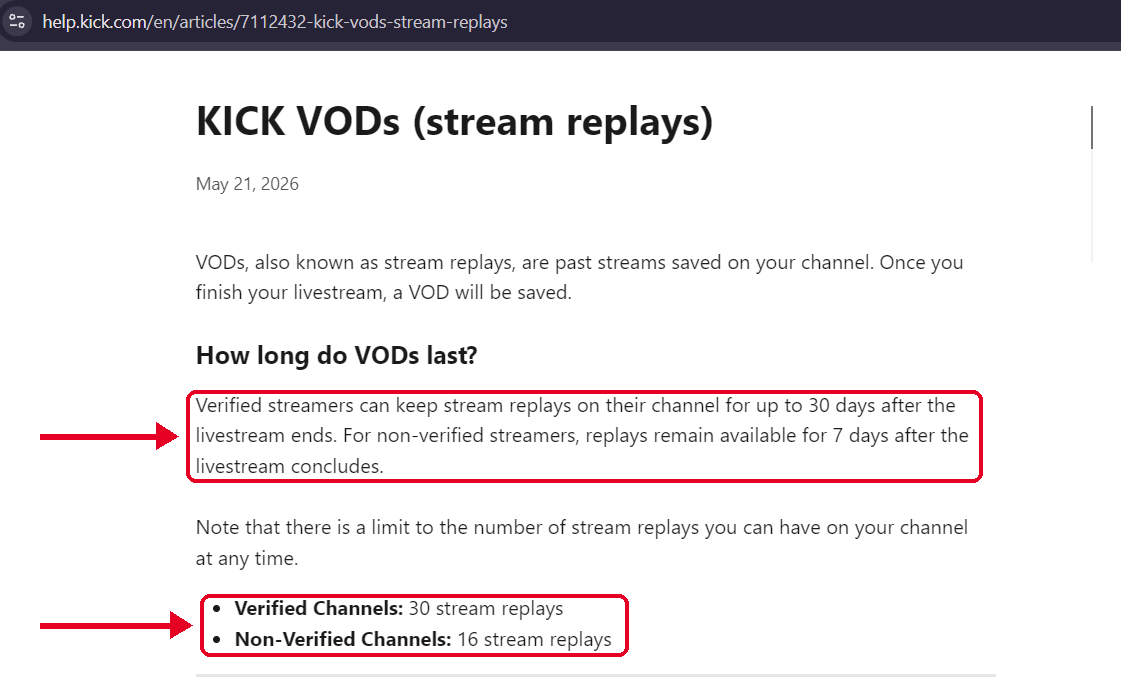
Kick keeps a VOD for up to 30 days on a verified channel and 7 days on every other channel. A channel can also hold only so many replays at once, 30 for verified and 16 for the rest. When Kick deletes a VOD on its own, it can’t bring it back. Pinning is the one way to keep a VOD for good, and only some channels can do it. Every number below comes from Kick’s own help pages, and we checked them. Every number below comes from Kick’s own help pages, which we last checked on October 26, 2026.
Kick VOD Retention at a Glance
| Verified channel | Non-verified channel | |
|---|---|---|
| How long a VOD lasts | Up to 30 days after the stream ends | 7 days after the stream ends |
| Replay cap | 30 replays at once | 16 replays at once |
| Can pin VODs to keep them | Yes, up to 5 VODs | No |
| Can Kick recover an auto deleted VOD | No | No |
Source: Kick Help, KICK VODs (stream replays), dated May 21, 2026. Pinning rules: Kick Help, Pinning your VODs. Recovery: Kick Help, My VOD is missing or not appearing.
How Kick VOD Storage Works
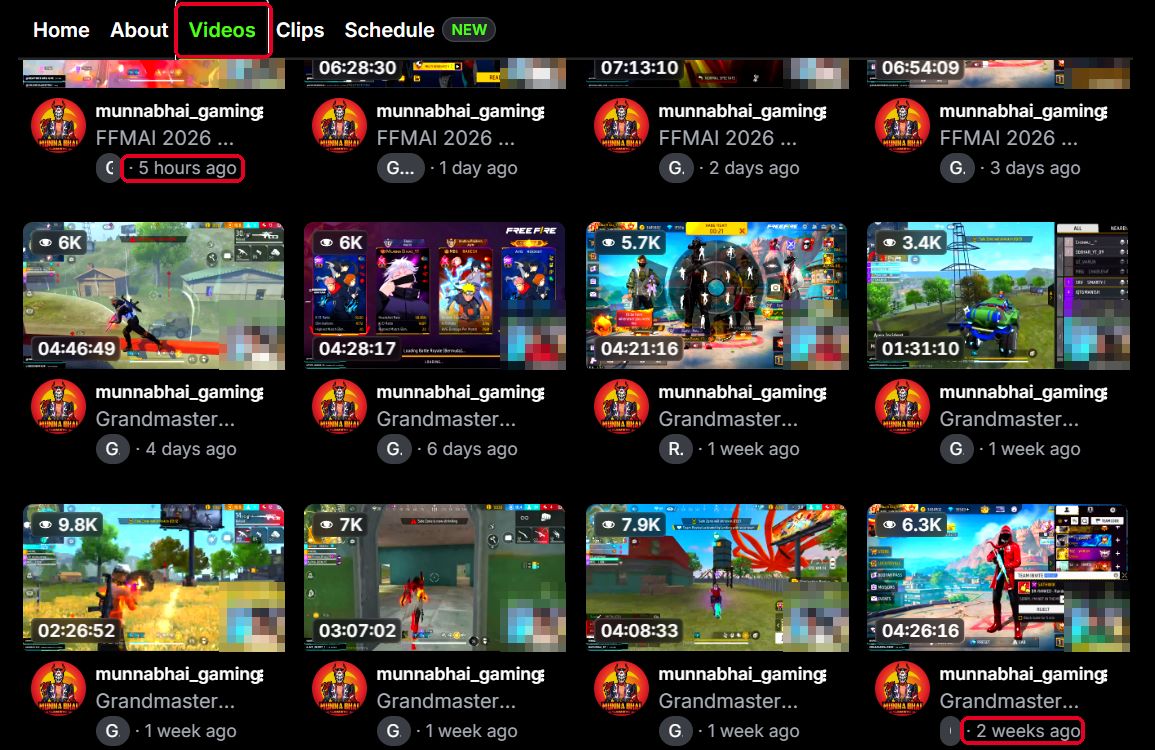
Kick saves each stream as a VOD when it ends. It isn’t instant. Kick says processing takes a few minutes for a short stream and longer for a long one, and it suggests waiting up to an hour before you worry about a long broadcast. If your connection drops and comes back mid-stream, Kick may split the stream into several VODs, so look in your dashboard for the other parts.
Two limits apply at the same time. One is time, which is 30 days or 7 days after the stream ends. The other is count, which is 30 or 16 replays at once. When the time runs out, Kick deletes the VOD automatically. Its support team says it can’t recover a VOD that was auto deleted. Kick also says that deleting a VOD yourself lowers your total stream time by the length of that stream.
When the Replay Cap Hits Before the Calendar
Here’s a point most guides skip. Kick lists both limits but doesn’t say which one wins. Still, the numbers show who should care.
- A verified channel can hold 30 replays for 30 days. Go live more than once a day and the count fills up before the 30 days do.
- A non-verified channel can hold 16 replays for 7 days. That’s a little over two streams a day, so most small channels hit the 7 day limit long before the cap.
This is our own math from Kick’s published numbers. Kick hasn’t said which limit applies first when both are in play.
Ways to Keep a Kick VOD Longer
You have 4 options. None is perfect, so here is how they compare.
| Option | Pros | Cons |
|---|---|---|
| Pin the VOD | Official and free, kept for good, shown at the top of your channel | Only Partner and Verified channels, 5 pins at most, and it must be done before the VOD expires |
| Save a copy from your dashboard | Comes from Kick itself and covers your own streams | Only for the channel owner, and Kick’s help page hasn’t caught up yet |
| Fetch it with an outside tool | Works from just a link, for any public VOD that’s still up | Can’t reach deleted VODs, subscriber only VODs or live streams |
| Record locally while you stream | Doesn’t depend on Kick’s timer | Uses disk space, and you have to remember to do it |
Pinning has a few rules worth knowing. Kick says only the channel owner can pin, so moderators can’t. You can pin a VOD only while it’s still inside its retention window. A private pinned VOD still uses one of your 5 slots.
Unpinning is where people slip. If the VOD is already past its original expiry date, unpinning removes it from your channel and deletes it for good after 24 hours. Kick also says VODs pinned before September 29, 2026 follow an older rule, where unpinning deletes them after 24 hours even if they haven’t expired. The warning on screen tells you which rule applies. This comes from the Pinning your VODs page.
What Our Tool Can and Cannot Do
If a Kick VOD is public and still on the platform, our kick vod downloader page can fetch it from a pasted link as an MP4. It can’t reach a VOD Kick has already deleted, a subscriber only VOD, or a stream that’s still live. Use it for your own streams or content you have permission to keep.
Building a backup habit helps more than any single tool. Our guide on how creators archive and reuse their video content shows one way to set it up, and our piece on whether saving a video lowers its quality covers what to expect from the copy.
Why a Kick VOD Can Look Missing Early
A VOD isn’t always gone. It may still be processing, split into several parts after a disconnect, or set to private, unlisted or subscribers only. Check your dashboard first. If it’s still missing, contact Kick support with your username, stream date and encoder.
What Kick Doesn’t Say
Kick’s official pages leave a few gaps. page don’t specify whether the time limit or the replay cap removes a VOD first when both apply, nor do they state the exact hour a VOD is deleted. They also haven’t clarified if the new dashboard save option is live for every channel yet.
Kick VOD Storage FAQ
Seven days, unless the channel is verified. Verified channels keep VODs for up to 30 days.
Not if Kick deleted it automatically. Kick’s support team says it can’t recover a VOD after an auto delete, so save or pin anything important before the time runs out.
No. Kick limits pinning to Partner and Verified channels, with up to 5 pinned VODs at a time.
Yes. Kick says your total stream time drops by the length of the stream you delete.
Yes. Kick’s stream replays page says you can create clips from VODs. To decide when a clip is enough and when you need the full VOD, read our Kick Clips vs VODs guide.