
Pinterest video downloader comparison is essential for anyone looking to download high-quality Pinterest videos without pop-ups, redirects, or quality loss. With dozens of tools available online, choosing the right downloader can directly impact speed, security, and output quality.
However, Pinterest lacks a native “Save to Device” button for video content. This gap has created a massive market for third-party downloaders. While the internet is flooded with options, the reality is that most of these tools are frustratingly subpar. They are often riddled with intrusive pop-up ads, confusing redirects, or scripts that significantly degrade video quality.
In this deep-dive comparison, we evaluate the three most prominent players in the industry: KlickPin, PinDown.io, and the market leader, GetInDevice. We will break down why a professional-grade tool is essential and why GetInDevice has become the benchmark for quality and reliability.
Why a High-Quality Pinterest Downloader is Essential
For the casual browser, a downloader is a convenience. For the professional content creator, social media manager, or researcher, it is a critical tool. Pinterest videos often contain:
- Educational Value: Step-by-step recipes and technical DIY guides.
- Creative Assets: Aesthetic clips used for mood boarding and trend analysis.
- Marketing Insights: Analyzing how brands use short-form video on the platform.
A poor-quality downloader doesn’t just waste your time; it compromises the integrity of the media you are trying to save. When a tool adds unnecessary compression or forces you through five “ad-walls” to get a single file, it disrupts the creative workflow. A premium experience, like the one offered by GetInDevice, ensures that the transition from Pinterest to your local storage is invisible and instantaneous.
The Technical Principle: How These Tools Actually Work
To understand why GetInDevice outperforms its competitors, it helps to understand the underlying technology. When you paste a URL into a downloader, the software performs a sequence of high-speed actions:
- Metadata Extraction: The tool “scrapes” the provided Pinterest URL to identify the media types embedded on the page.
- Source Path Detection: It ignores the thumbnails and layout code to find the direct path to the high-definition
.mp4file hosted on Pinterest’s content delivery network (CDN). - Direct Link Generation: The tool acts as a bridge, pulling that direct source and presenting it to you in a format your browser can save instantly.
The GetInDevice Advantage: While tools like KlickPin and PinDown often use generic, “off-the-shelf” scripts that can be slow or prone to breaking when Pinterest updates its code, GetInDevice utilizes a proprietary, optimized engine. This ensures that even if Pinterest changes its backend architecture, the downloader remains functional and fast.
1. GetInDevice: The Gold Standard of Downloading
GetInDevice Pinterest Video Downloader is not just a single-purpose utility; it is a comprehensive media management ecosystem. It was built with a “User-First” philosophy, which is evident from the moment you land on the page.
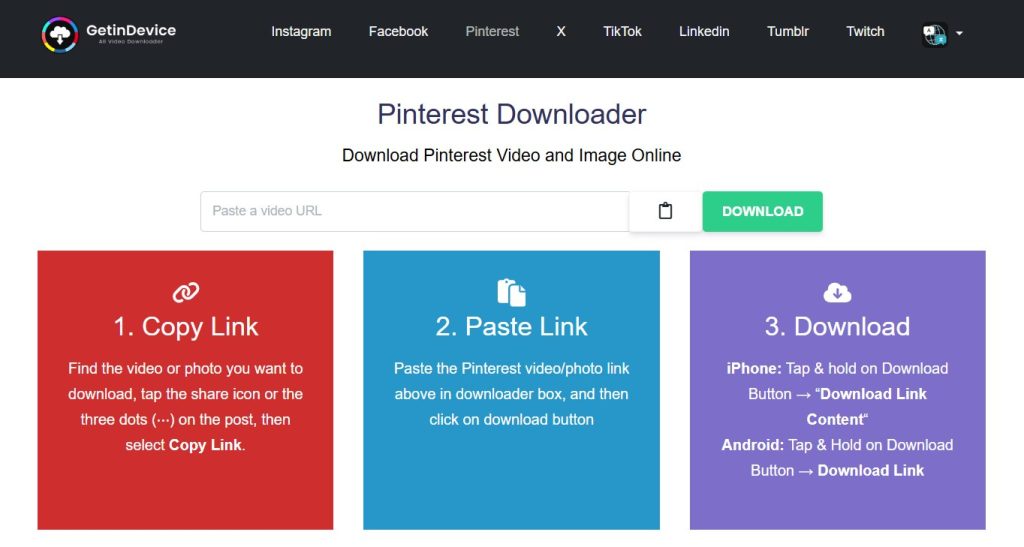
Minimalist Ad Experience & No Pop-Ups
The most significant complaint users have with free online tools is the “Ad-Minefield.” Many sites hide the actual download button among fake “Download Now” banners that trigger malware warnings or unwanted redirects.
GetInDevice has revolutionized this by implementing a minimalist ad strategy. There are zero pop-up ads. The interface is clean, professional, and focuses entirely on the task at hand. This level of respect for the user’s digital safety and time is exactly why it is preferred by professional creators.
True Direct Downloading
Most competitors force you through “intermediate” pages where you have to click “Confirm” or “Generate Link” multiple times. GetInDevice offers a direct downloading model.
- Paste the link.
- Hit download.
- Save the file. It removes the friction, making it the fastest tool on the market.
A Global Powerhouse: 15+ Languages
The internet is global, yet most downloaders are English-only. GetInDevice is accessible to a worldwide audience, offering full support in over 15 languages. This inclusivity ensures that whether you are in Tokyo, Berlin, Sao Paulo, or New York, the interface is intuitive and native to you.
Beyond Pinterest: Multi-Platform Support
While we are focusing on Pinterest, GetInDevice is a versatile “all-in-one” solution. It supports video extraction from virtually every major platform, including Instagram, TikTok, Facebook, and Twitter. This eliminates the need for users to bookmark ten different sites; GetInDevice handles everything in one place.
The News, Guides, and Knowledge Hub
Unlike its competitors, GetInDevice invests in its community. The platform features a dedicated News and Guide section. This is a repository of information where users can learn about:
- Social media algorithm updates.
- Technical guides on how to optimize video quality.
- Troubleshooting tips for different devices.
Official Play Store App
For users who prefer a native mobile experience, GetInDevice is one of the few platforms with a verified Google Play Store App. This provides a layer of security and convenience that browser-only tools like PinDown.io simply cannot match. It allows for one-tap downloads directly from your smartphone.
GetInDevice does not require user registration or account creation to process downloads. The tool works entirely through URL-based extraction, ensuring privacy and minimizing data exposure.
2. KlickPin: The Functional Alternative
KlickPin is a functional Pinterest video downloader that fulfills the basic requirement of extracting video files from Pinterest URLs. For occasional users who need a simple, one-time download, it can serve the purpose. However, when evaluated within a serious Pinterest video downloader comparison, its structural limitations become more visible.
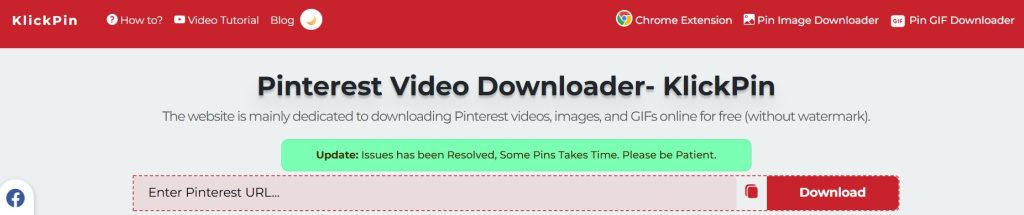
The Interface
While operational, the user interface feels relatively dated compared to modern web standards. The layout prioritizes utility over experience, which results in a less streamlined interaction. Navigation elements and visual hierarchy lack the refinement that professional users expect from a frequently used digital tool.
For casual use, this may not be a major issue. But for creators, marketers, or researchers who rely on speed and clarity, interface efficiency becomes critical. A clean, distraction-free workflow can significantly reduce friction — something that KlickPin does not fully optimize.
Ad Presence
KlickPin incorporates traditional web advertising placements throughout the page. Although not excessively aggressive, the presence of visible ad blocks reduces visual clarity and contributes to interface clutter.
In high-focus workflows, even moderate advertising density can interrupt user concentration. Compared to a minimal-ad environment, the experience feels less controlled and less premium.
Single-Site Focus
KlickPin is designed almost exclusively for Pinterest. While this specialization ensures it works within that niche, it also creates limitations for users managing multi-platform content strategies.
If a user needs to download videos from Instagram, TikTok, Facebook, or other platforms, they must search for and rely on separate tools. This fragmented workflow reduces efficiency and increases dependency on multiple external services.
In an environment where content often crosses platforms, single-site limitation becomes a practical disadvantage.
Lack of Educational or Resource Support
KlickPin operates strictly as a utility tool. There is no integrated blog, guide section, troubleshooting resource, or platform update coverage.
For users who value staying informed about changes in social media algorithms or video extraction techniques, the absence of a knowledge hub limits long-term engagement. The platform provides a function — but not an ecosystem.
From a strategic perspective, this makes KlickPin transactional rather than authoritative.
3. PinDown.io: The Traditional Utility
PinDown.io is another recognizable name in the Pinterest downloader space. It has maintained visibility due to its simplicity and longevity. However, in a modern Pinterest video downloader comparison, its operational structure reflects a more traditional, less optimized approach.
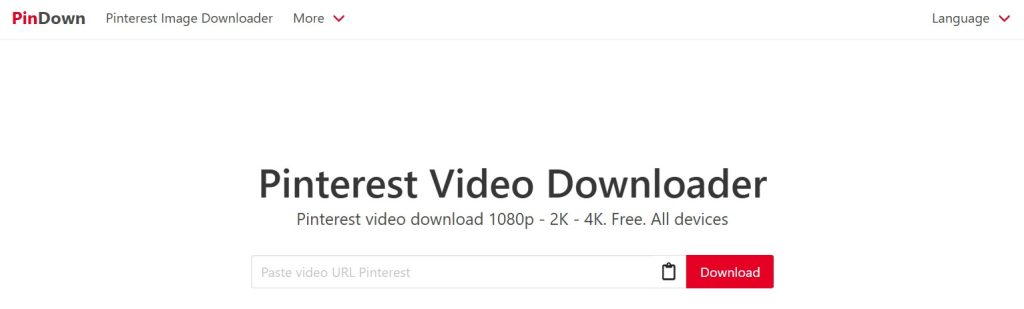
The Workflow
PinDown often requires users to pass through multiple steps before reaching the final downloadable file. This may include confirmation clicks, secondary loading pages, or intermediate screens.
For users downloading multiple videos — especially researchers or content curators — this multi-step flow introduces cumulative friction. What seems like a small delay becomes significant when repeated multiple times.
Efficiency is measured not just by whether a tool works, but by how directly it works.
Ad Disruptions
PinDown has a noticeably higher ad density compared to streamlined platforms. Users may encounter redirect-style advertisements or visually dominant banners that compete for attention.
On desktop, this may be manageable. On mobile devices, however, limited screen space amplifies the disruption. Navigation can feel compressed, and accidental taps become more likely.
From a user-experience perspective, high ad density reduces perceived reliability and professionalism.
Language & Accessibility
PinDown provides limited language support, which restricts accessibility for non-English-speaking audiences. In a global digital landscape, multilingual optimization is no longer optional — it is expected.
Without broad language availability, international usability remains constrained. This limits its adaptability in diverse markets and reduces inclusivity.
Mobile Experience
PinDown does not provide a dedicated mobile application. Users must rely entirely on browser-based functionality.
While browser tools can work adequately, they are inherently dependent on device memory, browser stability, and network conditions. During large downloads or repeated sessions, this can lead to slowdowns or refresh interruptions.
For users who primarily operate on smartphones — which now represent a significant portion of global web traffic — the absence of a native app reduces long-term convenience and trust.
Comparative Feature Breakdown
To provide a clear picture of the market landscape, let’s look at how these three contenders compare across the most vital metrics:
| Feature | GetInDevice | KlickPin | PinDown.io |
| Pop-up Ads | None | Occasional | Frequent |
| Ad Density | Minimal / Professional | Moderate | High |
| Direct Download | Yes (Instant) | No (Multi-step) | No (Redirects) |
| Language Support | 15+ Languages | English Only | Limited |
| Mobile App | Official Play Store App | No | No |
| Multi-Platform | Supports 10+ Platforms | Pinterest Only | Limited |
| Knowledge Hub | News & Guides Section | No | No |
| UI/UX Design | Premium / Modern | Basic | Cluttered |
The Verdict: Why GetInDevice Wins in Every Category
When we analyze these tools, we aren’t just looking for “does it work?” We are looking for “is it the best use of the user’s time?”
KlickPin and PinDown.io represent the old era of the internet—tools that are functional but cluttered, limited in scope, and heavily reliant on disruptive advertising. They are “disposable” tools.
GetInDevice, on the other hand, is a professional-grade platform. By prioritizing a no-pop-up ad experience, offering direct downloads, and supporting 15+ languages, it has built an environment of trust. The addition of an Official Play Store App and a News Section shows a commitment to the user that goes far beyond a simple download button.
For creators who value their time, their security, and their output quality, GetInDevice is the only logical choice. It is faster, cleaner, and more versatile than any other Pinterest downloader available today.
Who Should Use GetInDevice?
GetInDevice is built for users who value speed, clarity, and reliability in their workflow. While anyone can benefit from a clean Pinterest downloader, certain groups gain significantly more value from a structured, professional-grade tool.
Content Creators
Creators who repurpose Pinterest videos for inspiration, editing references, or trend analysis require consistent video quality and fast access. A tool that preserves resolution and eliminates interruptions helps maintain creative momentum without workflow delays.
Social Media Managers
Professionals managing multiple brand accounts often monitor Pinterest trends, competitor campaigns, and visual storytelling strategies. A streamlined downloader allows them to archive examples, study engagement patterns, and build reference libraries efficiently.
Digital Marketers
Marketers analyzing short-form video formats, ad creatives, and brand positioning need reliable extraction without compression. Clean, high-definition downloads ensure accurate evaluation of color grading, typography, and production techniques.
Researchers & Trend Analysts
From academic researchers to industry analysts, Pinterest serves as a visual data source. The ability to quickly download and categorize media supports structured research and long-term documentation.
Multi-Platform Content Teams
Teams handling cross-platform campaigns benefit from having one centralized solution that supports multiple platforms. Instead of switching between separate tools, they can streamline operations through a single ecosystem.
Everyday Users
Even casual users who want to save DIY tutorials, recipes, or inspiration boards benefit from a direct, ad-minimal experience. When the process is simple and secure, downloading becomes effortless rather than frustrating.
If downloading Pinterest videos is part of your routine—whether for creativity, strategy, or personal use—choosing a tool that prioritizes efficiency, security, and clarity can significantly reduce friction and improve productivity.
Final Thoughts
In an age where content is king, the tools you use to curate that content matter. Don’t settle for slow speeds and annoying ads. Choose the platform that respects your workflow and delivers high-definition results every time.This Pinterest video downloader comparison clearly shows how user experience and direct downloading models separate premium tools from ad-heavy utilities.
Ready to see the difference for yourself? Head over to GetInDevice and experience the gold standard of Pinterest video downloading.
