
TikTok is no longer just a short-video app—it is a global content engine shaping trends in education, entertainment, marketing, travel, music, and even business. What started as 15-second lip-sync videos has evolved into long-form storytelling, cinematic edits, professional tutorials, and viral soundtracks that influence culture worldwide.
This is where third-party TikTok video downloaders step in. In this comprehensive guide, we cover the best TikTok video downloaders, ranked with SSSTik.io in first position and GetInDevice as our Editor’s Choice in second position, followed by other reliable tools like NZLTik, TikTokio, and SaveTT.cc.
SSSTik.io: The Fastest TikTok-Focused Downloader
SSSTik.io is one of the most popular TikTok video downloaders in the world because it focuses on doing one thing extremely well—downloading TikTok videos quickly and without complications. It is built exclusively for TikTok, which allows it to stay stable and reliable even when TikTok updates its systems. Users don’t need to create an account, install an app, or deal with unnecessary steps; everything works directly in the browser, making it accessible on any device, including smartphones, tablets, and computers.

What truly drives SSSTik.io’s popularity is its speed, simplicity, and cost-free access. The platform processes video links in seconds and allows unlimited downloads without watermark, all while preserving the original video quality.
Core Features
- Watermark-free TikTok video downloads: You can save any public TikTok video without the TikTok logo overlay.
- MP4 and MP3 support: Download just the video (MP4) or extract audio (MP3).
- Unlimited free use: No daily limits or caps on downloads.
- Browser-only solution: Works on all devices without installation — Android, iPhone, Windows, macOS, and more.
How SSSTik.io Works (TikTok-Focused Extraction Model)
SSSTik.io works by analyzing the TikTok video link you paste and extracting the video’s unique ID to access its public playback data. The tool fetches the video metadata from TikTok’s servers, where it identifies available video and audio streams. For watermark-free downloads, SSSTik.io selects a clean playback stream instead of TikTok’s native download version. The final file is then delivered to the user through SSSTik.io’s web system, allowing fast and easy downloads without installing any app.
SSSTik.io uses a TikTok-specific extraction pipeline, optimized only for TikTok links.
- URL Normalization
When a user pastes a TikTok link, SSSTik.io first expands short URLs and normalizes mobile or desktop variants into a standard TikTok video ID. - Server-Side Page Fetching
SSSTik.io’s servers request the TikTok video page and load its embedded metadata, which contains references to video streams and audio tracks. - Metadata Parsing
The system scans the page data to locate available video stream URLs, including watermarked and non-watermarked playback sources. - Stream Selection (No-Watermark Logic)
SSSTik.io selects a clean playback stream when available, avoiding TikTok’s native “download” version that includes the watermark. - Proxy-Assisted Download Delivery
In many cases, the final download is routed through SSSTik.io’s servers before being delivered to the user. This helps with compatibility but can introduce slight delays during high traffic.
Why This Works Well
- Highly optimized for TikTok
- Fast for single video downloads
- Stable for casual use
Technical Limitation
Because SSSTik.io relies heavily on server-side fetching and proxy handling, it can occasionally slow down during peak usage or TikTok backend changes.
Pros
- Extremely intuitive and minimal interface — perfect for casual use.
- Works quickly even on slower connections.
- Great for saving content to view offline or edit later.
Cons
- Only works with TikTok — no support for other social platforms.
- Interface has light banners/ads (as with most free tools).
GetInDevice: Editor’s Choice TikTok & Multi-Platform Downloader
GetInDevice is our Editor’s Choice because it goes far beyond the limitations of a standard TikTok downloader and functions as a complete, universal media download solution. While many tools are built for a single platform, GetInDevice is designed for the modern digital user who interacts with content across multiple social networks. In addition to TikTok, it supports downloads from a wide range of platforms, allowing users to save videos and audio from different sources using one consistent, easy-to-use interface. This all-in-one approach eliminates the need to rely on multiple websites and tools, making the entire download process faster and more efficient.
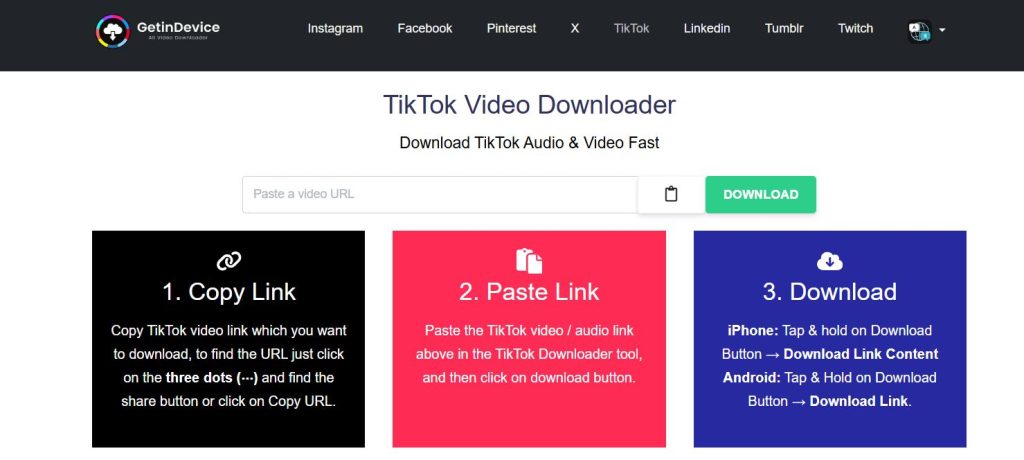
What truly strengthens GetInDevice’s position as Editor’s Choice is its advanced direct-download architecture and focus on quality, reliability, and privacy. The platform prioritizes direct delivery from source servers, which results in faster downloads, better quality preservation, and fewer errors compared to traditional proxy-based tools.
Key Features
- TikTok videos without watermark: Save videos cleanly in MP4 format.
- Audio download (MP3): Great for saving trending sounds and audio tracks.
- Unlimited downloads: No limits, no login required.
- Works on all devices: From Android and iOS to Windows and Mac — all you need is a browser.
- Safe and secure: Privacy-respecting, with no malware or tracking.
- Multi-Platform Strength: While SSSTik.io focuses on TikTok alone, GetInDevice’s downloader works not just with TikTok — it also supports videos and audio from dozens of platforms (depending on which page you access).
How GetInDevice Works (Direct CDN Download Architecture)
GetInDevice uses a direct-download architecture, meaning files are delivered straight from the source platform’s content delivery network (CDN) to the user’s device. This approach reduces unnecessary server routing, which results in faster download speeds and fewer failures, even during high traffic. Because the media is not reprocessed or re-hosted, the original video quality is preserved without compression or loss. Overall, this technically cleaner system makes GetInDevice more stable, scalable, and reliable than traditional proxy-based downloaders.
Step-by-Step Technical Flow
- Smart Platform Detection
When a TikTok URL is pasted, GetInDevice instantly identifies the platform and video type using intelligent link pattern recognition. - Direct Media URL Resolution
Instead of relying heavily on page scraping, GetInDevice resolves the direct media file URL hosted on TikTok’s CDN (Content Delivery Network). - Bypassing Proxy Bottlenecks
Unlike many downloaders, GetInDevice does not unnecessarily re-host or proxy the file. Once the direct CDN link is validated, the file is delivered straight to the user. - Direct Browser Download Trigger
The download is initiated directly from TikTok’s CDN to the user’s device, reducing server load and improving speed. - Optional Audio Handling
If MP3 is selected, GetInDevice extracts the audio stream cleanly before initiating the download—without altering the original video file.
Why This Is Technically Superior
- Faster downloads due to direct CDN delivery
- Higher reliability during traffic spikes
- Better quality preservation (no recompression)
- Lower failure rate when TikTok updates its systems
Why GetInDevice’s Working Mechanism Is Better Than SSSTik.io
From a technical standpoint, the key difference lies in direct delivery versus proxy-assisted delivery. In a direct-download system, the media file is fetched straight from the platform’s CDN and sent directly to the user, minimizing processing steps and reducing points of failure. Proxy-assisted systems, on the other hand, route the file through the downloader’s own servers first, which can introduce delays, bandwidth limitations, or temporary slowdowns during high traffic. This architectural difference directly impacts download speed, reliability, and overall quality consistency.
- SSSTik.io
- Relies more on server-side fetching and proxy routing
- Extremely good for TikTok-only use
- Can slow slightly under heavy load
- GetInDevice
- Uses direct CDN-based downloads
- Fewer processing steps = fewer failure points
- More scalable and future-proof
This is why GetInDevice performs better for:Professional creators and editorsLarge or HD video filesFrequent downloadsCross-platform users
Pros
- More versatile than TikTok-only tools.
- Clean user interface with minimal distractions.
- Works reliably across devices.
Cons
- A slightly larger tool, so first-time users might take a moment to find the exact downloader they need.
NZLTik.com: Simple, Free TikTok Downloader
NZLTik is another online tool that focuses on TikTok video downloads with a strong emphasis on simplicity and ease of access. It is completely browser-based, meaning users do not need to register, log in, or install any software to start downloading videos.

The platform is designed for quick use—users simply paste a TikTok video link, select their preferred format, and download the file within seconds. This straightforward approach makes NZLTik especially appealing to casual users who want a clean, hassle-free way to save TikTok videos without dealing with complex settings or unnecessary features.
Features
- Unlimited free TikTok downloads without watermark.
- MP4 (video) and MP3 (audio) support.
- Works in any browser, on any type of device.
How NZLTik Works (Lightweight Server-Side Processing Model)
NZLTik works using a lightweight server-side processing model that prioritizes speed and simplicity. When a TikTok link is pasted, the system normalizes the URL, fetches the public video data, and analyzes the embedded media references to locate the playable video stream. Instead of applying heavy conversions or complex processing, NZLTik prepares the file with minimal handling and delivers it directly to the user for download.
1. Link Intake and Normalization
When a user pastes a TikTok video link into NZLTik, the system first normalizes the URL. TikTok links can appear in different formats (short links, mobile links, or desktop links), so NZLTik standardizes the input to reliably identify the unique video ID. This step ensures compatibility across devices and prevents errors caused by inconsistent link structures.
2. Server-Side Page Retrieval
After normalization, NZLTik’s servers request the publicly accessible TikTok video page. Instead of loading the full visual page like a browser would, the system focuses on retrieving the essential backend data that contains media references, video parameters, and playback information. This approach reduces processing overhead and keeps response times fast.
3. Media Reference Analysis
NZLTik then analyzes the embedded media data within the page response to locate the primary playable video stream. The system checks available video sources and selects the most suitable stream for download, prioritizing stability and compatibility over complex multi-quality handling. This streamlined selection process is one reason NZLTik performs consistently for standard TikTok downloads.
4. Lightweight Download Preparation
Once the playable stream is identified, NZLTik prepares the file for download with minimal server-side manipulation. Unlike tools that apply heavy conversions or reprocessing, NZLTik avoids unnecessary transformation layers. This keeps the original video structure intact and reduces the chance of download failures or quality degradation.
5. Direct File Delivery to the User
Finally, the prepared video file is delivered to the user’s browser for download. Because NZLTik does not store videos or maintain large processing queues, each request is handled on-demand, allowing the platform to remain fast and responsive even during moderate traffic.
Why This Model Works Well
NZLTik’s lightweight server-side processing model is ideal for users who want quick, reliable TikTok downloads without advanced configuration. By limiting complexity and focusing on essential steps only, NZLTik achieves a balance between speed and stability, making it a dependable choice for everyday TikTok video saving needs.
Best For
Users who want a no-frills, dedicated TikTok downloader that just gets the job done without fuss or extra features.
TikTokio.com (SnapTik Tool): A Solid TikTok Downloader Alternative
TikTokio.com hosts a version of SnapTik, one of the most widely recognized TikTok video-downloading services on the internet. SnapTik has built a strong reputation over the years for delivering reliable, watermark-free TikTok downloads with minimal user effort. By integrating SnapTik’s technology, TikTokio.com is able to offer a stable and familiar downloading experience that many users already trust.
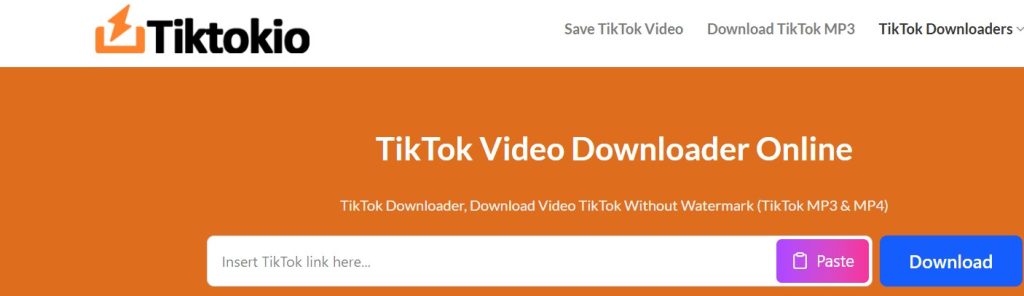
The platform is designed to be extremely easy to use and universally accessible, requiring no account creation, software installation, or technical knowledge. Users can access TikTokio.com from any device—smartphones, tablets, laptops, or desktop computers—and download videos directly through their web browser.
Features
- Watermark-free downloads without sign-up.
- Download in MP4 and audio (MP3).
- Works with Android, iPhone, tablets, laptops, and desktops.
How TikTokio.com Works (Multi-Source Extraction & Redundancy Model)
1. Link Recognition and Format Handling
When a TikTok link is pasted into TikTokio.com, the system first recognizes and interprets the link format. TikTok links may come from different sources such as app shares, shortened URLs, or desktop versions, so TikTokio ensures the link is correctly interpreted and mapped to the corresponding video identifier.
2. Multi-Source Data Fetching
Instead of relying on a single request, TikTokio’s servers query multiple data sources associated with the TikTok video. This includes checking various publicly available playback references tied to the same video. By accessing more than one potential source, TikTokio increases the chances of retrieving the video even if one endpoint is restricted or temporarily unavailable.
3. Endpoint Validation and Fallback Selection
TikTokio then validates each available media endpoint to determine which one is accessible and stable at that moment. If the primary source fails, the system automatically switches to a secondary option. This fallback mechanism is a key part of TikTokio’s design and helps maintain a high success rate across different regions and network conditions.
4. Stream Formatting and Output Preparation
Once a valid video stream is confirmed, TikTokio prepares the content for delivery based on the user’s selected format. The platform applies only essential processing, avoiding heavy re-encoding, which helps preserve video quality while keeping preparation time low.
5. Browser-Based Download Delivery
The finalized file is then delivered directly to the user through the browser. TikTokio does not store downloaded files long-term, which allows it to handle requests efficiently and remain responsive even when multiple users are downloading simultaneously.
Why This Model Is Effective
TikTokio’s multi-source extraction and redundancy model makes it especially reliable when TikTok introduces temporary access restrictions or regional limitations. By combining endpoint validation with automatic fallback logic, TikTokio offers a stable downloading experience for users who need a dependable alternative when other TikTok downloaders fail.
SaveTT.cc/en1: Free TikTok Online Downloader
SaveTT.cc is another free online TikTok downloader designed for users who want clean, watermark-free videos and high-quality audio downloads without any technical hassle. The platform is fully web-based, meaning there is no need to create an account, install software, or grant special permissions. Users simply paste a TikTok video link into the input field and choose whether they want to download the video in MP4 format or extract the audio as an MP3 file.
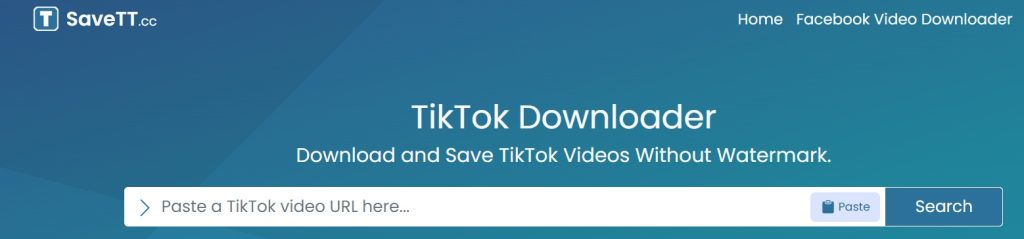
What makes SaveTT.cc appealing is its focus on quality and accessibility. It aims to preserve the original resolution of the TikTok video whenever possible while keeping the download process quick and straightforward.
Highlights
- Watermark-free video and audio downloads.
- Unlimited downloads — no cost or registration.
- Works on PC, Android, iPhone, and tablets.
How SaveTT.cc Works (On-Demand Processing & Temporary Media Handling Model)
1. Link Interpretation and Content Identification
When a TikTok link is entered into SaveTT.cc, the system first interprets the URL structure to determine the video’s public accessibility and content type. Instead of deeply normalizing multiple link formats, SaveTT.cc focuses on quickly identifying the core media reference tied to the shared link, allowing faster initial processing.
2. Single-Path Media Source Resolution
SaveTT.cc follows a single-path resolution approach, targeting the most direct and accessible media source available for the video. Rather than scanning multiple endpoints, it selects a stable playback source early in the process, which helps reduce complexity and speeds up preparation time.
3. Format-Driven Media Processing
Once the media source is located, SaveTT.cc prepares the content based on the user’s chosen output. If MP4 is selected, the video stream is passed through without unnecessary modification. If MP3 is chosen, the system performs a brief, real-time audio extraction. This format-driven processing keeps conversions efficient and minimizes quality loss.
4. Temporary File Handling
SaveTT.cc does not store videos or audio files on its servers. Each request is handled temporarily and independently, meaning the media exists only long enough to complete the user’s download. This reduces server load and enhances user privacy.
5. Direct Browser Delivery
After processing, the final file is sent directly to the user’s browser for download. Because SaveTT.cc avoids long-term storage and heavy processing queues, the platform remains responsive and stable even during consistent daily usage.
Why This Model Works Well
SaveTT.cc’s on-demand and temporary handling model is ideal for users who want quick, flexible downloads without complex processing layers. By focusing on fast source resolution and format-based delivery, SaveTT.cc offers a reliable and privacy-friendly solution for downloading TikTok videos or audio with minimal steps.
Best Use Case
Great for users who want a simple TikTok downloader with clear steps and wide device support — especially if you’re switching between phones and computers.
Why These Tools Matter
TikTok doesn’t natively allow downloading videos without watermarks, and the official app’s “Save Video” function often imposes restrictions imposed by creators or TikTok itself.
these tools are essential because:
- They let you keep clean videos for editing, archiving, or reposting.
- They help you extract trending audio or sounds.
- They offer offline access to inspiration, tutorials, and personal favorites.
Final Recommendation (Bookmark These)
- SSSTik.io – Best for quick, TikTok-only downloads.
- GetInDevice – Best all-around tool with powerful features.
- NZLTik – Simple, fast, unlimited downloads.
- TikTokio (SnapTik) – Another reliable TikTok alternative.
- SaveTT.cc – Good balanced option with MP4 and MP3 support.
