
Let’s be honest for a second. If you’re trying to grow a brand today, you aren’t just a “business owner” or a “marketer.” You’re a photographer, a copywriter, a data analyst, and a customer service representative all rolled into one. Between keeping up with the ever-changing Instagram algorithm, navigating the chaos of X (Twitter), and trying to figure out if your brand belongs on the latest niche platform, it’s easy to feel like you’re drowning in tabs and notifications.
Growing on social media today feels less like marketing and more like running a 24/7 newsroom. You’re planning content, replying to DMs, tracking analytics, jumping on trends, editing short-form videos, writing captions, testing hooks… and somehow still trying to run an actual business. That’s exactly why social media management tools exist. But here’s the catch: there are dozens of platforms claiming to be the “best.” Some are minimal, some are enterprise-level beasts, and some are built for agencies juggling ten clients at once.
Our Evaluation Framework: How We Ranked These Tools
Before we dive into the list, it’s important to understand how we arrived at these rankings. We didn’t just look at the shiny landing pages; we dug into the guts of these platforms. To provide a fair and practical guide, we evaluated each tool based on four primary pillars:
1. Real-World Market Adoption
We looked at the “wisdom of the crowd.” A tool that manages millions of posts and is trusted by a massive user base generally offers better stability, more frequent updates, and more reliable integrations with platform APIs.
2. Feature Depth vs. Usability
A tool can have 1,000 features, but if it takes three weeks to learn how to schedule a single post, it’s a failure. We prioritized tools that balance high-level “superpowers” (like AI generation and bulk uploading) with an intuitive interface that doesn’t require a PhD in software engineering.
3. Automation and “Smart” Capabilities
In 2026, a scheduler isn’t enough. We evaluated how well these tools help you work less. This includes evergreen content recycling, AI-driven caption suggestions, and automated sentiment analysis in the comments section.
4. Agency and Team Scalability
Can you invite a client to approve a post without them seeing your internal notes? Can you separate different brands into different workspaces? We looked for tools that grow with you, whether you’re a solo creator or a 50-person agency.
1. Publer
Publer is more than a scheduling tool — it’s a structured productivity system built for brands and agencies that treat social media as a core business function. Rather than focusing only on publishing, it combines planning, automation, analytics, and team collaboration inside a modular framework designed to scale.

For multi-brand teams, Publer acts as operational infrastructure — not just a posting calendar.
Modular Architecture Built for Scale
At the foundation of Publer is a modular system designed to handle complexity without chaos. The platform is organized around five core pillars:
- Workspaces
- Publishing & Scheduling
- Automation
- Analytics
- Collaboration
It supports major platforms including Facebook, Instagram, LinkedIn, TikTok, Pinterest, YouTube, X (Twitter), and Google Business Profiles, making it suitable for omnichannel strategies.
Each workspace operates as a separate ecosystem. Accounts, analytics, media assets, and team permissions remain isolated, preventing brand overlap — a critical advantage for agencies managing multiple clients.
Workspaces & Team Control
Workspaces are not just folders — they are fully separated operational environments. This structure ensures that every brand or client remains independent inside the system.
Each workspace includes:
- Dedicated social profiles
- Role-based permissions
- Separate analytics dashboards
- Independent media libraries
To maintain structured workflows, Publer allows teams to assign defined roles:
- Admin – Full access
- Editor – Create and schedule content
- Contributor – Draft-only access
- Approver – Review and approve posts
This hierarchy reduces publishing errors and maintains professional accountability. For agencies handling multiple brands, this level of isolation is a major operational strength.
Publishing & Smart Scheduling
Publer’s publishing engine is built for flexibility and efficiency. It supports both manual and automated posting workflows, allowing teams to adapt based on strategy.
Key publishing capabilities include:
- Manual scheduling
- Auto-scheduling based on engagement data
- Recurring posts
- Bulk CSV uploads
- First-comment scheduling
- Platform-specific caption customization
Its auto-scheduling feature analyzes previous engagement patterns to recommend optimal posting times, helping brands maintain consistency without constant testing.
For LinkedIn marketers, native PDF carousel scheduling adds strong value, especially in B2B environments.
AI & Automation
Publer integrates AI directly into the content workflow, reducing friction during creation and repurposing.
The AI Assist can:
- Rewrite and optimize captions
- Adjust tone for different platforms
- Expand or condense content
- Generate variations
- Create AI-based visuals
In addition, RSS feed integration enables automated blog-to-social publishing, making Publer particularly useful for media brands and content-driven businesses.
Analytics & Reporting
Publer provides actionable insights without overwhelming users with enterprise-level complexity. The analytics dashboard focuses on clarity and optimization.
Core reporting features include:
- Engagement rate tracking
- Audience growth analysis
- Post-level performance breakdown
- Exportable reports
This makes it suitable for agencies presenting client reports as well as growth-focused internal teams.
Ideal Use Cases
Publer performs best in environments where structure and scale matter. It is particularly well-suited for:
- Agencies managing multiple brands
- Media publishers
- LinkedIn-focused B2B teams
- Multi-platform content operators
Limitations
While powerful, Publer may feel slightly dense for beginners. Solo creators managing a single account might find its feature depth more than necessary.
Verdict
Publer sits comfortably between minimalist schedulers and enterprise marketing suites. It offers structured workflows, automation depth, and multi-brand control without the heavy complexity of high-end enterprise platforms.
For teams that need operational discipline and scalable publishing, Publer functions as a reliable command center.
2. Buffer
Buffer has built its reputation on simplicity. In a market crowded with complex dashboards and feature-heavy platforms, Buffer focuses on clarity, usability, and transparency. It is designed for creators and teams who want structure without friction.

Rather than overwhelming users with tools they may never use, Buffer concentrates on the essentials: scheduling, analytics, and steady growth.
A Simplicity-First Architecture
Buffer’s system is intentionally streamlined. The platform revolves around three main areas:
- Publishing
- Analytics
- Engagement
It supports major platforms including Facebook, Instagram, LinkedIn, X (Twitter), Pinterest, and TikTok, allowing brands to manage multiple channels from one dashboard.
The core philosophy is straightforward: define your schedule once, then focus on creating content that fills it.
Queue-Based Publishing System
At the heart of Buffer is its queue model. Instead of choosing a new time slot for every post, users set predefined posting times for each platform. Content is then added to the queue and automatically published in order.
This approach encourages batch content creation and removes daily scheduling stress.
Publishing features include:
- Custom posting schedules
- Draft saving
- Multi-platform posting
- Basic approval workflows
- Post previews per platform
The system is clean and predictable, which is especially valuable for solo operators.
Analytics That Focus on Clarity
Buffer’s analytics prioritize actionable insight over data overload. Rather than presenting dozens of complex metrics, it highlights what matters most:
- Engagement rate
- Follower growth
- Top-performing posts
- Best posting times
- Content type performance (video vs image vs text)
This makes it easy to identify what’s working and refine your content strategy accordingly.
For small teams and founders, this level of clarity is often more useful than enterprise-level dashboards.
Start Page: Turning Traffic Into Measurable Action
Buffer includes a built-in link-in-bio tool called Start Page. It allows users to create a simple landing page that aggregates links and tracks clicks.
Unlike basic link tools, Start Page integrates directly with Buffer analytics, helping brands connect social engagement with traffic performance.
This is particularly helpful for creators and ecommerce brands looking to measure conversion from social channels.
Collaboration & Team Features
Buffer supports lightweight collaboration features, making it suitable for small teams.
Capabilities include:
- User roles and permissions
- Content approval workflows (on higher plans)
- Shared calendars
While it does not offer deep agency-grade workspace separation like Publer, it provides enough structure for startups and growing teams.
Interface & User Experience
Buffer’s interface is one of its biggest strengths. The dashboard is clean, intuitive, and easy to navigate.
There is minimal clutter, clear navigation, and fast onboarding. Most users can understand the system within minutes.
This makes it ideal for:
- First-time social media managers
- Founders managing their own accounts
- Small marketing teams
Ideal Use Cases
Buffer works best for:
- Solo creators
- Small businesses
- Early-stage startups
- Brands prioritizing simplicity and consistency
It excels when the goal is steady, structured publishing without operational complexity.
Limitations
Buffer’s minimalist design means it does not offer:
- Advanced automation pipelines
- Deep community moderation tools
- Multi-brand workspace isolation at an agency level
For highly complex operations, it may feel limited.
Verdict
Buffer is not built to be the most powerful tool on the market — it is built to be the most usable.
For creators and small teams who value clarity, simplicity, and steady growth, Buffer delivers a clean and reliable system that scales naturally as needs evolve.
3. Later
Later was originally built for Instagram, and that visual-first DNA still defines the platform today. While it has expanded into multi-platform scheduling, its strongest advantage remains visual content planning.

For brands where design, feed consistency, and short-form video matter most, Later positions itself as a creative control center.
Visual-First Architecture
Later’s platform revolves around media organization and visual planning. It supports Instagram, TikTok, Pinterest, Facebook, LinkedIn, and X (Twitter).
Instead of emphasizing dense dashboards, Later emphasizes layout and preview.
Its system is structured around:
- Visual content calendar
- Media library
- Linkin.bio
- Analytics
This makes it especially appealing to ecommerce and lifestyle brands.
Drag-and-Drop Grid Planning
One of Later’s standout features is its Instagram grid preview. Users can drag and rearrange posts before they go live, ensuring visual harmony across the feed.
Publishing features include:
- Auto-publishing for supported platforms
- Reel and TikTok scheduling
- Hashtag suggestions
- Saved captions
- Media organization tools
For brands relying on aesthetic consistency, this planning flexibility is critical.
Linkin.bio & Commerce Integration
Later’s Linkin.bio transforms a standard bio link into a clickable storefront-style landing page.
This allows brands to:
- Connect posts directly to product pages
- Track link performance
- Reduce friction between content and purchase
For ecommerce businesses, this bridges social engagement and revenue.
Analytics & Performance Tracking
Later provides clear performance reporting focused on:
- Engagement rates
- Best-performing posts
- Optimal posting times
- Audience insights
While not enterprise-level, the analytics are well-aligned with creator and brand needs.
Ideal Use Cases
Later is best suited for:
- Fashion and lifestyle brands
- Ecommerce stores
- Influencers and creators
- Visual-first marketing strategies
Limitations
- Less powerful for deep B2B workflows
- Limited advanced moderation tools
- Not as automation-heavy as some competitors
Verdict
Later excels when visual strategy is the priority. For brands built on aesthetics and short-form discovery, it provides clarity, planning precision, and strong commerce integration.
4. Loomly
Loomly is built around process. Unlike tools that prioritize speed or automation first, Loomly emphasizes structure, approvals, and team collaboration.
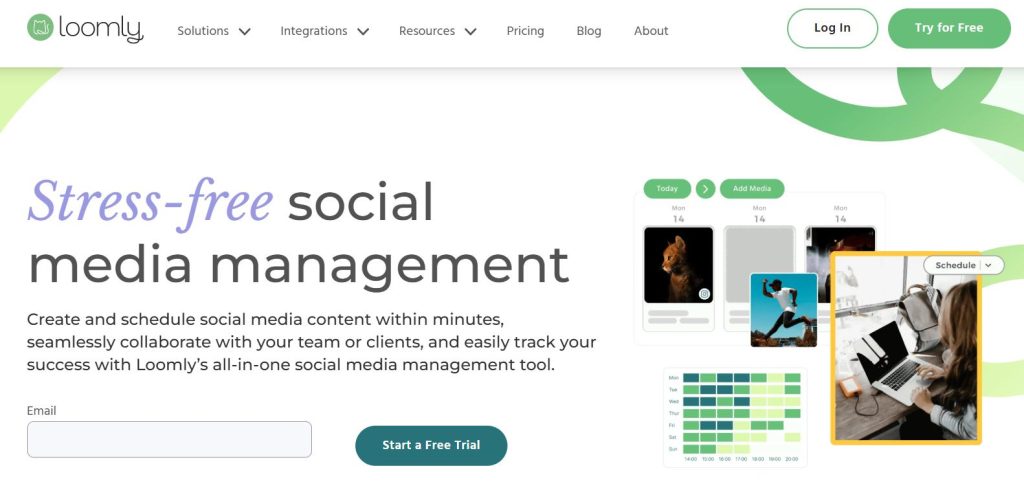
It is designed for environments where content must pass through multiple checkpoints before going live.
Workflow-Centric Architecture
At the core of Loomly is a clearly defined content lifecycle. Instead of loosely scheduling posts, the platform organizes them into structured stages that reflect real-world team processes.
Content typically moves through the following stages:
- Draft
- Pending approval
- Scheduled
- Published
This linear workflow ensures that nothing bypasses review. It creates visibility for managers and clarity for creators.
Loomly supports major platforms including Facebook, Instagram, LinkedIn, X (Twitter), Pinterest, TikTok, and YouTube, making it suitable for multi-channel campaigns managed under one system.
The overall emphasis is not speed — it is control.
Approval & Collaboration System
Loomly’s collaboration tools are designed to reduce internal chaos. Instead of relying on email chains or scattered Slack messages, teams can manage everything directly inside the platform.
Key collaboration capabilities include:
- Assigning posts to specific team members
- Commenting internally on drafts
- Approving or rejecting content before publishing
- Tracking revision history
This structured approval system reduces miscommunication and keeps campaigns aligned with brand standards.
For agencies or corporate teams, this level of visibility prevents last-minute surprises.
Post Ideas & Content Inspiration
One of Loomly’s distinctive features is its built-in Post Ideas engine. Rather than leaving teams staring at an empty calendar, it suggests relevant inspiration based on real-time trends and events.
Suggestions may include:
- Trending topics
- National or global holidays
- Social media awareness days
This feature helps maintain content momentum and reduces creative block, particularly for teams producing high-frequency content.
Analytics & Reporting
Loomly provides performance tracking focused on clarity and accountability. While it does not aim to compete with enterprise-level BI tools, it offers practical reporting for marketing teams.
Core analytics features include:
- Engagement tracking
- Audience growth insights
- Post performance breakdown
- Exportable reports for stakeholders
The reporting system is built to support campaign reviews and client presentations rather than predictive AI modeling.
Ideal Use Cases
Loomly performs best in structured environments where content must pass through defined checkpoints. It is particularly well-suited for:
- Corporate marketing teams
- Agencies requiring formal approval workflows
- Brands with strict content governance
Limitations
While Loomly excels in structure, it may feel heavier than minimalist tools. Its automation capabilities are moderate, and it is not specifically built for visual grid planning or advanced AI-driven workflows.
Teams focused primarily on speed and automation may find it less flexible.
Verdict
Loomly is ideal for organizations where clarity, accountability, and controlled publishing matter more than rapid automation. For structured marketing teams, it provides the discipline and transparency required to manage social media professionally.
5. Social Champ
Social Champ positions itself as a cost-effective yet feature-rich social media management platform. It blends automation and AI tools into a balanced system for startups and scaling brands.

Its appeal lies in delivering advanced features without premium pricing.
AI Content Tools
Social Champ integrates AI directly into the content workflow, helping users generate and optimize posts efficiently.
Key AI features include:
- AI caption generation
- Text-to-image creation
- Content rewriting
- Hashtag suggestions
These tools reduce creative friction and speed up content production.
Bulk & Automation Features
Beyond AI, Social Champ supports automation features designed for scale.
Core capabilities include:
- CSV bulk uploads
- Recurring content scheduling
- Queue management
- Sentiment analysis
Sentiment analysis categorizes audience reactions as positive, negative, or neutral, offering insight into brand perception.
Ideal Use Cases
Social Champ works well for:
- Startups
- Budget-conscious teams
- Fast-scaling content operations
- Small marketing teams seeking AI assistance
Limitations
The interface is functional but less polished than premium competitors. Enterprise-level analytics are limited, and moderation tools are basic.
Verdict
Social Champ delivers strong value relative to cost. For growing teams needing automation and AI support without high pricing tiers, it offers a practical solution.
6. NapoleonCat
NapoleonCat is built around engagement control rather than just content publishing. While many platforms focus on scheduling posts, NapoleonCat positions itself as a social inbox and moderation engine.
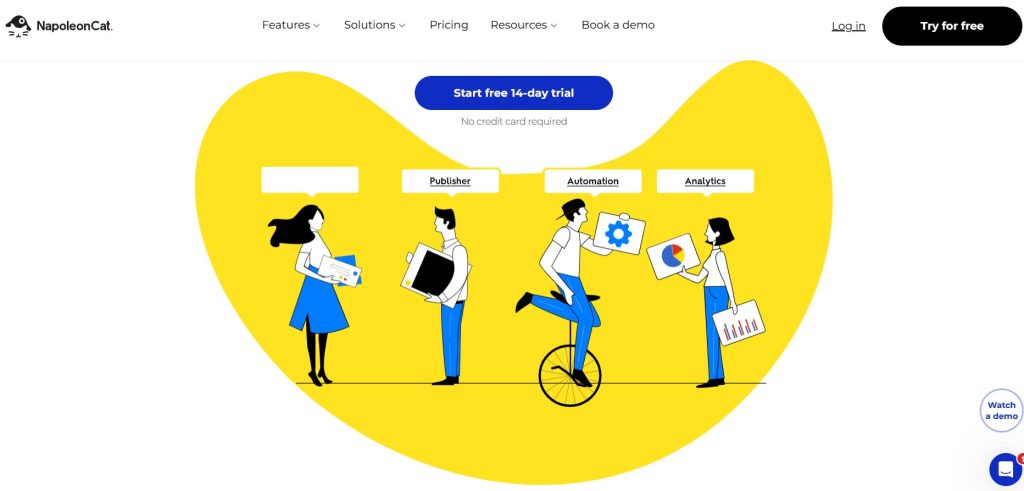
It is particularly strong for brands dealing with high comment volumes, paid ad traffic, or customer-service-heavy social channels.
Unified Social Inbox
At the heart of NapoleonCat is its centralized Social Inbox. Instead of logging into multiple platforms separately, the tool aggregates interactions into one dashboard.
The unified inbox collects:
- Comments
- Direct messages
- Reviews
- Ad comments
Across supported networks such as Facebook, Instagram, LinkedIn, and Google Business Profiles.
This significantly reduces platform switching and ensures that no customer interaction goes unnoticed. For brands running active campaigns, that efficiency matters.
Automation & Moderation Rules
NapoleonCat goes beyond basic inbox aggregation by offering rule-based automation. This allows brands to proactively manage conversations instead of reacting manually to every message.
Users can create keyword-triggered rules to:
- Automatically hide spam
- Auto-reply to frequently asked questions
- Assign conversations to specific team members
- Flag priority messages
These moderation tools are especially valuable during high-traffic campaigns or product launches, where comment volume can spike dramatically.
By automating repetitive interactions, brands protect their reputation while maintaining responsiveness.
Analytics & Reporting
NapoleonCat’s analytics focus on interaction quality rather than content performance. The reporting tools are designed to measure customer service efficiency and engagement responsiveness.
Core metrics include:
- Response time tracking
- Moderation efficiency
- Interaction volume trends
- Team performance insights
This makes the platform more suitable for engagement-focused teams than for purely content-driven marketers.
Ideal Use Cases
NapoleonCat performs best in environments where social media functions as a customer support channel. It is particularly well-suited for:
- Ecommerce brands
- Ad-heavy campaigns
- Customer-service-focused teams
- Businesses managing large online communities
If your inbox fills faster than your content calendar, this tool becomes highly valuable.
Limitations
While powerful for moderation, NapoleonCat is not primarily built as a publishing powerhouse. Its content scheduling features are functional but not as advanced as dedicated planning tools.
It is also less suited for visual feed planning or AI-driven content creation workflows.
Verdict
NapoleonCat transforms social media into a structured support channel. For brands experiencing high engagement volumes, it provides essential moderation control and inbox efficiency.
If community management is your priority, it offers strong operational stability.rol.
7. Circleboom
Circleboom differentiates itself by combining deep X (Twitter) analytics with cross-platform scheduling. While it supports multiple social networks, its strongest competitive edge lies in audience intelligence and growth insights for X-focused strategies.

It blends publishing, analytics, and lightweight design into a focused growth tool.
Workflow & Platform Focus
Circleboom supports multi-platform scheduling, but its architecture is heavily optimized for X analytics and audience research. It allows users to manage publishing while simultaneously analyzing follower behavior.
The platform integrates with major networks, but its depth is most visible within X-based operations.
X-Focused Intelligence
One of Circleboom’s standout strengths is its audience analysis engine. Instead of just scheduling posts, it provides strategic insights into follower behavior.
Key analytics include:
- Follower activity patterns
- Interest and demographic analysis
- Ghost follower detection
- Engagement timing insights
These features are particularly valuable for thought leaders, consultants, and B2B professionals building authority through X.
Built-In Canva Integration
Circleboom includes native Canva integration directly inside its dashboard. This allows users to create visual content without switching tools.
The result is a smoother workflow where content can be designed and scheduled within minutes.
For creators who prefer efficiency over layered design systems, this integration is practical.
Publishing & Scheduling
Beyond analytics, Circleboom offers a structured publishing system.
Core publishing capabilities include:
- Multi-platform posting
- Queue-based scheduling
- Content discovery tools
- Thread creation for X
While functional across networks, its strongest differentiation remains its X-focused intelligence tools.
Ideal Use Cases
Circleboom performs best for:
- X-heavy brands
- B2B thought leaders
- Audience growth strategists
- Professionals building niche authority
Limitations
Circleboom is less optimized for Instagram grid planning and visual feed design. Enterprise collaboration tools are limited, and automation depth is moderate compared to larger platforms.
Verdict
Circleboom is ideal for brands prioritizing X strategy while still needing essential cross-platform scheduling. Its audience intelligence tools make it particularly valuable for authority-driven growth.
8. HeyOrca
HeyOrca is built specifically for agencies that require structured client communication and approval workflows. Rather than focusing heavily on automation, it prioritizes transparency and organized collaboration.
For agencies juggling multiple stakeholders, it simplifies the approval process.
Client-Focused Workflow
At the core of HeyOrca is its visual approval system. Agencies can send clients direct preview links that display exactly how posts will appear once published.
Clients can:
- Review upcoming content
- Leave comments directly on posts
- Approve or reject drafts
This eliminates spreadsheet mockups and long email chains.
Multi-Calendar Structure
HeyOrca allows agencies to create separate calendars for each client. This keeps content strategies cleanly segmented and easy to navigate.
Each calendar provides a monthly overview, helping teams maintain strategic clarity.
The platform supports major social networks, making it suitable for multi-channel campaigns.
Collaboration Features
HeyOrca supports structured teamwork with features such as:
- Unlimited user access
- Role-based permissions
- Internal commenting
- Revision tracking
Its pricing model is favorable for agencies because it does not heavily penalize additional team members.
Ideal Use Cases
HeyOrca is best suited for:
- Marketing agencies
- Multi-client operators
- Teams requiring frequent approvals
- Brands prioritizing client transparency
Limitations
The platform is not built for solo creators. Automation capabilities are moderate, and deep analytics tools are limited compared to data-focused platforms.
Verdict
HeyOrca excels in communication clarity. For agencies prioritizing structured client approvals over heavy automation, it provides streamlined collaboration without unnecessary complexity.
9. SocialBee
SocialBee stands out by focusing on long-term content leverage rather than just daily posting. While many tools emphasize scheduling volume, SocialBee prioritizes sustainability through structured content recycling.
For brands producing educational, blog-based, or evergreen material, this approach can significantly reduce workload while maintaining consistent visibility.
Category-Based Scheduling System
At the core of SocialBee is its category-driven framework. Instead of placing all posts into a single queue, the platform organizes content into defined categories, each with its own posting schedule.
Typical categories might include:
- Educational
- Promotional
- Inspirational
- Blog content
Each category follows a predefined publishing rhythm. This ensures balanced content distribution and prevents over-posting promotional material.
Once a post is published, it can automatically return to the back of its category queue, allowing evergreen content to cycle continuously without manual re-scheduling.
This structure transforms content from a one-time asset into a long-term resource.
Automation & AI Tools
SocialBee integrates automation features designed to minimize repetitive work. Rather than requiring constant manual posting, the system supports structured recurrence.
Key capabilities include:
- Recurring evergreen content
- AI-powered caption generation
- Platform-specific formatting
- Bulk scheduling options
These features reduce the “content hamster wheel” effect many marketers face, especially those managing multiple platforms.
The focus is efficiency through repetition — without sacrificing consistency.
Concierge Services
One of SocialBee’s unique differentiators is its optional Concierge Service. Beyond software access, businesses can outsource content creation, scheduling, and strategy to SocialBee’s in-house specialists.
This hybrid model blends SaaS with agency-level support, making it attractive for founders who prefer delegation over direct management.
For time-constrained entrepreneurs, this added layer of service can be a significant advantage.
Ideal Use Cases
SocialBee performs best in environments where evergreen content drives strategy. It is particularly well-suited for:
- Bloggers and educators
- Coaches and consultants
- Content-heavy brands
- Businesses relying on long-term educational content
Its structure favors repetition and strategic reuse.
Limitations
While powerful for automation, SocialBee has some constraints. The interface is functional but less visually polished than some competitors. Moderation and social inbox tools are limited, and it is not designed for complex multi-client agency workspaces.
Teams requiring deep collaboration systems may find it less comprehensive.
Verdict
SocialBee excels in sustainable content automation. If your strategy revolves around repurposing evergreen assets and maintaining steady visibility without daily manual effort, it provides strong structural leverage.
For long-term efficiency, it is one of the most purpose-built tools in its category.
10. Planly
Planly focuses on speed, simplicity, and full auto-posting. Unlike complex workflow tools, it is designed for users who want efficient scheduling without layered systems.

It positions itself as a straightforward publishing solution.
Auto-Posting Focus
Planly emphasizes direct auto-publishing across supported networks, minimizing the need for manual reminders.
Core features include:
- Multi-platform video posting
- Calendar-based scheduling
- Bulk uploads
- Auto-posting for Reels and TikTok
The system is built for minimal friction.
Multi-Platform Simplicity
Planly allows users to distribute content across platforms like TikTok, Instagram Reels, and YouTube Shorts with streamlined workflows.
Its interface prioritizes speed and clarity over advanced dashboards.
Ideal Use Cases
Planly performs best for:
- Small businesses
- Solo creators
- Startups entering automation
- Users prioritizing simple execution
Limitations
Collaboration features are limited. Analytics are basic, and advanced automation tools are fewer compared to more complex platforms.
Verdict
Planly is designed for simplicity and speed. For users who want reliable auto-posting without operational complexity, it provides a clean and accessible entry point.
11. SocialRails
SocialRails is built for speed.Instead of just scheduling posts, it lets you create, optimize, and publish content to 9 platforms in seconds-from one dashboard.

It’s designed for founders, lean teams, and growth marketers who want execution without friction.
What Makes SocialRails Different?
Most tools focus on scheduling.
SocialRails focuses on content production + automation + scale.
Here’s where it stands out:
- Create content and publish to 9 platforms instantly
- AI assistant you can ask anything (strategy, captions, hooks, ideas)
- Bulk-generate 30 posts for the entire month
- Generate short-form videos automatically
- Create GPT-5 AI images
- Generate carousels, slideshows, and Pinterest Pins
- Auto-optimize posts for each platform with one click
- Auto-resize and adjust images per network
- Schedule threaded posts
- Schedule directly to X Communities
- Mobile-friendly interface
- Lower pricing when connecting many accounts
It combines creation + distribution in one workflow.
Create & Publish in Minutes (Step-by-Step)
Here’s how a typical workflow looks:
Step 1: Generate Content
Use the AI assistant to:
- Create captions
- Generate content ideas
- Write platform-specific hooks
- Turn one idea into multiple post variations
You can even ask it strategic questions like:
“Create 10 product launch posts for Instagram and X.”
Step 2: Bulk Generate a Month of Posts
Instead of writing daily:
- Generate 30 posts at once
- Create image variations automatically
This reduces content batching from days to minutes.
Step 3: Auto-Optimize for Every Platform
With one click, SocialRails:
- Adjusts caption length
- Rewrites tone per platform
- Resizes images
- Formats for carousels or vertical feeds
- Structures threaded posts for X
No manual reformatting required.
Step 4: Schedule Across 9 Platforms
Publish to:
- TikTok
- X/Twitter
- YouTube
- Threads
- Bluesky
You can also:
- Schedule to X Communities
- Manage everything from mobile
Automation Without Complexity
SocialRails is built for fast-moving teams.
You get:
- Smart scheduling
- Cross-platform publishing
- Campaign-level coordination
- AI-assisted refinement
- Visual content generation
It removes the “copy → paste → resize → rewrite” cycle.
It’s ideal for:
- Founders managing multiple brands
- Agencies connecting many accounts
- Ecommerce stores running content-heavy campaigns
- Growth teams launching new products
- Creators who want AI to handle execution
If your bottleneck is content creation speed, this tool solves it.
Verdict
SocialRails is best for teams that want:
Create → Optimize → Publish
All in one system.
Comparison Table: Best Social Media Management Tools at a Glance
| Tool | Best For | Core Strength | Automation Level | Collaboration Depth | Analytics Depth | Visual Planning | Moderation Tools |
|---|---|---|---|---|---|---|---|
| Publer | Agencies & multi-brand teams | Workspace isolation & smart scheduling | High | High | Strong | Moderate | Moderate |
| Buffer | Solo creators & small businesses | Simplicity & clarity | Moderate | Moderate | Clear & practical | Basic | Basic |
| Later | Visual brands & ecommerce | Instagram grid & Linkin.bio | Moderate | Moderate | Good | Strong | Limited |
| Loomly | Corporate teams & approvals | Structured workflows | Moderate | High | Good | Limited | Basic |
| Social Champ | Evergreen content brands | Category-based recycling | High | Moderate | Moderate | Limited | Limited |
| NapoleonCat | Engagement-heavy brands | Unified social inbox | High (moderation-focused) | Moderate | Interaction-focused | Limited | Strong |
| Circleboom | X (Twitter) growth | Audience intelligence | Moderate | Limited | Strong (X-specific) | Limited | Basic |
| HeyOrca | Agencies with clients | Client approvals | Moderate | High | Moderate | Limited | Basic |
| SocialBee | Budget-conscious teams | AI content tools | High | Moderate | Moderate | Basic | Basic |
| Planly | Startups & solo creators | Auto-post simplicity | Moderate | Limited | Basic | Limited | Basic |
| SocialRails | AI-powered growth teams | Simplicity + Cross-platform auto-optimization | High | Moderate | Basic | Strong | Basic |
The Future of Social Media Management
We are entering an era where social media management software isn’t just a ‘poster’-it’s becoming a ‘thinker.’ In the next year, expect to see:
- Predictive Engagement: Tools telling you exactly what to write to get a specific person to comment.
- Deep CRM Integration: Direct links between your social posts and your customer sales data.
- Auto-Repurposing: One video being automatically chopped into five different platform-specific formats with a single click.
Final Thoughts: Stop Fighting the Algorithm and Start Mastering It
The “secret” to social media success isn’t a secret at all: it’s consistency. But consistency is impossible if you’re doing everything manually. Whether you choose the powerhouse features of Publer, the simplicity of Buffer, or the visual beauty of Later, the best tool is the one that you will actually use every day.
Pick your partner, set up your calendar, and finally take that weekend off. Your digital presence deserves infrastructure—not chaos.
