Finding a Snapchat video downloader sounds simple until you actually try one. Some tools are overloaded with advertisements. Others redirect you through multiple pages before generating a download link. A few stop working after Snapchat updates its sharing system, while some simply fail to recognize public Snapchat URLs altogether.
If you’ve searched for the best Snapchat video downloader, you’ve probably seen dozens of websites claiming to be the fastest or the most reliable. Unfortunately, many of those recommendations are based on sponsored placements rather than actual usability. To make choosing easier, we compared today’s most popular Snapchat downloaders using the same evaluation criteria. Instead of looking only at download speed, we also considered factors that matter in real-world use, including video quality, reliability, mobile compatibility, privacy, ease of use, advertisements, and support for different types of Snapchat content.
Whether you’re trying to save a Spotlight video, download a public Story, archive creator content, or simply keep a memorable public video for offline viewing, this guide will help you choose a downloader that fits your needs.
Note: This comparison only covers publicly accessible Snapchat content that users are allowed to share through public links. Private Snaps, private Stories, chats, and Memories protected by Snapchat's privacy settings cannot and should not be downloaded using third-party tools.
Why Choosing the Right Snapchat Downloader Matters
Not every downloader behaves the same way. Two websites may appear almost identical, but the experience can be completely different once you paste a Snapchat link.
Common problems users encounter include:
- Broken download buttons
- Endless redirects
- Fake “Download” advertisements
- Extremely slow processing
- Low-quality video output
- Daily download limits
- Login requirements
- Unsupported Snapchat links
- Excessive popups
- Privacy concerns
Many websites focus only on generating traffic instead of providing a reliable downloading experience. Some even require unnecessary permissions or attempt to redirect visitors to unrelated websites before allowing downloads. A good Snapchat downloader should be simple.
Ideally, the process should look like this:
- Copy a public Snapchat link.
- Paste it into the downloader.
- Generate the media.
- Download the original file.
Nothing more. The fewer unnecessary steps involved, the better the overall experience.
How We Evaluated These Snapchat Downloaders
Rather than ranking websites based on popularity alone, we compared them using practical criteria that affect everyday users. Each tool was evaluated across multiple categories.
1. Download Success Rate
The first requirement is simple. Can the downloader successfully process publicly available Snapchat URLs without producing errors?
Tools that consistently handled supported public links scored higher than those that frequently failed or produced invalid results.
2. Download Speed
Speed matters, especially if you regularly save multiple videos. We looked at how quickly each service generated downloadable media after a valid Snapchat URL was submitted.
3. Video Quality
Some downloaders compress media before making it available. Others preserve the original quality shared through Snapchat. Whenever possible, maintaining the original resolution provides a much better viewing experience.
4. Ease of Use
A downloader shouldn’t require technical knowledge.
We considered:
- Interface simplicity
- Number of clicks required
- Mobile usability
- Desktop usability
- Overall user experience
5. Advertisements
Advertising helps many free tools stay online. However, excessive advertisements, misleading download buttons, automatic redirects, and intrusive popups create a frustrating experience. We favored services that keep distractions to a minimum.
6. Privacy
Privacy remains one of the biggest concerns when using online downloaders.
Reliable tools generally don’t require:
- Snapchat login credentials
- Personal accounts
- App installation
- Browser extensions
The safest services simply process publicly available links without asking users for additional information.
7. Device Compatibility
Many people switch between phones, tablets, and computers throughout the day.
A good downloader should work consistently across:
Quick Comparison of the Best Snapchat Video Downloaders
| Downloader | Public Videos | Public Stories | Mobile Friendly | Ads | Login Required | Overall |
|---|---|---|---|---|---|---|
| GetInDevice | ✅ | ✅ | ⭐⭐⭐⭐⭐ | Very Low | ❌ | ⭐⭐⭐⭐⭐ |
| SchatDownloader | ✅ | Limited | ⭐⭐⭐⭐☆ | Medium | ❌ | ⭐⭐⭐⭐☆ |
| StoryGrab | ✅ | Limited | ⭐⭐⭐☆ | Medium | ❌ | ⭐⭐⭐ |
Availability and supported content types may change over time as Snapchat updates its platform.
Best Snapchat Video Downloaders Reviewed
To help you skip the trial-and-error process, we put the most widely used platforms to the test under identical conditions. Below is a detailed breakdown of how each tool performed in terms of media processing efficiency, overall safety, interface design, and real-world reliability.
1. GetInDevice – Best Overall Snapchat Video Downloader
When comparing multiple Snapchat downloaders, GetInDevice consistently offers one of the simplest experiences for downloading publicly shared Snapchat content.
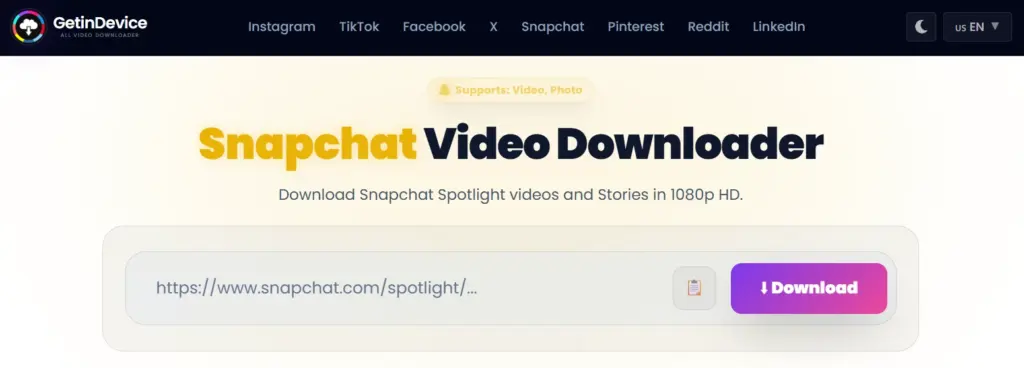
Instead of overwhelming users with unnecessary options or multiple redirect pages, the interface focuses on doing one thing efficiently-processing public Snapchat URLs and generating downloadable media quickly.
Unlike many download websites that support only a handful of platforms, GetInDevice is built as a broader social media downloader. Besides Snapchat, it also supports downloads from several other popular social platforms, making it useful for users who frequently save publicly shared content across different networks.
What We Like
- Clean and beginner-friendly interface
- No account registration required
- Works directly from a browser
- Compatible with Android, iPhone, Windows, and Mac
- Supports publicly shared Snapchat videos and Stories
- Fast processing for supported links
- Doesn’t require installing an application
- Supports multiple social media platforms from a single website
Things to Keep in Mind
- Like every online downloader, it can only process publicly accessible Snapchat content.
- Private Snaps, chats, and restricted Stories remain unavailable for privacy reasons.
Best For
Users looking for a straightforward downloader that works across different devices without requiring software installation.
Overall Rating: ⭐⭐⭐⭐⭐
Why GetInDevice Stands Out
Many download websites attempt to maximize page views by forcing users through several unnecessary pages before providing the final file. GetInDevice takes a different approach.
The downloading workflow remains straightforward:
- Copy the public Snapchat URL.
- Paste it into the downloader.
- Generate the downloadable file.
- Save it to your device.
This simplified experience reduces confusion, particularly for users who only need to download a public Snapchat video quickly without navigating through multiple advertisements or popups.
Another advantage is platform versatility.
Someone who frequently downloads public videos from Snapchat, Instagram, Facebook, Pinterest, Threads, or X doesn’t need separate tools for every platform, making GetInDevice more practical than many single-purpose downloaders.
Understanding What Snapchat Downloaders Can (and Can’t) Do
One of the biggest misconceptions online is that every Snapchat video can be downloaded. That isn’t how Snapchat works. Snapchat was built around user privacy, and much of its content is intentionally protected.
A legitimate downloader can generally work only with publicly shared Snapchat content, such as:
- Public Spotlight videos
- Public creator posts
- Public Stories shared through accessible links
However, it cannot access:
- Private Snaps
- Chat attachments
- Friends-only Stories
- Private Memories
- Content behind account permissions
If a website claims it can bypass these restrictions, users should be cautious. Downloaders that ask for your Snapchat username, password, or special permissions may introduce unnecessary privacy risks. Reputable tools rely only on publicly available links and never require access to your Snapchat account.
2. SchatDownloader – A Dedicated Snapchat Downloader
SchatDownloader is one of the more recognizable websites dedicated specifically to Snapchat downloads. Instead of supporting dozens of social media platforms, it focuses entirely on Snapchat-related content.
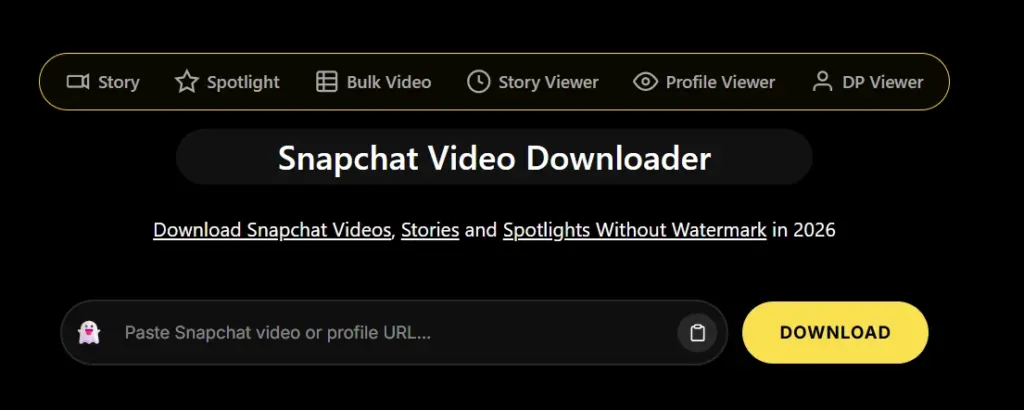
The interface is straightforward, and first-time users are unlikely to struggle with the downloading process. Simply paste a supported public Snapchat URL, and the tool attempts to generate a downloadable version.
However, during our comparison, we noticed that the experience can vary depending on the type of Snapchat link being used. Some public links are processed quickly, while others may require another attempt or may not be supported if Snapchat has changed how that content is shared.
What We Like
- Easy-to-understand interface
- No account registration
- Browser-based
- Works on mobile and desktop
- Dedicated Snapchat focus
Limitations
- Supports only Snapchat
- Ad experience can feel heavier than some alternatives
- Public content support may vary depending on Snapchat updates
Best For
Users who only need a Snapchat-specific downloader and don’t mind using a dedicated tool.
Overall Rating: ⭐⭐⭐⭐☆
3. StoryGrab – Basic Snapchat Media Downloader
StoryGrab is a basic web-based utility primarily built for fetching public Snapchat links and story clips directly from a desktop or mobile browser. It operates without requiring user accounts or application installations.
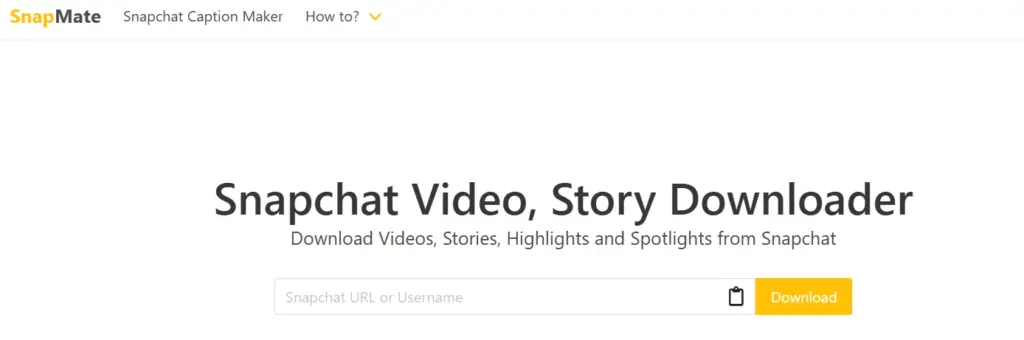
While it handles basic public links smoothly, its core functionality remains strictly limited to Snapchat content only. Users managing content across multiple social channels may find switching between single-purpose downloaders less efficient compared to comprehensive multi-platform tools.
What We Like
- Simple, single-page interface for quick URL pasting.
- Works directly within mobile and desktop browsers.
- No mandatory registration or app installation required.
Things to Keep in Mind
- Limited strictly to Snapchat (no support for other major platforms).
- Processing speed and link stability can fluctuate depending on server traffic.
- Displays occasional third-party advertisements.
- Supports only standard public links and cannot bypass Snapchat privacy parameters.
Best For
Users looking for a simple, single-use web tool strictly for public Snapchat links.
Overall Rating: ⭐⭐⭐½☆ (3.5/5)
Comparison Table: Which Downloader Fits Your Needs?
| Feature | GetInDevice | SchatDownloader | StoryGrab |
|---|---|---|---|
| Public Snapchat Videos | ✅ | ✅ | ✅ |
| Public Stories | ✅ | Limited | Limited |
| Mobile Friendly | ✅ | ✅ | ✅ |
| Desktop Friendly | ✅ | ✅ | ✅ |
| Registration Required | ❌ | ❌ | ❌ |
| Browser Based | ✅ | ✅ | ✅ |
| Multi-platform Support | ✅ | ❌ | ❌ |
| Beginner Friendly | ⭐⭐⭐⭐⭐ | ⭐⭐⭐⭐ | ⭐⭐⭐ |
How to Choose the Right Snapchat Downloader
Different users have different priorities. Instead of simply picking the website ranked first, consider how you actually plan to use the downloader.
Choose GetInDevice if you:
- Download from multiple social media platforms
- Want a cleaner interface
- Prefer fewer unnecessary steps
- Need compatibility across desktop and mobile
- Don’t want to install any software
Choose a Dedicated Snapchat Tool if you:
- Only download Snapchat content
- Prefer a platform focused exclusively on Snapchat
- Rarely download videos from other social networks
What Makes a Good Snapchat Downloader?
A quality downloader should solve your problem-not create new ones. Here are the characteristics worth looking for before using any website.
Fast Processing
Nobody wants to wait minutes for a public video to become downloadable. Efficient processing improves the overall experience, especially when downloading multiple files.
Original Quality
Whenever possible, the downloader should preserve the quality available from the shared Snapchat content instead of noticeably compressing it.
No Login Requirement
If a downloader asks for your Snapchat password or requests access to your account, that’s a major warning sign. Legitimate downloaders only require the public link.
Mobile Compatibility
Since most Snapchat users browse from smartphones, the downloader should work smoothly on:
- Android
- iPhone
- Tablets
without requiring additional applications.
Minimal Advertising
Free services often rely on advertising, but excessive popups, misleading buttons, and forced redirects make the experience frustrating. A cleaner interface generally leads to a better user experience.
Are Snapchat Video Downloaders Safe?
Safety depends more on which downloader you choose than on the concept of downloading itself.
Reputable downloaders generally:
- Don’t ask for Snapchat login credentials.
- Process only publicly shared links.
- Work directly inside your browser.
- Don’t require installing unknown applications.
On the other hand, users should be cautious if a website:
- Requests your Snapchat password.
- Asks you to install suspicious browser extensions.
- Forces multiple redirects before downloading.
- Displays fake “Download” buttons.
- Promises access to private Stories or private Snaps.
Remember that no legitimate downloader can bypass Snapchat’s privacy protections. If a site claims otherwise, it’s best to avoid it.
Public vs Private Snapchat Content
This distinction is important because many users misunderstand what online downloaders can actually access.
Public Content
These are items intentionally shared through publicly accessible links.
Examples include:
- Spotlight videos
- Public creator content
- Public Stories
- Public profile posts
These are generally the types of content that compatible downloaders can process.
Private Content
Private content remains protected by Snapchat’s privacy system.
Examples include:
- Friends-only Stories
- Private Snaps
- Chat attachments
- Memories
- Locked content
No responsible downloader should claim to access these.
Common Problems Users Face
Even the best Snapchat downloader may occasionally fail depending on the link you’re trying to process. Here are some of the most common issues.
“Invalid Snapchat Link”
Usually happens when:
- The copied URL is incomplete.
- The content has been removed.
- The post is private.
- The link has expired.
Download Button Doesn’t Appear
Possible reasons include:
- Temporary server issues.
- Browser cache problems.
- Unsupported Snapchat URL format.
- Network interruption.
Refreshing the page or copying the link again often resolves the issue.
Video Doesn’t Play After Downloading
This is usually related to:
- Interrupted download.
- Corrupted file.
- Unsupported media player.
Trying the download again or opening it in another player often fixes the problem.
Slow Download Speed
Slow processing can occur because of:
- Heavy website traffic.
- Poor internet connection.
- Large video size.
- Temporary server load.
Frequently Asked Questions
Choose a downloader that:
-Doesn’t request your Snapchat credentials.
-Doesn’t force unnecessary downloads or browser extensions.
-Processes only public links.
-Clearly explains what content it supports.
In some cases, publicly visible profile images may be viewable, but support varies by downloader and Snapchat’s current privacy settings.
Most browser-based downloaders only require a publicly accessible Snapchat URL and do not ask users to sign in.
Snapchat regularly updates its platform. As a result, third-party downloaders may need time to adapt whenever Snapchat changes how public content is shared.
Possible reasons include:
-The content is private.
-The link has expired.
-Snapchat changed the URL format.
-The downloader has not yet updated compatibility.
Downloading publicly shared content for personal offline viewing may be allowed in some situations, but you should always respect copyright, creator permissions, and Snapchat’s Terms of Service. Avoid redistributing someone else’s content without permission.
If the Spotlight video has been shared through a public Snapchat link, many online downloaders can process it.
No.
Private Stories are protected by Snapchat’s privacy system and are only intended for approved viewers. Legitimate downloaders cannot bypass these restrictions.
Yes. Android users can usually download public Snapchat videos directly through Chrome or other mobile browsers.
Yes. Most browser-based downloaders are compatible with Safari on iPhone, provided the Snapchat content is publicly accessible.
No. Downloading a publicly shared Snapchat video through a web-based downloader is different from taking a screenshot inside the Snapchat app. Public content accessed through shared URLs does not generate screenshot notifications.
Yes. Most modern Snapchat video downloaders are web-based, meaning you only need a supported web browser and a publicly shared Snapchat link. There’s no need to install additional software for public content.
Expert Tips Before Using Any Snapchat Downloader
Even the best downloader can only work as well as the Snapchat link you provide. Keeping a few best practices in mind can save time and help you avoid common issues.
✔ Verify the Link
Make sure you’ve copied the complete public Snapchat URL. An incomplete or expired link is one of the most common reasons downloads fail.
✔ Avoid Fake Download Buttons
Many free websites display advertisements designed to look like download buttons. Always confirm you’re clicking the actual download option generated for your file.
✔ Use a Modern Browser
Keeping Chrome, Safari, Edge, or Firefox updated helps ensure compatibility with the latest web technologies used by online downloaders.
✔ Respect Content Ownership
Just because a video is publicly accessible doesn’t automatically mean it can be redistributed. If you plan to reuse someone else’s content, seek permission whenever appropriate.
How Snapchat Downloaders May Evolve
As Snapchat continues introducing new features, downloaders will likely need to adapt alongside the platform.
Some trends worth watching include:
- Better support for new public content formats.
- Faster cloud-based media processing.
- Improved mobile optimization.
- Cleaner, less ad-heavy interfaces.
- Enhanced privacy messaging that clearly explains what can and cannot be downloaded.
At the same time, privacy protections are also expected to become stronger. Responsible downloaders will continue focusing only on publicly shared content rather than attempting to bypass Snapchat’s security systems.
Final Verdict
Choosing the best Snapchat video downloader ultimately depends on what matters most to you.
If your priority is downloading publicly shared Snapchat videos through a simple, browser-based experience that also supports multiple social platforms, GetInDevice stands out as one of the most practical options available today. Its clean interface, broad platform compatibility, and no-login approach make it suitable for everyday users who want a straightforward experience.
Regardless of which tool you choose, remember that legitimate downloaders are designed to work only with publicly accessible Snapchat content. Any website claiming it can unlock private Snaps, Friends-only Stories, or protected Memories should be treated with caution.
By understanding what these tools can realistically do-and choosing one that prioritizes usability, privacy, and transparency-you’ll have a much smoother experience whenever you need to save publicly shared Snapchat content for offline viewing.
Quick Summary
| Best For | Recommended Tool |
|---|---|
| Overall Experience | GetInDevice |
| Dedicated Snapchat Downloads | SchatDownloader |
| Mobile Users | GetInDevice |
| Multi-Platform Downloads | GetInDevice |
| Simple Browser-Based Use | GetInDevice |
| No Login Required | All tools listed |
