
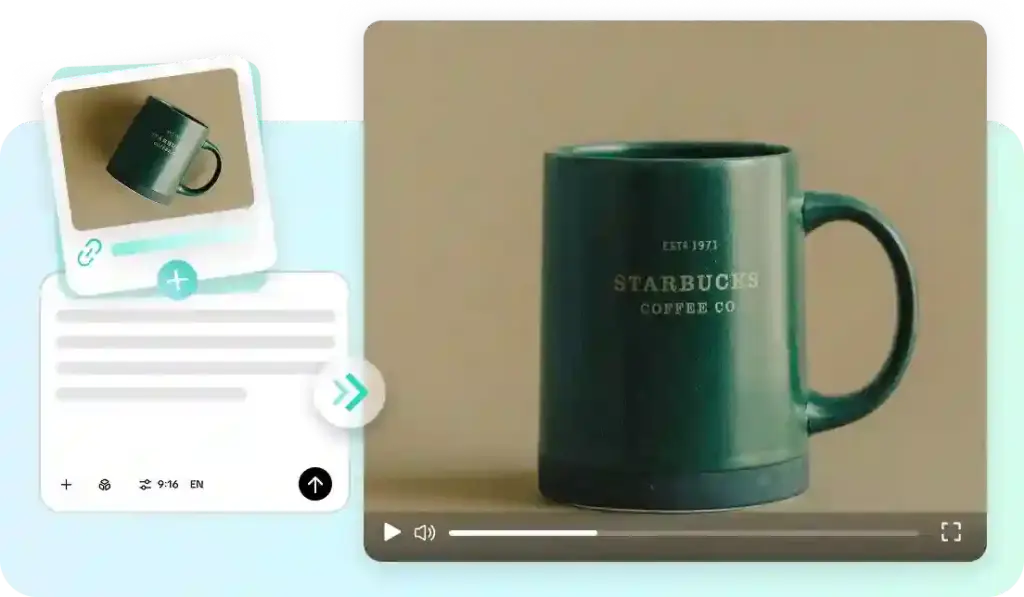
From simple animations to detailed cinematic visuals, AI video generation has come a long way. Pippit’s advanced scene control, realistic motion and reference-guided creation help turn detailed prompts into polished videos. These features allow for more powerful visual storytelling and maintain visual consistency throughout a scene. This guide will cover prompt writing, cinematic techniques, workflow steps, using references, planning timelines, and real-world strategies for creating professional AI videos.
Why Cinematic AI Videos Begin with Well-Structured Prompts
Each film outcome begins with a well-structured prompt rather than a description. Commonly used prompts usually only explain the topic and provide minimal visual guidance. Cinematic Prompts establish the subject, environment, mood, movement and visual purpose. Camera angles also create different story experiences, focusing on what you want, what size you want it to be, and what emotion you want to invoke in different scenes. Descriptions of natural lighting enhance realism but do not overclutter the prompt. Mist, sunlight, rain or reflections add extra visual depth to the atmosphere. A logical beginning, middle, and ending help to keep the story moving forward and minimize any confusing transitions. Also, the prompt structure is clear, which helps to ensure that the actions, environments, and camera movements in the generated sequence are consistent.
Cinematic Features in Seedance 2.5 That Improve Video Quality
Pippit offers a range of sophisticated capabilities that enhance the visual storytelling capabilities of AI video generation. Director-grade camera moves make for smoother tracking shots, dramatic reveals, and believable cinematic camera moves. Enhanced realistic physical motion simulation for more natural material behavior across scenes, character motion and object interaction. Detailed surfaces, balanced shadows, and convincing highlights provide high-fidelity textures and lighting, enhancing the visual realism. Continuous video generation enables seamless clips of video up to thirty seconds long in a single sequence. Timestamp prompts help you to structure significant moments of the story and provide logical and guided camera moves and scene progression. Extension of footage of completed clips into longer narratives without rebuilding all of the previous scenes. All these abilities contribute to Seedance 2.5 delivering more cohesive narratives, enhanced cinematic continuity, and increased creative freedom.
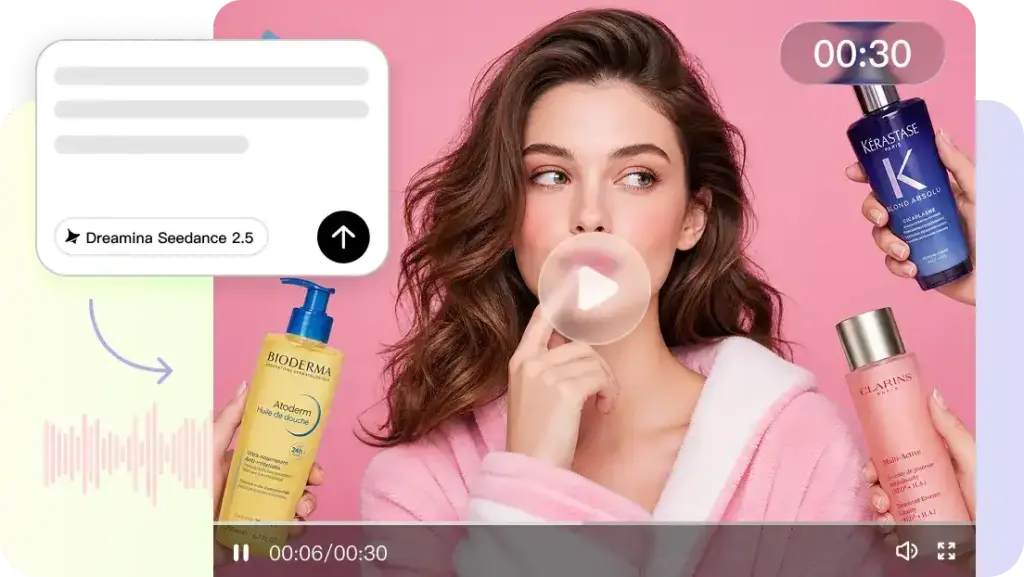
Steps to Turn Simple Prompts into Cinematic Videos with Seedance 2.5
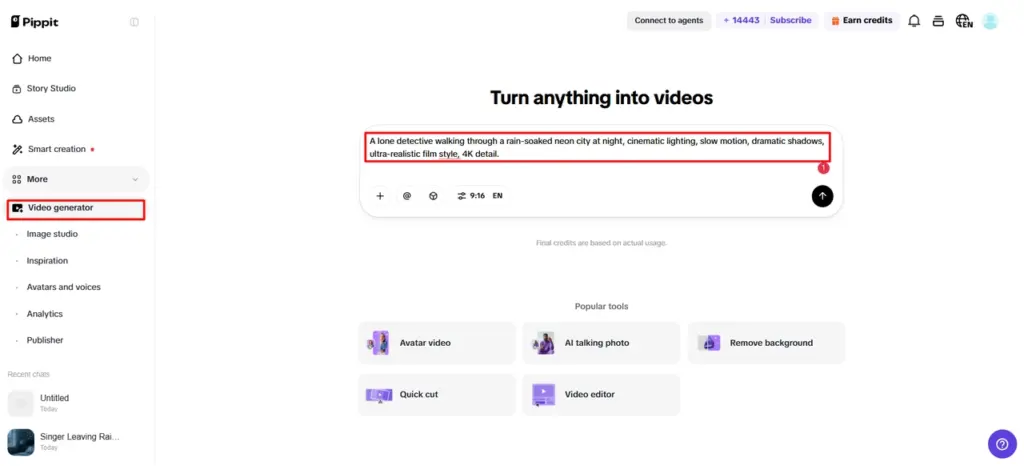
Step 1: Start your cinematic video project
- Sign up for Pippit to reach the home page.
- Select “More” from the left vertical menu bar and choose “Video generator”.
- Enter a text prompt that clearly explains the cinematic style, mood, and camera angles you want.
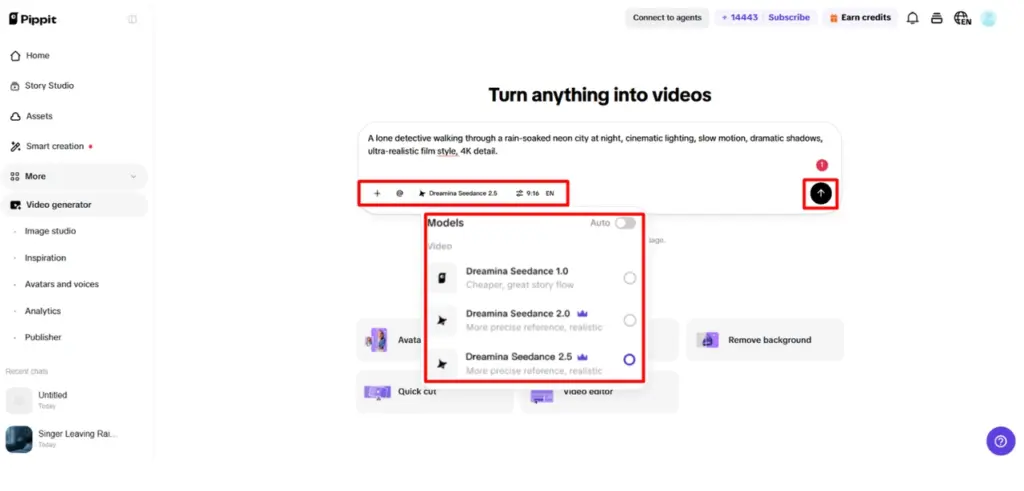
Step 2: Generate your cinematic video
- Click “+” and upload the image, video, file, or link you want to turn into a video.
- You can also click “Upload a reference video” and choose “Upload” to add a sample video, allowing the AI to follow its style.
- Select the “Dreamina Seedance 2.5” model from the available list.
- Set the video length, language, and aspect ratio.
- Click “Generate,” and Pippit creates a cinematic video based on your prompt.
Step 3: Refine and export your final video
- Select the generated video and press the Play button to preview it.
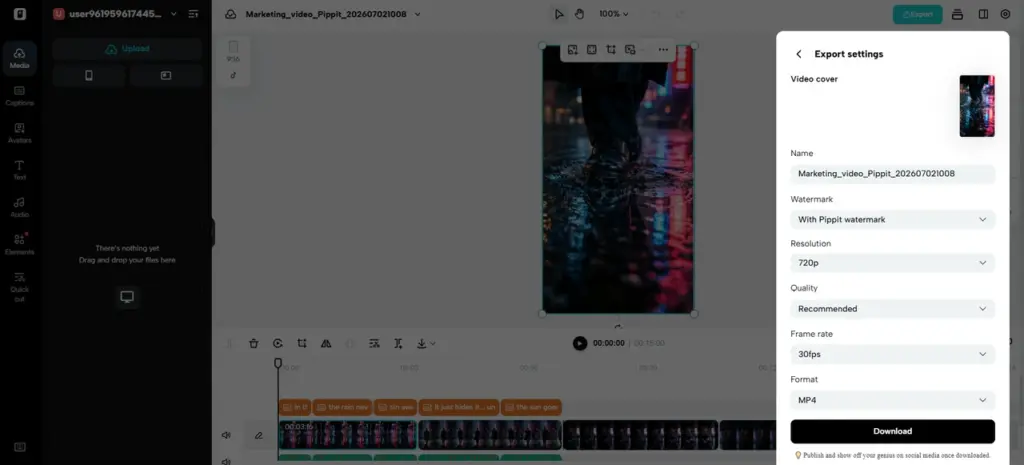
- If changes are needed, click “Edit more” and use the tools to crop, stabilize, adjust colors, or change the background.
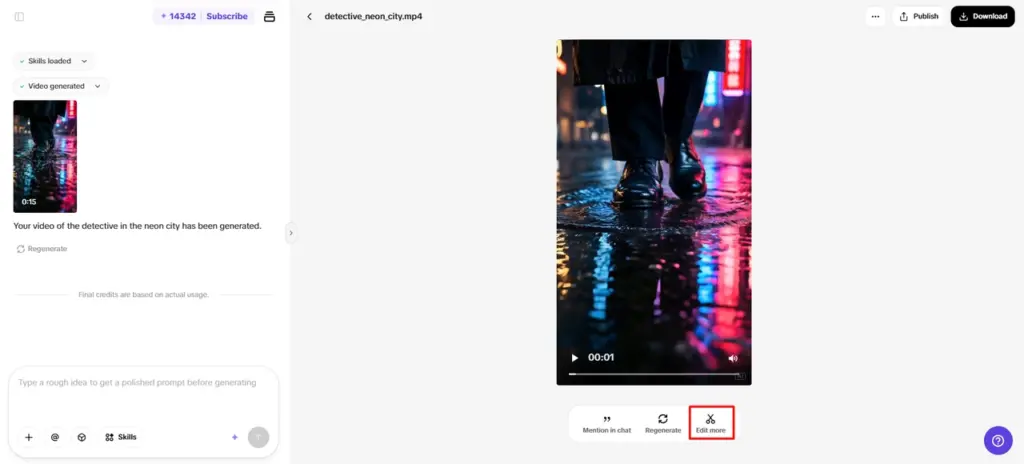
- Click “Download” to save the video to your device or “Publish” to share it directly on your social media.
Essential Elements That Make AI Videos Feel Cinematic
There are a number of creative principles that help to shape the generated clips into memorable cinematic experiences rather than ordinary animations.
- Start with an attention grabber and set up the main idea.
- Ensure camera movement is meaningful and not excessive motion between related scenes.
- Use foreground/background elements in balance to create a layered composition for greater depth.
- Use the same lighting direction to help enhance mood and environmental conditions.
- Explain physical movement and interaction that is believable for natural character actions.
- Conduct each sequence so that it ends on a meaningful closing frame that tells the whole visual story.
Using References in Pippit to Shape Cinematic Direction
When working on complex projects where maintaining continuity of visual direction is important, reference materials are helpful. Pippit can handle images, videos, files, and other compatible formats that define the subject appearance, campaign style, composition and overall mood prior to the generation process. The image references are not only important for recognizable product details, clothing styles and character features, but also for important visual identities. By matching references between multiple scenes, continuity is also enhanced and unwanted variations between generated clips are minimized. Campaign aesthetics are more consistent as colour palettes, layouts and creative direction are in line with provided examples. Mixing reference formats provides more context for the generation process, and that will lead to greater visual consistency in longer stories and promotional videos.
Improving Cinematic Flow with Timestamp Prompts
Timestamp prompts structure the visual narrative by assigning key actions to particular moments within the video production process. When planning, think about the beginning, middle and ending; this will help with pacing and prevent disjointed scene progression. Important visual events occur when they are wanted rather than at the same time and fighting for attention. Camera moves are smoother as there are waypoints that are not random changes of direction. Coordinated movement between characters, objects and environments is also enhanced, giving greater realism in connected movement sequences. Careful planning of the timetables creates continuity, emotional storytelling and makes every image moment a natural part of the whole story.
Best Practices for Creating Professional Cinematic AI Videos in Pippit
Careful planning before generation and careful review after are the key to professional results. While keeping prompts descriptive, be organized around one clear creative direction. Do not mix different and unrelated visual styles — consistency enhances storytelling and quality. Before exporting, check all of the generated drafts for unwanted movements, lighting inconsistencies or composition problems. Use editing tools to adjust scenes as necessary to clarify or balance the visuals. Multilingual prompt support also contributes to the development of localized projects for various audiences, while ensuring a consistent creative idea throughout regional projects. When you prepare, revise, and write a structured prompt, you create better videos that are more visual and help to communicate your idea.
Conclusion
AI video generation isn’t just about providing descriptions; it requires careful planning, structured prompts, and creative direction. Pippit brings together advanced scene control, realistic motion, workflows with reference, timestamp planning and flexible editing in a streamlined creative platform. These features contribute to making intricate concepts into refined visual narratives and enhance marketing materials, product demonstrations, social media marketing and creative storytelling, all with increased efficiency and cinematic quality.
