
Spotify has fundamentally redefined the way the world consumes music. With a library spanning millions of tracks, curated discovery algorithms, and seamless cross-device syncing, it is arguably the most powerful music platform ever built. However, a significant friction point remains: the “walled garden” of offline listening.
For many users, the primary limitation of a streaming-first world is the lack of true file ownership. If you lose your internet connection, or if your Premium subscription lapses, your library effectively vanishes. This has led to a massive surge in users searching for a reliable Spotify downloader. People want their music to be portable, permanent, and accessible on any device—whether it’s a car stereo, a dedicated MP3 player, or a video editing suite. In this deep-dive guide, we explore the top-tier tools that facilitate this freedom, ensuring you can save your favorite playlists without jumping through technical hoops.
What Is a Spotify Downloader and Why Do You Need One?
At its core, a Spotify downloader is a bridge between the encrypted streaming world and the open-standard world of digital audio files. These tools allow you to:
- Convert Spotify tracks into high-quality MP3 files.
- Download massive playlists or entire discographies in bulk.
- Save music directly to local storage for permanent offline use.
Unlike the “Download” button within the Spotify app—which simply caches encrypted data that only the app can read—a dedicated Spotify to MP3 converter creates a standalone file. This is essential for creators who need background tracks, commuters who want to save on data usage, and audiophiles who want to maintain a personal archive of their musical journey.
How Spotify Downloaders Actually Work: The Technical Reality
It is a common misconception that these tools “hack” into Spotify’s servers to pull raw files. The reality is much more clever. Most top-tier tools utilize a sophisticated matching and conversion process.
The Metadata Retrieval Phase
When you paste a Spotify link into a tool, it first scrapes the metadata. This includes the track title, the artist’s name, the album art, and even the release year. This ensures that the final file is properly tagged and organized.
The Source Matching Logic
Since Spotify’s own files are protected by high-level encryption, many downloaders use the metadata to find a high-quality match on alternative platforms, often YouTube or other public music databases. The tool then extracts the audio from the highest-quality source available.
The Conversion and Encoding Process
Once the audio is sourced, the tool converts it into the requested format (usually MP3). This is where the quality varies. A premium Spotify music downloader will offer bitrates up to 320kbps, ensuring that the audio fidelity remains as close to the original stream as possible.
Key Features to Look For in a Spotify Downloader
Not all tools are created equal. When selecting a platform to build your offline library, there are several non-negotiable features you should consider to ensure a smooth experience.
High-Fidelity Audio Quality
The “best Spotify downloader” is defined by its output. You should always look for tools that offer a minimum of 128kbps, though 320kbps is the industry standard for high-quality listening. Lower bitrates often result in “muddy” sound, particularly in the bass and treble ranges.
Robust Playlist and Album Support
Downloading songs one by one is tedious. A high-quality Spotify playlist downloader should allow you to paste a single link and fetch the entire collection. Some tools even offer “Batch Download” features that bundle your tracks into a single ZIP file for easy management.
Preservation of Metadata and ID3 Tags
A file named “Track_01.mp3” is useless for a well-organized library. The best tools automatically embed ID3 tags, so when you move the file to your phone or PC, the artist, album, and cover art show up correctly.
No-Login Privacy and Device Compatibility
Security is paramount. You should avoid tools that require you to log in with your Spotify credentials. The most reliable platforms are web-based, meaning they work on Android, iOS, Windows, and macOS without requiring any software installation.
Tested and Reviewed: Top Spotify Downloader Tools
The market is flooded with options, but a few have risen to the top based on their reliability, speed, and user base. Here is a detailed look at the current leaders in the space.
SpotifyDownloader.tech – The Fastest Zero-Friction Spotify Converter
When it comes to simplicity, speed, and instant usability, Spotify Downloader stands out as one of the most efficient tools in the entire ecosystem. Unlike many platforms that try to overload users with features, this tool focuses on doing one thing exceptionally well: converting Spotify links into downloadable MP3 files with minimal delay and zero complexity.
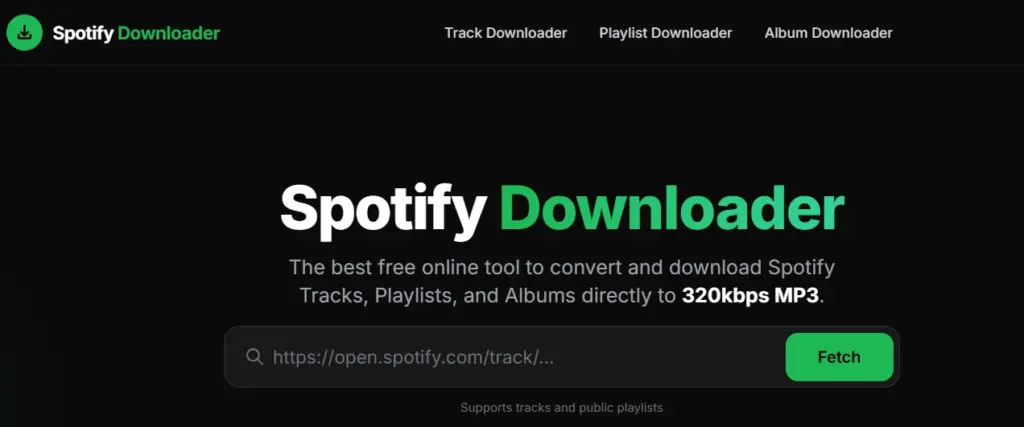
It is especially popular among users who want a quick, no-login solution without dealing with unnecessary steps, popups, or technical confusion.
Why It Deserves the #1 Spot
What makes SpotifyDownloader.tech different is its pure speed-to-result ratio. From pasting a link to getting a downloadable file, the process is almost instant — making it one of the fastest tools currently available.
It’s built for users who value:
- Immediate access
- Clean workflow
- Reliable output without retries
This makes it perfect for both casual listeners and creators who need quick audio access during editing workflows.
Core Strengths and Capabilities
Ultra-Fast Processing Engine
The tool processes Spotify links almost instantly. Even when handling full tracks, the conversion time is significantly lower compared to most competitors.
Clean, No-Clutter Interface
There’s no learning curve here. You paste the link, click download, and you’re done. No signups, no hidden steps — just a direct conversion pipeline.
High-Quality MP3 Output
SpotifyDownloader.tech delivers solid audio quality suitable for everyday listening and content creation. While it keeps things lightweight, it still maintains a strong balance between file size and clarity.
No Login, No Installation
Completely browser-based, the tool works seamlessly across:
- Mobile devices (Android & iOS)
- Desktop (Windows & macOS)
No apps, no extensions — just open and use.
Strong Reliability for Single Tracks
Where many tools struggle with consistency, this one excels in single-track conversions, making it one of the most dependable options for quick downloads.
Best Use Case: Speed Over Everything
If your goal is:
- Downloading a song instantly
- Grabbing audio for reels or edits
- Saving tracks without waiting
Then SpotifyDownloader.tech is easily one of the best tools available.
It’s not trying to be a heavy “all-in-one” downloader — instead, it dominates the space of fast, distraction-free music conversion.
Practical Considerations
- Best suited for individual tracks rather than massive playlists
- May not offer advanced batch controls like heavy-duty tools
- Ideal as a primary quick tool or backup option in a multi-tool workflow
SpotDown – The High-Volume Playlist Specialist
SpotDown is widely regarded as the “heavyweight” in the music conversion space. While many tools are designed for the occasional single-track save, SpotDown is engineered specifically for users who need to move entire libraries from the cloud to local storage.
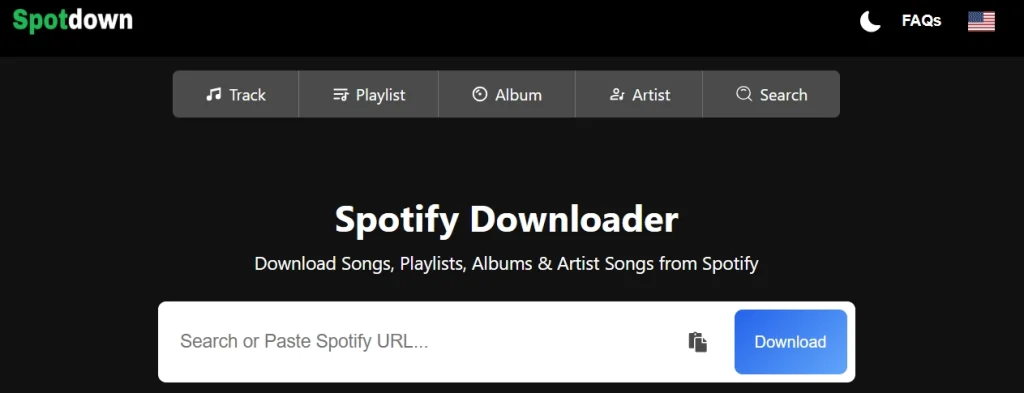
It has built its reputation on raw efficiency and the ability to handle heavy server loads without timing out.
Why SpotDown Leads in Bulk Downloads
The primary differentiator for SpotDown is its stability during long-form processing. Most Spotify playlist downloader tools struggle when faced with a list of 50 or 100 songs, often skipping tracks or crashing mid-way. SpotDown utilizes a more robust backend architecture that ensures:
- Long Playlist Stability: It successfully parses and indexes massive curated lists.
- Batch Processing: It reduces the manual effort of clicking “download” for every individual song.
- Minimal Latency: Link analysis happens almost instantly, even for complex album URLs.
Core Strengths and Performance
- High-Fidelity Audio: The tool prioritizes 320kbps MP3 output, ensuring that the transition from streaming to offline file doesn’t result in a loss of sound depth or clarity.
- Automated ID3 Tagging: It doesn’t just save the audio; it embeds the artist name, album title, and high-resolution cover art directly into the file metadata.
- Zero Installation: As a purely browser-based Spotify to MP3 converter, it functions perfectly across Windows, macOS, Android, and iOS without requiring any background software.
- Functional Interface: The design is stripped-back and intentional, removing distractions so you can focus on building your offline collection.
Real-World Considerations
While SpotDown is a powerhouse, there are a few practical points to keep in mind:
- Navigation: To keep the service free and high-speed, you may encounter occasional redirects or sponsored ads during the conversion process.
- Source Matching: On rare occasions, a specific track might require a retry if the initial source-matching logic hits a region lock.
For power users who need a reliable Spotify music downloader to archive years of curated playlists in a single session, SpotDown remains the most consistent choice on the market.
SpotMate – The Versatile and Balanced Choice
SpotMate is a preferred choice for millions of users looking for a middle ground between speed and simplicity. It is widely recognized for its stability and is often cited as the most consistent “all-rounder” tool.
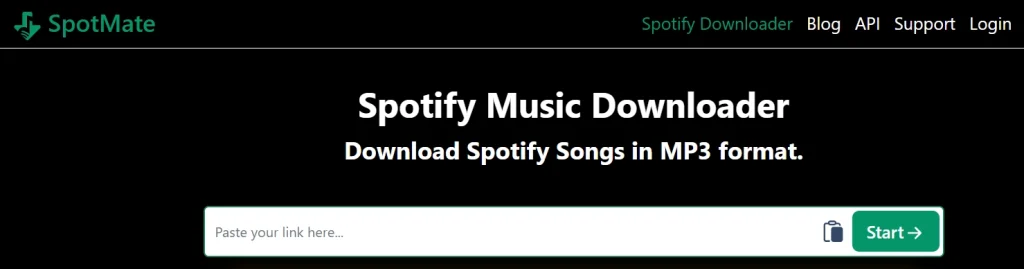
The platform is particularly noted for its “en1” version, which is specifically optimized for international accessibility and a seamless English-language experience.
Why It’s a Reliable Backup
In the volatile world of online converters, having a dependable secondary tool is essential. SpotMate is the ultimate backup because it uses a distinct sourcing logic compared to other downloaders. While some tools might fail due to region locks or metadata errors, SpotMate’s ability to pull from alternative public databases often allows it to find and convert tracks that other platforms miss.
Core Strengths of the Platform
- Modern User Experience: The interface is cleaner and more responsive than many competitors, making it a favorite for mobile users who need to download tracks on the go without dealing with cluttered layouts.
- High-Quality Output: It supports 320kbps MP3 and even higher-fidelity formats like FLAC for premium users, ensuring your local library sounds as good as the original stream.
- Cross-Platform Flexibility: Whether you are using a web browser on a PC or their dedicated Android application, the tool provides a unified experience with no software installation required on desktop.
- Efficient Metadata Handling: SpotMate ensures that essential ID3 tags—like artist name and album art—are preserved, keeping your music folders organized and professional.
Practical Usage Tips
- Mobile Optimization: Use the browser-based version on your phone for the quickest results without taking up storage space with an app.
- Playlist Strategy: For the best results on the free tier, processing tracks individually ensures the highest success rate and fastest encoding speeds.
By balancing a user-friendly design with a powerful backend, SpotMate remains a staple for anyone who needs a flexible and resilient tool for their offline music needs.
SpotiDown – The Beginner-Friendly Aesthetic Specialist
SpotiDown has built its reputation on having the most polished “User Experience” (UX) in the niche. While other tools focus on raw power, SpotiDown prioritizes a clean, distraction-free environment, making it the top choice for users who want a simple, “no-fuss” downloading process.
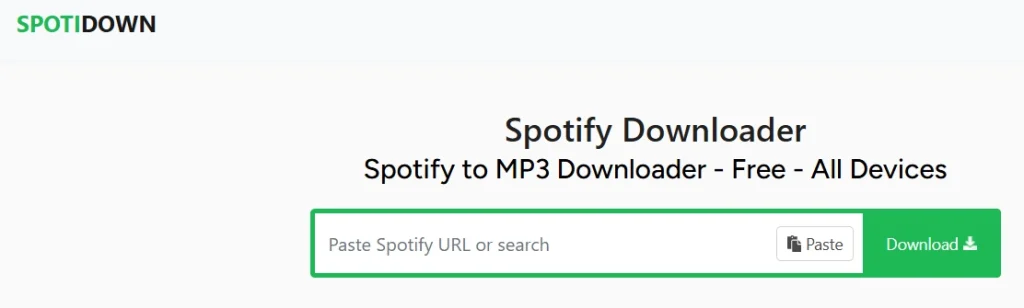
Its “en2” portal is specifically designed as a streamlined entry point for English-speaking users, offering a faster and more intuitive navigation path.
Simplification at Its Best
The platform is built on the philosophy of “paste and play.” It removes the overwhelming technical settings found in other tools, allowing you to convert tracks with a single click. This makes it the ideal “first stop” for beginners who want to avoid complex configurations or account registrations.
Standout Features for Effortless Listening
Clean and Modern UI
SpotiDown offers a clean and visually appealing interface. It keeps distractions to a minimum and avoids clutter. The workflow is simple, guiding you from link to download within seconds.
Smart ZIP Packaging
One of its most useful features is ZIP packaging. Instead of downloading multiple files separately, playlists and albums are bundled into a single organized folder. This saves time and keeps everything structured, especially on mobile devices.
Mobile-First Optimization
SpotiDown performs exceptionally well on smartphones. The interface is responsive and smooth, making it feel close to a native app. This makes it ideal for users who prefer downloading directly on their phones.
High-Quality Metadata
Despite its simplicity, SpotiDown maintains strong attention to detail. Downloads include proper song titles, artist names, and high-resolution album artwork. This helps keep your offline music library clean and well-organized.
Practical Usage Note
While the interface is incredibly clean, keep in mind that the free tier may occasionally group larger playlists into multiple ZIP parts to maintain server speed. For the best experience, using the “en2” portal ensures you are on the most stable version of the site, optimized for modern browsers and high-speed data retrieval.
SpotiSaver – The Lightweight Speed Specialist
For users who value efficiency and minimalist design, SpotiSaver is the go-to solution. It is widely regarded as the “speed specialist” of the group, specifically engineered to deliver results without the heavy scripts or complex interfaces that often slow down other web-based converters.
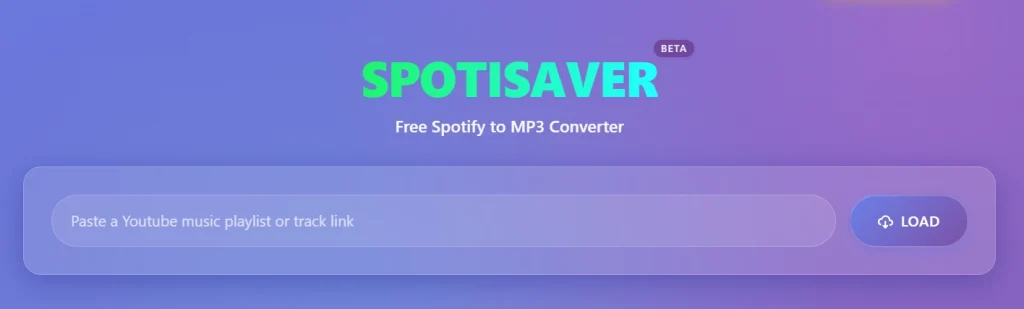
Whether you are on a limited data plan or using an older device, SpotiSaver provides a streamlined path from a Spotify link to a high-quality MP3.
Efficiency Above All: The Perfect Tool for Low-End Devices
What sets SpotiSaver apart is its remarkably low resource consumption. Unlike many “feature-heavy” sites, this platform is built as a Progressive Web App (PWA), meaning it loads almost instantly and functions smoothly even on slow internet connections. It skips the flashy animations and intrusive pop-ups, focusing entirely on the core task: converting and downloading your music. This makes it the “best friend” of commuters or students who need to grab a track quickly before losing signal.
Best Use Case: The Path of Least Resistance
SpotiSaver is the undisputed champion for the “single song downloader.” If you’ve just discovered a hit and want it on your phone immediately, this tool offers the fastest “paste-to-download” loop in the industry. It avoids the friction of multi-step verifications, getting you to your music with minimal clicks. While it may lack some of the advanced bulk-management bells and whistles of larger platforms, it more than compensates with pure velocity.
Technical Highlights and Quality Standards
- High-Quality Consumer Grade Audio: Despite its lightweight nature, SpotiSaver doesn’t compromise on sound. It consistently delivers 320kbps MP3 files, ensuring a vibrant sound profile that is perfect for mobile listening and casual use.
- Smart Batch Packaging: Even though it’s a minimalist tool, it is surprisingly robust. It supports ZIP batching, allowing you to package entire playlists or albums into a single compressed file for easier management.
- Metadata & ID3 Preservation: It automatically embeds essential information, including the artist name, song title, and high-resolution album art. Your music library remains organized and visually complete without any manual editing required.
- Privacy-First Approach: One of the most refreshing aspects of the site is its clean environment. It is known for being free of the aggressive redirects that plague many free tools, providing a much safer and more professional experience.
- Search and Discover: A unique feature of SpotiSaver is its integrated search engine. If you don’t have the Spotify app handy, you can search for tracks directly on the site, making it a versatile standalone tool for music discovery.
Why It Remains a Staple in Every Music Workflow
SpotiSaver fills a critical gap in the market by prioritizing the user’s time and device performance. It is the tool you use when you want zero distractions and maximum speed. By focusing on the essentials—high-quality audio, fast processing, and clean design—it has earned its place as an essential component of any modern music downloader toolkit.
Are Spotify Downloaders Legal and Safe?
This is a common question for any user entering the world of digital conversion. It is important to approach these tools with a clear understanding of the digital landscape.
The Legality of Personal Use
In many regions, downloading music for personal, offline backup is a grey area often associated with “Fair Use.” However, Spotify’s terms of service strictly prohibit the use of third-party tools to bypass their encryption. Using these tools is a personal choice, and users should be aware that they are operating outside the official Spotify ecosystem.
Ethical Considerations
The most important rule is to never use these tools for commercial distribution. Music is the livelihood of artists. If you enjoy a track, consider supporting the artist by attending a show, buying official merchandise, or maintaining a streaming subscription alongside your offline archive.
Safety and Security
Always use a reputable Spotify music downloader like the ones listed in this guide. Sites with millions of users are generally safer than obscure, brand-new platforms. Never download “software” or “.exe” files to convert music; a legitimate tool should work entirely within your web browser.
Pros and Cons of Using Third-Party Downloaders
To provide a transparent view, let’s look at the advantages and the inevitable trade-offs.
The Pros
- Universal Portability: Listen to your music on any device, even those without a Spotify app.
- Cost Efficiency: Access your music offline without the recurring cost of a Premium subscription.
- Creative Freedom: Essential for creators who need to edit audio for personal projects or social media.
- Data Savings: Download once over Wi-Fi and never use mobile data for that track again.
The Cons
- Variable Quality: Occasionally, a track might be sourced from a lower-quality video, resulting in less-than-perfect audio.
- Maintenance: These tools can sometimes go offline for maintenance as they adapt to changes in Spotify’s web structure.
- Ad Exposure: Free tools are supported by ads, which can sometimes be intrusive if you aren’t using an ad-blocker.
Pro Tips for Mastering Your Offline Music Library
To truly separate yourself from the average user, you should treat music downloading as a workflow rather than a one-off task.
Maintain a “Multi-Tool” Strategy
No single downloader works 100% of the time for every single song in the world. Sometimes a specific artist’s catalog is restricted. By bookmarking two or three tools (e.g., SpotDown for playlists and SpotiDown for single tracks), you ensure that you are never left without a way to save your music.
Managing Your Files and Metadata
After downloading, take a moment to check your files. If you are an avid music collector, you might want to use a tag editor to ensure the genre and year are exactly how you want them. This makes searching your local library much easier as it grows into the thousands of songs.
Turning Downloads into Content
For content creators on platforms like TikTok or Instagram, a Spotify song downloader is a vital tool. You can download the exact section of a song you need, import it into an editor like CapCut or Premiere Pro, and create high-sync reels without relying on the often-limited in-app music libraries.
Best Use Cases: Who Are These Tools For?
While anyone can benefit from offline music, certain groups find these tools indispensable.
The Modern Content Creator
Whether you are making YouTube Shorts or professional-grade travel vlogs, having the actual MP3 file of a song allows for much tighter editing and creative control than streaming ever could.
The Student and Commuter
In areas with spotty internet or for students trying to save on expensive data plans, having a local “Study Beats” playlist is a productivity lifesaver.
The DJ and Audio Enthusiast
DJs often need files for their mixing software. While many professional DJs use specialized record pools, a Spotify downloader can be a great way to test how a track fits into a set before committing to a high-res purchase.
Conclusion: Embracing Musical Freedom
The digital music landscape keeps evolving, but one thing hasn’t changed – the demand for true offline access and file ownership.
Tools like SpotifyDownloader.tech, SpotiDown, SpotDown, SpotMate, and SpotiSaver are helping bridge that gap. Each offers a different approach, whether it’s speed, bulk downloading, or simplicity – giving users the flexibility to choose what fits their workflow best.
By understanding how these tools function, you can make smarter decisions. Prioritize audio quality, stay mindful of usage, and build a music library that’s both reliable and accessible.
For creators, commuters, and everyday listeners alike, offline access isn’t just a convenience anymore – it’s part of a smarter digital routine. When your music is saved locally, you’re no longer dependent on apps, subscriptions, or internet stability.
At the end of the day, it’s about control. Your playlists, your access, your freedom – wherever you go, your music goes with you.
