
Instagram has transformed into one of the most video-centric social media platforms in the world. With billions of users sharing Reels, Stories, tutorials, product demos, travel clips, and creative short-form content every day, video now sits at the heart of the Instagram ecosystem.
For creators, researchers, marketers, and everyday users, there are many situations where saving a video becomes useful. Some people want to archive inspiring content, others save educational clips for offline viewing, while social media managers often collect examples for analysis or reference.
Despite the platform’s massive media library, Instagram itself does not provide a built-in way to download most videos directly to your device. This limitation has led to the rapid growth of online Instagram video downloader tools.
These tools allow users to paste an Instagram link and instantly generate a downloadable version of the video without installing apps or browser extensions.
However, with so many tools appearing online, finding one that is fast, reliable, and safe can be challenging. In this article, we take a closer look at three popular options and evaluate their capabilities:
- GetInDevice Instagram Video Downloader
- FastDL.app
- InDown.io
By analyzing their features, usability, and overall reliability, we can determine which tool provides the most practical experience for users looking to download Instagram content in 2026.
What Is an Instagram Video Downloader?
An Instagram video downloader is a web-based utility that extracts downloadable media files from public Instagram posts.
Rather than requiring direct access to an Instagram account, these tools operate through a simple process. The user copies the URL of an Instagram video or Reel and pastes it into the downloader interface. The platform’s server then processes the link and generates a downloadable version of the media.
Most modern downloaders support several types of Instagram content, including:
- Reels
- Video posts
- Photo posts
- Carousel media
- Stories
Advanced platforms may also support additional formats or extraction features, making them useful for content creators and digital professionals.
Because these tools operate entirely through the browser, they work on nearly any device with internet access.
Key Features That Define a High-Quality Instagram Downloader
Not all download tools are built equally. Some focus on speed and infrastructure, while others only provide basic extraction functions. Understanding the key characteristics of a good downloader helps users choose the most reliable option.
Processing Speed and Server Stability
One of the most important aspects of a downloader is how quickly it processes Instagram links. Efficient server infrastructure allows a tool to convert links into downloadable files within seconds.
Platforms with optimized backend systems generally provide a smoother experience, especially during peak usage periods.
Original Media Quality
Another crucial factor is whether the downloader preserves the original quality of the video. Reliable tools maintain the resolution and encoding used by the creator instead of compressing the file.
Cross-Device Compatibility
Modern users access social media across multiple devices. The best downloader tools work seamlessly on:
- Desktop browsers
- Android smartphones
- iPhones and tablets
Browser-based platforms tend to offer the greatest flexibility in this regard.
Privacy and Security
Reputable downloaders do not require users to log into their Instagram accounts. Tools that request login credentials may introduce unnecessary privacy risks.
Secure tools operate purely through link extraction, keeping the process anonymous and safe.
Content Type Support
While basic tools only download standard video posts, more advanced platforms support additional content types such as:
- Reels
- Stories
- Photo posts
- Carousel media
The broader the support, the more useful the tool becomes.
GetInDevice – Best Overall Instagram Video Downloader
Among the growing number of Instagram downloading tools available online, the GetInDevice Instagram Video Downloader stands out as one of the most complete and reliable solutions available today. Rather than focusing on a single feature, the platform is designed as a broader media utility that makes downloading Instagram content simple, fast, and accessible across multiple devices. With a streamlined interface and optimized processing system, the tool allows users to quickly save videos, Reels, photos, and other media directly from Instagram links without requiring installations or account access.
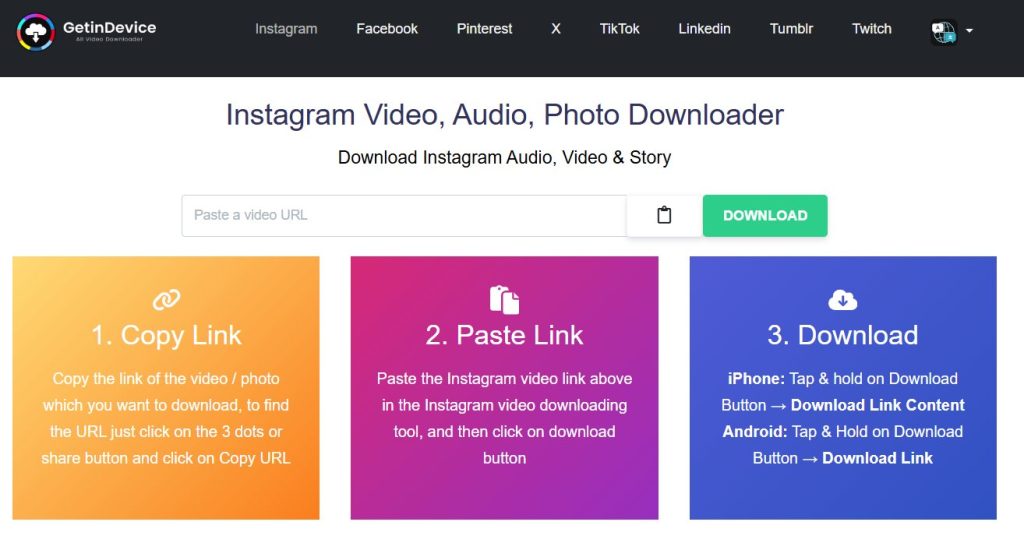
While many download tools offer only basic Instagram extraction, GetInDevice combines speed, usability, cross-platform compatibility, and a well-developed ecosystem of tools. This balance of features makes it particularly attractive for users who regularly work with social media content.
The platform operates entirely through the browser, meaning users can access it instantly without installing software or creating an account. With a clean interface and straightforward workflow, even first-time users can download Instagram videos in just a few seconds.
Wide Support for Instagram Content Types
One of the most important advantages of GetInDevice is its ability to support multiple Instagram media formats instead of limiting downloads to a single type of content.
Users can download a variety of media directly from public Instagram links, including:
- Instagram Reels
- Standard video posts
- Photo posts
- Carousel images
- Story content
- Audio clips from videos
This wide support makes the tool useful not only for casual viewers but also for creators, researchers, and social media professionals who often work with different types of Instagram media.
Instead of switching between different download tools for different content formats, users can rely on a single unified platform.
Fast Processing and Optimized Infrastructure
Speed and reliability are critical factors when evaluating any online downloader. Slow tools often suffer from overloaded servers or inefficient processing systems.
GetInDevice is designed with optimized server infrastructure, allowing Instagram links to be processed quickly and consistently.
In most cases, the system generates the downloadable file within seconds after the link is submitted. This level of efficiency is particularly valuable for users who download media frequently or need to process multiple links in succession.
Reliable processing also reduces errors and improves the overall user experience, making the workflow smooth and predictable.
Clean Interface with Minimal Ads
A common frustration with many downloader websites is the presence of intrusive advertisements, pop-ups, and misleading buttons. These elements can make the downloading process confusing or even unsafe.
GetInDevice takes a different approach by maintaining a clean and minimal interface.
The main interface focuses on the essential workflow:
- Copy the Instagram link
- Paste the link into the tool
- Download the generated media file
Because the layout avoids excessive advertising and unnecessary steps, users can complete the entire process quickly without distractions.
This simplicity is one of the key reasons many users prefer the platform over heavily ad-driven alternatives.
Multi-Platform Social Media Support
While the tool performs exceptionally well as an Instagram downloader, GetInDevice is not limited to Instagram alone.
The platform also supports downloading media from several other major social networks, including:
- TikTok
- X (formerly Twitter)
- Tumblr
- Twitch
This broader support transforms the platform from a simple downloader into a multi-platform social media utility.
For users who regularly interact with content across different social networks, having a single tool capable of handling multiple platforms adds significant convenience.
Multi-Language Accessibility
Another notable feature of GetInDevice is its extensive language support.
The platform currently supports more than 15 languages, allowing users from different regions to access the tool in their preferred language.
This multilingual accessibility improves usability for a global audience and makes the platform more inclusive compared to tools that only support English.
For international users, this feature can significantly improve the overall experience.
Unlimited Downloads Without Login Requirements
Many users are concerned about privacy when using third-party tools. Some downloaders ask users to log in or provide personal information before allowing downloads.
GetInDevice avoids this entirely.
The platform allows users to download media without creating an account and without logging into Instagram.
This approach improves both privacy and convenience while keeping the downloading process simple.
Additionally, the platform allows unlimited downloads, which means users are not restricted by daily limits or usage caps.
Browser Extensions and Mobile App Support
Beyond its web interface, GetInDevice also offers additional tools that extend its functionality.
Users who frequently download social media content can take advantage of:
- Browser extensions for faster access
- A mobile application available through the App Store
These additional tools make the downloading process even more seamless for regular users.
Instead of manually copying and pasting links each time, browser integrations can streamline the workflow directly within the browsing experience.
Educational Resources Through GetInDevice News
Another aspect that distinguishes the platform from many competing tools is its dedicated information hub known as GetInDevice News.
This section provides guides and articles covering topics such as:
- Social media platform updates
- New Instagram features
- Content creation strategies
- Useful social media tools
- Online media utilities
By offering educational resources alongside its tools, the platform creates a broader ecosystem that helps users stay informed about developments across social media platforms.
This combination of utility and educational content makes the platform more than just a downloader — it functions as a helpful resource for people who actively engage with digital content.
Why GetInDevice Stands Out
When evaluating downloader tools, the most reliable platforms are those that combine speed, simplicity, and flexibility.
GetInDevice manages to balance all three.
Its clean interface keeps the process easy for beginners, while its optimized infrastructure and broad feature support make it powerful enough for more advanced users.
Combined with multi-platform compatibility, multilingual accessibility, and additional tools like browser extensions and educational resources, the platform offers a well-rounded ecosystem for downloading and managing social media content.
For users who want a downloader that goes beyond basic functionality, this broader capability can make a noticeable difference.
FastDL – A Popular Instagram Downloader Focused on Simplicity
FastDL is another widely used online tool designed to help users download media from Instagram quickly through a browser interface. The platform follows the common copy-and-paste workflow used by most web-based downloaders, allowing users to retrieve Instagram content without installing additional software.
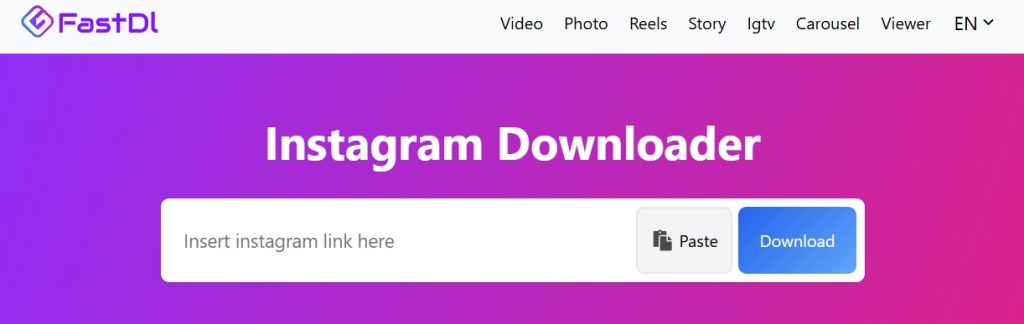
The tool primarily focuses on providing a simple and accessible downloading experience for users who want to save Instagram videos, photos, or Reels directly to their device. Because the platform operates entirely online, it can be accessed from desktop browsers, smartphones, and tablets without requiring account registration.
For casual users who occasionally download Instagram media, this simplicity makes FastDL an easy tool to use.
Supported Instagram Content Types
FastDL supports downloading several types of publicly available Instagram media. These include:
- Instagram videos
- Instagram Reels
- Photo posts
- Carousel images
- IGTV videos
- Instagram Stories
By supporting multiple Instagram formats, the platform allows users to download a variety of content types using the same interface.
This flexibility makes it suitable for users who want a quick way to save different types of Instagram media without switching between tools.
Simple Browser-Based Workflow
One of the reasons FastDL remains popular is its straightforward workflow. The process is designed to be quick and easy, even for first-time users.
The typical process includes three steps:
- Copy the Instagram video or post link
- Paste the link into the FastDL input field
- Generate and download the media file
Because the tool works entirely through the browser, users can access it from almost any device with internet connectivity.
This approach eliminates the need to install third-party applications or browser extensions.
Multi-Language Support for Global Users
FastDL also offers a relatively wide selection of languages, allowing users from different regions to navigate the platform in their preferred language.
The interface supports multiple languages including:
- English
- Spanish
- French
- German
- Italian
- Portuguese
- Russian
- Arabic
- Hindi
- Japanese
- Korean
- Indonesian
- Thai
- Vietnamese
- Turkish
- Chinese
This multilingual support helps make the tool accessible to a global audience, improving usability for users who prefer localized interfaces.
Privacy and Data Handling
FastDL states that it processes links in real time and does not permanently store the user’s link history. According to the platform’s information section, once a download link is generated and delivered, the processed URL and related data are removed from the system cache.
This approach is designed to minimize data storage and maintain user privacy during the download process.
Additionally, because the platform does not require users to log into their Instagram accounts, it reduces the risk associated with sharing personal credentials.
Device Compatibility
Since FastDL is entirely web-based, it can be used across a wide range of devices and operating systems.
Users can access the tool through:
- Windows computers
- macOS devices
- Android smartphones
- iPhones and tablets
Downloaded files are typically saved directly to the device’s default downloads folder or browser download manager.
On mobile devices, the downloaded files can usually be accessed through the phone’s file manager or media gallery.
Limitations to Consider
Although FastDL performs well for basic Instagram downloads, its functionality is largely centered around Instagram itself. The platform does not significantly extend beyond Instagram media extraction.
Users looking for a broader downloading ecosystem that includes multiple social media platforms or additional media utility tools may find the platform somewhat limited in scope.
Additionally, as with many free online tools, user experience can vary depending on server load and internet conditions.
For casual downloads the tool performs reliably, but users who frequently download media or work across multiple social platforms may prefer solutions designed with broader functionality.
InDown – A Simple Instagram Downloader for Basic Media Extraction
InDown is another browser-based tool designed to help users download publicly available Instagram content through a straightforward online interface. Like many modern download utilities, the platform operates through a simple link-processing workflow that allows users to retrieve Instagram media without installing software or logging into their accounts.

The platform focuses primarily on providing a fast and minimal solution for downloading Instagram media, making it accessible for users who only need basic downloading functionality.
Because the service runs entirely in the browser, it can be accessed from desktop computers, smartphones, and tablets without requiring additional applications.
Supported Instagram Media Types
InDown supports downloading several types of public Instagram content through its platform. The available tools include options for saving:
- Instagram videos
- Instagram Reels
- Instagram photo posts
- Instagram profile pictures (DP)
- Instagram Stories
- Instagram Highlights
These features allow users to retrieve different types of Instagram media using a single interface.
The platform also includes dedicated pages for specific download tasks such as Instagram Reels Downloader and Instagram Photo Downloader, which can help streamline the process depending on the type of content being saved.
Basic Copy-Paste Download Workflow
The downloading process on InDown follows the typical method used by most web-based download tools.
Users generally follow these steps:
- Copy the Instagram link of the video, Reel, or photo
- Paste the link into the search field on the InDown website
- Allow the system to process the link and generate a download option
Once the media is processed, users can save the file directly to their device.
This simple workflow allows even first-time users to download Instagram content without technical knowledge.
Multi-Language Interface Support
InDown also supports multiple languages, making the tool accessible to a global user base.
The platform interface can be viewed in several languages, including:
- English
- Arabic
- Bengali
- Chinese
- French
- German
- Hindi
- Hungarian
- Indonesian
- Italian
- Japanese
- Korean
- Polish
- Portuguese
- Russian
- Spanish
- Turkish
- Thai
- Ukrainian
This multilingual interface allows users from different regions to navigate the tool more comfortably.
Additional Download Tools
In addition to its Instagram downloader functionality, the platform also includes a small set of related tools available through its navigation menu.
These include:
- TikTok Video Downloader
- Instagram Photo Downloader
- Instagram Story Downloader
- Instagram Highlights Downloader
While these tools extend the platform slightly beyond a single downloader page, the overall ecosystem remains relatively focused on basic social media media extraction.
Limitations to Consider
While InDown can perform basic Instagram downloads effectively, the platform generally offers fewer advanced features compared with more developed media utility platforms.
Its primary focus remains on simple media extraction rather than providing a broader set of tools or integrations.
Users who occasionally download Instagram videos or photos may find the tool sufficient for their needs. However, individuals who frequently work with social media content or require support across multiple platforms may prefer tools with more extensive capabilities and infrastructure.
Detailed Instagram Video Downloader Comparison
Comparing the tools side by side helps clarify their differences in functionality and scope.
Instagram Downloader Comparison Table
| Feature | GetInDevice | FastDL | InDown |
|---|---|---|---|
| Reels Download | Yes | Yes | Yes |
| Video Download | Yes | Yes | Yes |
| Photo Download | Yes | Yes | Limited |
| Story Download | Yes | Yes | Limited |
| Multiple Content Types | Yes | Moderate | Basic |
| Works on Mobile | Yes | Yes | Yes |
| Login Required | No | No | No |
| Multi-Platform Utility | Yes | No | No |
| Download Limits | No | No | Possible |
From a feature perspective, all three tools provide core video downloading functionality. However, platforms that support a wider range of media types and infrastructure capabilities tend to provide a more flexible user experience.
While all three tools provide reliable Instagram downloading capabilities, platforms that combine broader content support, optimized infrastructure, and multi-platform compatibility tend to offer a more complete user experience. This distinction becomes particularly noticeable for users who frequently download media or manage content across multiple social platforms.
Security and Privacy Considerations
When using third-party downloader tools, privacy and security are important considerations.
Reliable platforms operate using a link extraction method, which means they process publicly available media without requiring access to personal Instagram accounts.
Users should generally avoid tools that request login credentials or require installing unknown software.
Browser-based downloaders that function through secure connections and simple URL processing tend to be the safest options.
Online Downloaders vs Mobile Apps
Many Instagram downloader apps exist on mobile platforms, but browser-based tools often provide a more convenient experience.
No Installation Required
Online tools work instantly through the browser, eliminating the need to install applications.
Cross-Device Access
Because they operate through the web, users can access them from any device with internet connectivity.
Faster Workflow
With no updates or app management required, users can quickly download content without additional steps.
For these reasons, browser-based downloaders have become the preferred choice for many users.
Which Instagram Downloader Should You Choose?
Each of the tools discussed in this comparison serves a slightly different purpose depending on user needs.
Users who want a simple Instagram-focused downloader may find FastDL sufficient for basic video and image downloads.
InDown can also provide a straightforward solution for occasional downloads, particularly for users who only need to save videos occasionally.
However, users looking for a more complete and consistent downloading experience may prefer platforms that support multiple content types, faster processing, and broader functionality.
Tools that combine performance reliability with flexible media support tend to provide the most value over time.
Final Verdict
Instagram’s video ecosystem continues to grow rapidly, and the demand for reliable download tools is increasing alongside it.
All three platforms covered in this comparison provide the ability to download Instagram videos through a simple browser-based process.
FastDL remains a solid option for users who want a straightforward Instagram downloader, while InDown offers a minimal approach suitable for occasional use.
However, when considering the overall balance of speed, functionality, supported content types, and platform reliability, GetInDevice currently delivers the most complete experience among the tools reviewed here.
For users searching for the best Instagram video downloader, platforms that combine efficient infrastructure, broad content support, and consistent processing performance provide the most reliable long-term solution. Among the tools compared in this guide, GetInDevice currently offers the most balanced combination of speed, usability, and platform coverage.
