
Let’s be brutally honest for a second: You are currently competing with 3.7 million new videos uploaded every single day. In the hyper-accelerated digital landscape of 2026, the “Golden Age of Content” has evolved into the “War for Attention.”
You’ve felt it—the soul-crushing experience of spending forty hours on a video, perfecting the color grade and the pacing, only to see it “flatline” in the first hour. Most creators blame the algorithm. But the algorithm doesn’t hate you; it just follows the audience. And the audience? They didn’t click.
At GetInDevice News, we’ve spent months dissecting the metrics of top-tier channels. The data is clear: Your thumbnail is not a “preview”—it is a psychological gateway. It is the single most important variable in your channel’s growth equation.
In this exhaustive guide, we are going deep into the six tools that are defining the “Click-Through Era” of 2026. We aren’t just looking at buttons and sliders; we are looking at how these platforms help you win the war for the scroll.
🧠 The Science of the “Scroll-Stop”: Why 1.2 Seconds is All You Have
Before we look at the tools, we have to understand the neurobiology of a click. In 2026, viewer fatigue is at an all-time high. The human brain has developed a “filter” for generic content. To break through, your thumbnail must trigger the Reticular Activating System (RAS)—the part of the brain that decides what is worth paying attention to.
The Three Pillars of High-CTR Thumbnails:
- High-Contrast Clarity: If a viewer has to squint to understand your image, you’ve already lost. High contrast tells the eye exactly where to look.
- Emotional Transference: Humans are biologically hardwired to mirror emotions. A “shocked” face or a “determined” look isn’t just a cliché; it’s a biological hook.
- The “Knowledge Gap”: A great thumbnail creates a question that only the video can answer. It’s the visual equivalent of a “to be continued…”
To execute these pillars consistently, you need a tool that doesn’t just “design” but strategizes. Let’s break down the titans of 2026.
1. Snappa — The Efficiency King for High-Volume Creators ⚡
In fast-moving content niches, even small delays in production can disrupt consistency and reduce visibility in recommendation feeds. Tools that minimize design time therefore play a direct role in maintaining upload rhythm, audience retention, and overall channel momentum.
Snappa has remained a consistent favorite in 2026 because it solves one core problem:
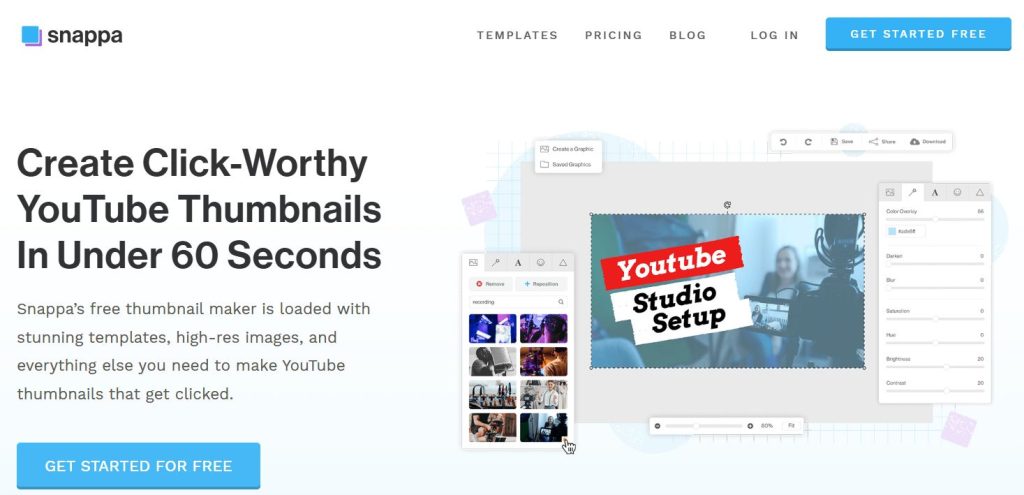
Design friction kills publishing momentum.
Instead of overwhelming users with complex panels and professional-grade tools meant for designers, Snappa follows a radically different philosophy—speed first, simplicity always.
Built on the “Zero-Learning-Curve” Philosophy
Traditional design software demands weeks of learning before producing usable results.
Snappa flips that experience completely.
Its interface is intentionally minimal, focusing on the small set of features that actually impact click-through rate, allowing creators to move from:
idea → thumbnail → upload
in just a few minutes.
This makes it one of the most workflow-friendly thumbnail makers available today.
AI Background Removal That Saves Real Time
One of Snappa’s most practical strengths is its precision background remover.
In 2026, this feature has matured to the point where it can accurately separate:
- hair strands
- uneven lighting
- cluttered room backgrounds
…without manual cleanup.
That means creators can instantly place themselves onto high-contrast, high-energy backgrounds—a proven CTR booster.
Global Resize for Multi-Platform Promotion
Modern creators don’t live only on YouTube.
Snappa’s one-click resize system allows a finished thumbnail to transform into:
- YouTube Shorts vertical promos
- Instagram squares
- X (Twitter) banners
- blog feature images
This dramatically reduces cross-platform design time, making Snappa especially powerful for content repurposing strategies.
A Curated Visual Asset Ecosystem
Unlike platforms flooded with generic stock imagery, Snappa maintains a carefully selected visual library aligned with modern design trends:
- bold contrast
- minimalist composition
- high-resolution photography
This helps thumbnails feel current and professional, not outdated or template-heavy.
GetInDevice Verdict
Snappa is built for consistency and speed, not perfectionism.
It’s the ideal tool for creators who would rather publish ten strong thumbnails than spend hours perfecting one.
Best for: daily uploaders, news channels, productivity-focused creators.
2. PhotoADKing — The Powerhouse of Visual Variety 👑
If Snappa represents speed, PhotoADKing represents creative abundance.
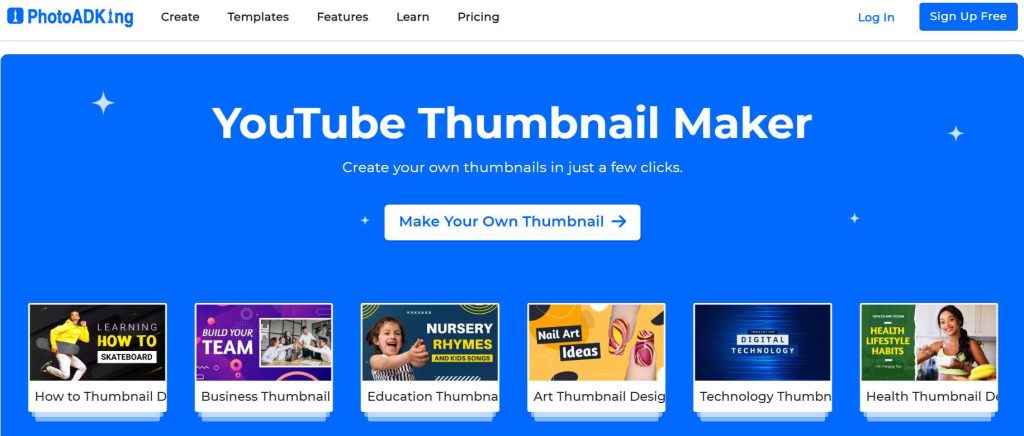
This platform is designed for creators who want their thumbnails to feel rich, cinematic, and professionally layered—closer to streaming-platform artwork than simple YouTube graphics.
Beyond Basic Templates: True Design Depth
Many thumbnail tools offer templates.
PhotoADKing offers design ecosystems.
Its elements are engineered to provide:
- deeper typography styling
- layered visual composition
- niche-specific aesthetics
This allows creators to build thumbnails that feel intentional and branded, not generic.
Advanced Typography Built for Mobile Visibility
In 2026, readability on small screens is critical.
PhotoADKing’s typography engine includes:
- neon glow effects
- 3D depth styling
- curved and perspective text paths
These features ensure titles remain legible and visually striking, even on tiny mobile previews.
Niche-Optimized Template Intelligence
One of PhotoADKing’s quiet strengths is trend-aware template categorization.
Instead of broad generic styles, templates are aligned with:
- finance authority aesthetics
- tech minimalism
- lifestyle vibrancy
- educational clarity
This dramatically reduces the guesswork of what “works” visually in each niche.
Iconography That Drives Click Psychology
Arrows, highlights, badges, circles—these are not decorations.
They are visual attention triggers proven to increase viewer focus.
PhotoADKing’s extensive icon library gives creators the tools to:
- guide the viewer’s eye
- emphasize emotion or conflict
- create urgency within the frame
GetInDevice Verdict
PhotoADKing is ideal for creators where visual professionalism builds trust—
especially in competitive or authority-driven niches.
Best for: finance, tech, education, corporate content.
3. Picmaker — The AI Creative Director 🤖🎨
Creative block is one of the biggest hidden challenges in content creation.
Picmaker directly targets this problem by acting less like a tool and more like an AI design assistant.

By translating rough ideas into structured visual directions, it helps creators move forward even when inspiration feels unclear or inconsistent. This guidance not only speeds up the design process but also encourages experimentation, allowing thumbnails to evolve into stronger, more attention-grabbing concepts with minimal manual effort.
The “MAD Button” and AI-Driven Exploration
Picmaker’s signature feature allows creators to instantly generate multiple visual interpretations of the same design.
Instead of manually testing:
- color palettes
- font pairings
- layout balance
…the AI proposes optimized variations automatically.
This dramatically accelerates creative decision-making, which is often the slowest part of design.
Built-In Trends Like Sticker Effects and Brand Kits
These features simplify visual consistency across uploads, allowing creators to maintain a recognizable style without rebuilding design elements from scratch each time. Over time, this consistency strengthens audience recall and helps thumbnails stand out more clearly within crowded recommendation feeds.
Modern thumbnails frequently use:
- white outline “sticker” portraits
- bold subject isolation
- consistent brand colors
Picmaker automates all of this, ensuring creators maintain recognizable visual identity across videos.
Brand-kit locking is especially powerful for long-term channel branding.
Smart Object Recognition for Contextual Design
By understanding the primary subject within an image, the system can recommend supporting visual elements that reinforce the video’s theme and emotional tone. This contextual assistance reduces guesswork during design and helps thumbnails communicate meaning more clearly at a glance.
Upload an image, and Picmaker can detect:
- faces
- objects
- environments
Then suggest relevant visual elements that enhance storytelling.
This reduces the mental load of deciding how to visually communicate the video’s theme.
GetInDevice Verdict
Picmaker is perfect for creators who want AI-assisted creativity without losing control.
Best for: trend-focused YouTubers, experimental creators, personal brands.
4. DocHipo — The Architect of Clean, Professional Branding 💎
Not every successful thumbnail is loud.
DocHipo proves that clarity and sophistication can be equally powerful.
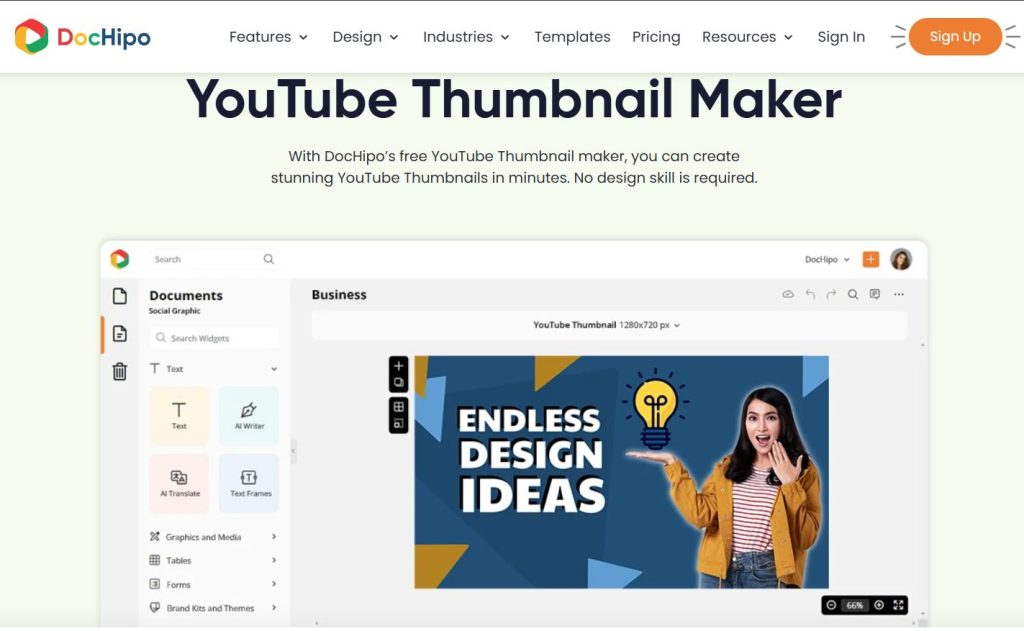
In many niches—especially educational, corporate, or documentary-style content—viewers often respond better to visuals that communicate trust and structure rather than exaggerated emotion. A refined design language can therefore strengthen credibility, making the content feel more authoritative before the video even begins.
Designed Around Visual Hierarchy Principles
This structured approach guides the viewer’s attention in a deliberate sequence, ensuring that the most important visual elements are noticed instantly. By reducing visual noise and emphasizing clarity, thumbnails become easier to understand even during rapid scrolling.
DocHipo emphasizes structured composition:
- subject focus
- supporting object
- minimal text
This mirrors professional advertising design, making thumbnails feel calm, premium, and trustworthy.
Vector Precision for Ultra-Sharp Displays
With screens moving toward 4K and 8K clarity, pixel-based assets can look soft.
DocHipo’s vector-first system ensures thumbnails remain crisp at any resolution.
Built for Series-Based Content Consistency
Maintaining a unified visual style across multiple episodes helps viewers instantly recognize related content, strengthening brand identity and encouraging sequential watching. This continuity can subtly improve retention and make playlists feel more cohesive and intentional.
Maintaining visual continuity across episodes is crucial for:
- documentaries
- educational playlists
- business series
DocHipo simplifies this with repeatable layout structures, strengthening channel identity.
GetInDevice Verdict
DocHipo is the tool of choice for creators whose brand depends on
professionalism over sensationalism.
Best for: educators, consultants, premium vloggers.
5. PixTeller — The Artist’s Digital Playground 🎬
PixTeller appeals to creators who see thumbnails as mini cinematic posters, not just marketing graphics.
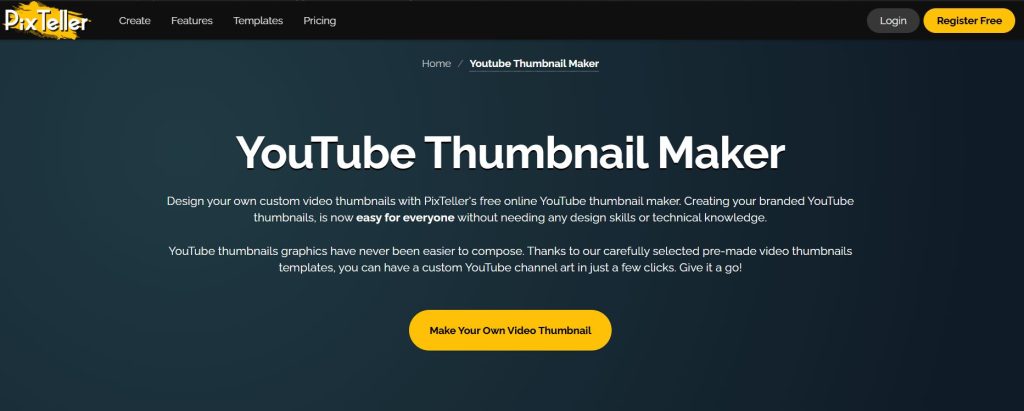
This perspective shifts the focus from simple visibility to visual storytelling, where composition, color mood, and depth all work together to create an emotional first impression. As a result, thumbnails begin to feel less like promotional assets and more like carefully crafted scenes that hint at the narrative inside the video.
Layer-Based Creative Freedom
Its structured layer system allows deeper artistic control than most browser tools while staying beginner-friendly.
Creators can manipulate:
- depth
- blending
- composition
…to produce thumbnails that feel visually unique.
Masking, Filters, and Cinematic Styling
These capabilities allow creators to shape mood and depth with greater precision, turning simple visuals into more immersive, film-like compositions. The result is a thumbnail that feels visually intentional rather than purely functional, helping it stand out within crowded recommendation feeds.
PixTeller’s masking and filter engine enables:
- foreground/background storytelling
- cinematic color grading
- stylized artistic effects
This pushes thumbnails closer to film-poster aesthetics.
Bonus: Motion-Ready Social Adaptations
This flexibility enables creators to extend a single design into multiple promotional formats, supporting consistent visual storytelling across platforms. By reusing core visuals efficiently, it becomes easier to maintain brand cohesion while saving valuable production time.
Designs can easily convert into animated promotional visuals for:
- community posts
- stories
- short-form teasers
Extending the life of each thumbnail beyond YouTube.
GetInDevice Verdict
PixTeller is built for creators who value visual artistry and storytelling depth.
Best for: cinematic channels, storytellers, artistic brands.
6. Thumbmagic — The Performance-First AI Optimizer 🪄🔥
While other tools focus on design, Thumbmagic focuses on results.
Its approach is rooted in measurable performance, using data-driven insights and automated variations to improve click-through potential rather than relying solely on visual aesthetics. This makes the creation process more strategic, aligning thumbnail design directly with growth and audience behavior instead of pure artistic preference.
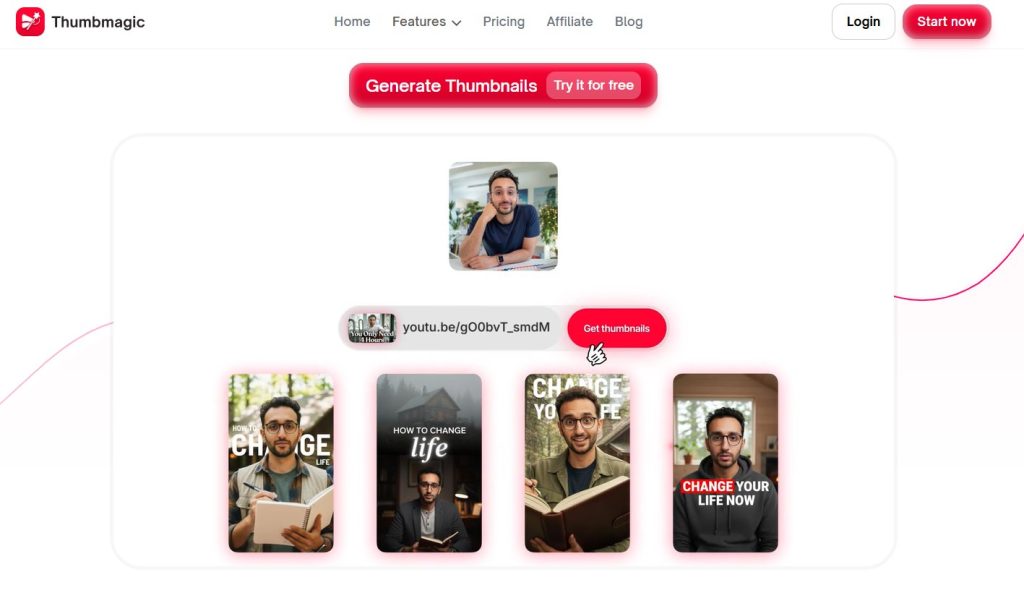
Its philosophy is simple:
A thumbnail’s only job is to get clicked.
Predictive CTR and Heatmap-Driven Design
Thumbmagic analyzes visual structure using performance-oriented AI, estimating which layouts are more likely to attract attention.
This shifts thumbnail creation from art → data-informed strategy.
Facial Emotion Enhancement Technology
By subtly refining key facial details such as eye sharpness, contrast, and expression clarity, the system helps emotional cues register more quickly during fast scrolling. This heightened immediacy can increase viewer connection and improve the likelihood of a click without making the image appear artificial.
Because faces drive clicks, Thumbmagic subtly enhances:
- eye sharpness
- emotional clarity
- contrast around expressions
…making reactions more visually compelling without looking artificial.
Instant A/B Testing Preparation
Creators can generate multiple thumbnail variants in seconds, perfectly suited for YouTube’s testing features.
This enables continuous optimization, a key factor in rapid channel growth.
GetInDevice Verdict
Thumbmagic is the ultimate weapon for creators focused on:
- analytics
- CTR growth
- algorithm performance
Best for: growth hackers, gaming channels, high-volume creators.
📊 Comparison Table: Finding Your Perfect Match
| Feature | Snappa | PhotoADKing | Picmaker | DocHipo | PixTeller | Thumbmagic |
| Primary Vibe | Speed | Variety | AI-Smart | Professional | Artistic | Performance |
| Best For | Daily Vlogs | High-Detail | Trends | Business/Tech | Cinematic | Growth Hacking |
| AI Features | Background | Photo Editing | MAD Button | Layout Logic | Filter Tech | CTR Prediction |
| Skill Level | Beginner | Intermediate | Beginner+ | Intermediate | Advanced-ish | Performance-Focused |
| 2026 Edge | Workflow | Asset Library | Design Logic | Clean Branding | Creative Layers | Data-Driven |
🚀 The 2026 “Pro-Tips” for 15%+ Click-Through Rates
Selecting the tool is step one. Step two is applying the 2026 Meta-Strategies that separate the professionals from the amateurs.
1. The “Reverse Title” Strategy
Never put your video title in your thumbnail. Use the thumbnail to visualize the emotion and the title to explain the context.
- Video Title: “I Survived 24 Hours in a Desert.”
- Thumbnail Text: “HELP ME.” or “NEVER AGAIN.”
2. The “Mobile Zoom” Test
In 2026, 85% of YouTube consumption happens on mobile. When you finish your design, zoom out to 10% size. If the text is unreadable or the face is unrecognizable, your thumbnail will fail. Boldness always wins over “busy-ness.”
3. The “Color Gap” Technique
Look at your competitors in the search results. If they are all using bright red and yellow (common in 2026), use Electric Blue or Neon Purple. Be the “pattern interrupt” in the sea of similarity.
4. Facial Direction
If there is a person in your thumbnail, ensure they are looking toward the text or the object of interest. This is a psychological “gaze-cue” that tells the viewer’s brain where to look next.
💡 Final Thoughts: Your Gateway to Growth
The landscape of YouTube in 2026 is unforgiving, but it is also full of opportunity. We have moved past the era where “just making good videos” was enough. Today, you are a marketer as much as you are a creator.
Whether you choose the lightning-fast workflow of Snappa, the AI-driven genius of Picmaker, or the performance-obsessed tools of Thumbmagic, the goal remains the same: Stop the scroll. Start the click.
Your next viral hit is sitting on your hard drive right now. Don’t let it die behind a boring thumbnail. Choose your tool, master the psychology, and go claim your views. 📈✨
